Solved

only IE browser is picked by default when navigating from IFS10 to 3rd party application

  • September 2, 2021
  • 4 replies
  • 263 views

Forum|alt.badge.img+9

Hi, 


We have a customisation in Purchase Requisition in IEE  Frame work. 

On RMB we have option to Navigate 3rd party application. It always take Internet Explorer browser. 

User wants to open in Microsoft Edge. 

How we can force to Navigate to open 3rd party application n Microsoft Edge. 


Regards,

Kishore Nenwani

Best answer by Shaun

Would specifying Action Type: External Program work for you ?

Action Parameters → microsoft-edge:http://www.bbc.co.uk

This topic has been closed for replies.

4 replies

Kasun Balasooriya
Superhero (Employee)
Forum|alt.badge.img+20

Hi,

I hope the third party application is a web application. Can you specify the IFS application version you are on?  If you are running IFS applications 10, please have the end user install the

IFS EE Link Handler and the chrome extension. (The same chrome extension is applicable for Microsoft Chromium Based Edge).

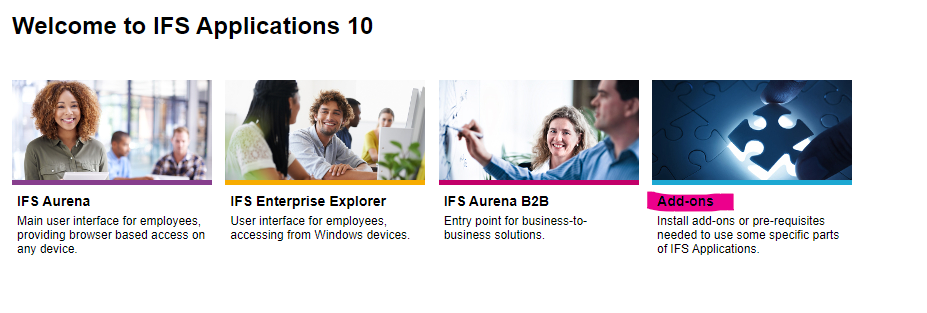
The extension and the link handler  links can be found under add-ons in IFS applications landing page. 


The same topic has been discussed in the following thread as well. 

IFS application hyperlinks are not opening correctly | IFS Community


Thanks,

Kasun


Forum|alt.badge.img+9
  • Author
  • Do Gooder (Partner)
  • September 2, 2021

Hi Kasun, 


Thanks for prompt response. User wants while Navigate on RMB,  3rd party application page should be open in Microsoft Edge not in IE or Chrome Browser. 

 3rd party application page only support Microsoft Edge.


Regards,

Kishore Nenwani


Kasun Balasooriya
Superhero (Employee)
Forum|alt.badge.img+20

Hi Kasun, 


Thanks for prompt response. User wants while Navigate on RMB,  3rd party application page should be open in Microsoft Edge not in IE or Chrome Browser. 

 3rd party application page only support Microsoft Edge.


Regards,

Kishore Nenwani

The end user can use the solution noted in my response.


Thanks,

Kasun


Forum|alt.badge.img+5
  • Do Gooder (Customer)
  • Answer
  • September 2, 2021

Would specifying Action Type: External Program work for you ?

Action Parameters → microsoft-edge:http://www.bbc.co.uk