


Solved

Issue with Sorting in “Recurring Service Programs” Selector

  • June 4, 2025
  • 6 replies
  • 38 views

Forum|alt.badge.img+8

Hello everyone,

On the “Recurring Service Programs” page, there is a selector sorted by the Start Time (custom attribute) field. When the start time of an entry is changed, the entry remains in its original position rather than being automatically re-sorted. It only appears in the correct position after the page is manually refreshed.
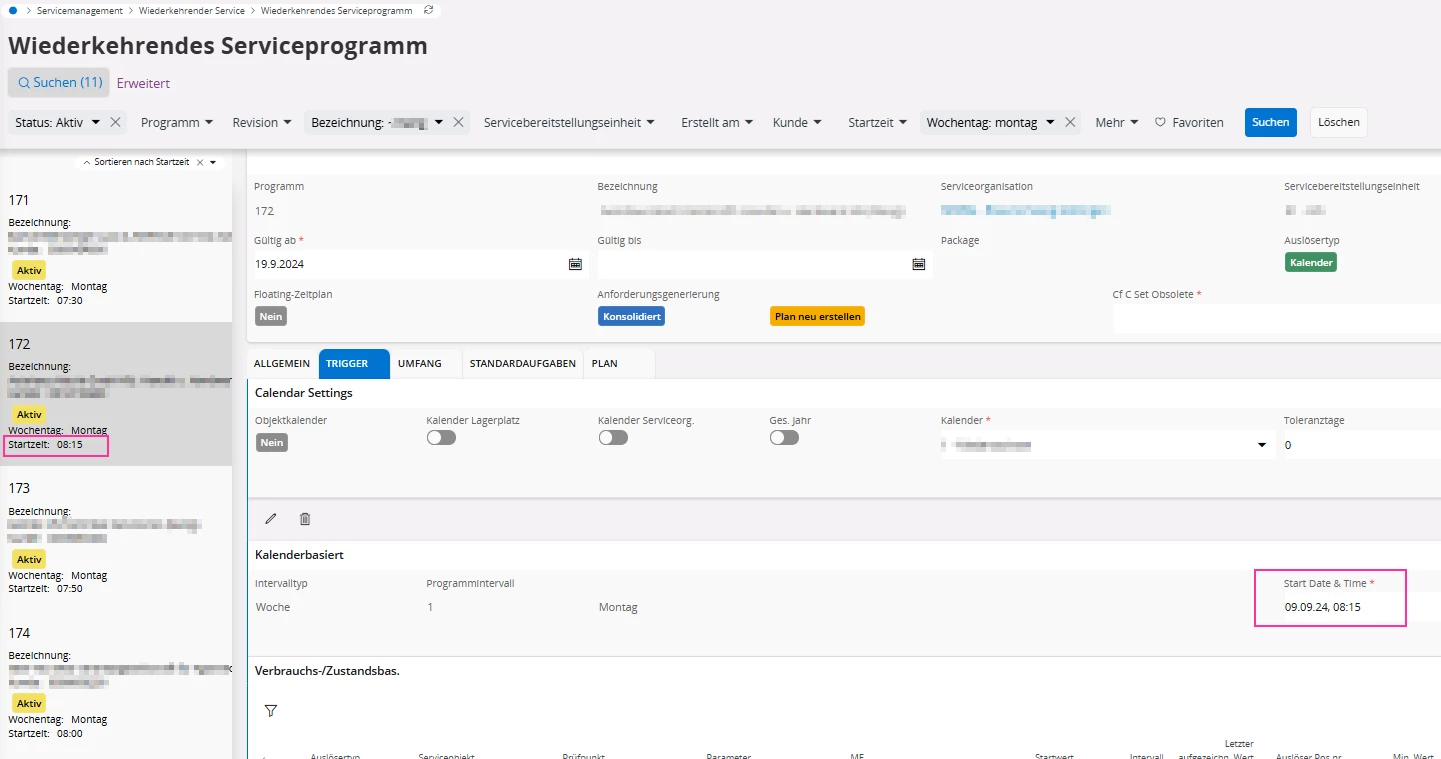
Is this the expected behavior, or is there a way to trigger automatic sorting without a manual

refresh?


Thank you in advance!

Best answer by tofuse

The sort requires a refreshed server call, it will not automatically sort when a selector value is updated in the client. I.e. the behavior that you describe is the currently designed behavior. 

kind regards

Tobias 

6 replies

PhillBronson
Hero (Customer)
Forum|alt.badge.img+11
  • Hero (Customer)
  • June 4, 2025

@Anastasiya Dzembak How was the custom attribute in the selector implemented?


Forum|alt.badge.img+10
  • Hero (Employee)
  • June 9, 2025

How do you sort the selector on the custom attribute?


Forum|alt.badge.img+8

@PhillBronson We implemented the custom attribute via the Recurring Service Program Selector:


Forum|alt.badge.img+10
  • Hero (Employee)
  • Answer
  • June 11, 2025

The sort requires a refreshed server call, it will not automatically sort when a selector value is updated in the client. I.e. the behavior that you describe is the currently designed behavior. 

kind regards

Tobias 


Forum|alt.badge.img+8

Thank you for your reply, ​@tofuse! Is it possible to adjust the behavior so that the sorting is automatically updated when a value in the selector is changed - i.e. without triggering an additional server call manually?


Forum|alt.badge.img+10
  • Hero (Employee)
  • June 16, 2025

No, that is not possible.



