


Solved

IFS Developer Studio won't save database connection for project

  • June 14, 2023
  • 5 replies
  • 179 views

Forum|alt.badge.img+3

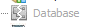
Just installed the latest version IFS Developer Studio,  22.1E.9419 (Build 2023-05-11 10:06).   Once installed, I could not open my existing project.  I re-cloned the repository and once I did that, it would open the project, but now, it will not save the database connections in the project.  I have added and tested them and they are good, but when I close the screen to add them, the database still shows the broken icon:
I have downloaded the older version of IFS Developer Studio (21.82.856800), and it works fine.   I will add that we are on IFS release 10, update8.   


Thank you in advance for your help! 

Best answer by BGaither

If anyone is interested,  we got this fixed by creating a new project with the same name as our current one (different location).  Copied the nbproject/project.properties file from this new project to the same location in our current project and voila! it’s working! 

5 replies

Charith Epitawatta
Ultimate Hero (Employee)
Forum|alt.badge.img+31

Hi @BGaither,

Could you try clearing your user and cache directories by following the steps mentioned here:

Furthermore, please check if there are any updates available through “Help → Check for Updates” in Developer Studio main menu. I have 23.1.9428 installed and do not have this problem. So it could be an issue in the particular version you have. 

Hope this helps!


Forum|alt.badge.img+3
  • Author
  • Do Gooder (Customer)
  • June 15, 2023

Thank you for your reply.  I have tried doing as you suggested by clearing cache files and checking for updates.  It didn’t help and even though I seem to be behind you in updates, it tells me there are no updates available.  


Forum|alt.badge.img+3
  • Author
  • Do Gooder (Customer)
  • June 15, 2023

Also, I had a typo in my original post.  I am at version 23.1E.9419 (Build 2023-05-11 10:06), not version 22.   


Forum|alt.badge.img+3
  • Author
  • Do Gooder (Customer)
  • June 15, 2023

Also,  adding that some of my other colleagues are having the same issues with this update. 


Forum|alt.badge.img+3
  • Author
  • Do Gooder (Customer)
  • Answer
  • June 16, 2023

If anyone is interested,  we got this fixed by creating a new project with the same name as our current one (different location).  Copied the nbproject/project.properties file from this new project to the same location in our current project and voila! it’s working!

