
what are the steps to reset the password for the app owner,

Solved
ifs 10 app owner password reset
 +2
+2Best answer by IFS Community
Just to clarify and update the information provided earlier:
The AppOwner (IFSAPP) password can only be reset directly at the database level.
Attempting to change the AppOwner password via the IFS client (Oracle User Management or RMB → Change Password) results in an error stating that the operation is not allowed. This behavior is expected and by design.
Supported approach
Use an Oracle database client (for example SQL*Plus, PL/SQL Developer, SQL Prompt, or a similar tool) and connect as a privileged database user. Then run:
ALTER USER ifsapp IDENTIFIED BY <new_password> ACCOUNT UNLOCK;Not supported
- Resetting the AppOwner password via IFS Client → Oracle User Management
- Using RMB → Change Password for the AppOwner user
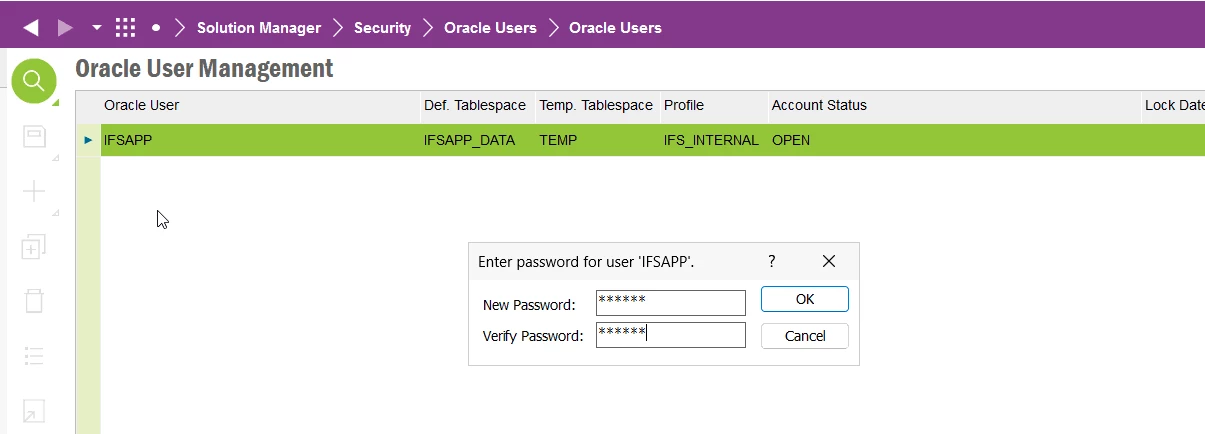
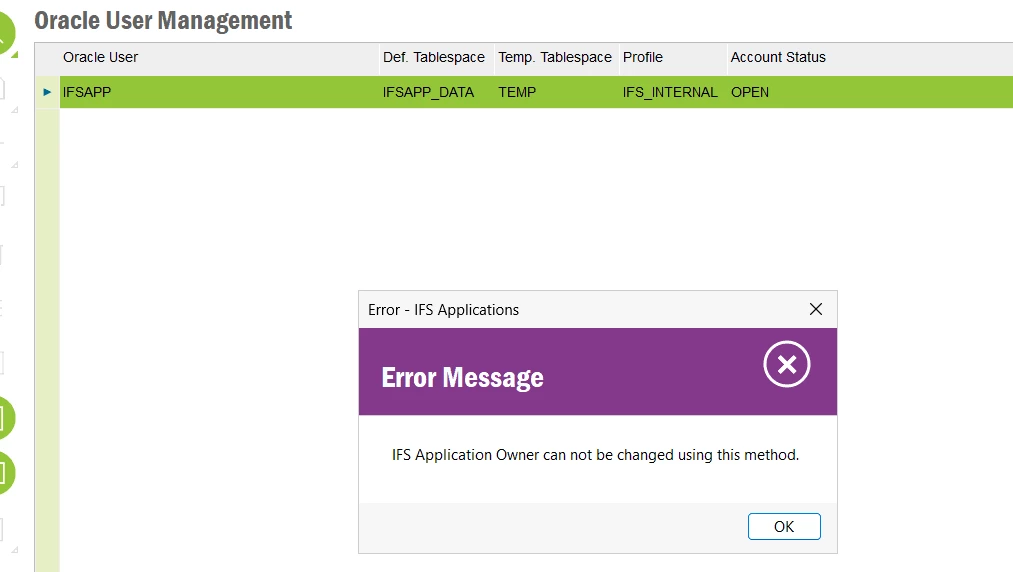
As demonstrated in the screenshots, these client-based methods are restricted for the AppOwner account and will fail with an “operation not allowed” message.
This topic has been closed for replies.






Enter your E-mail address. We'll send you an e-mail with instructions to reset your password.