Solved

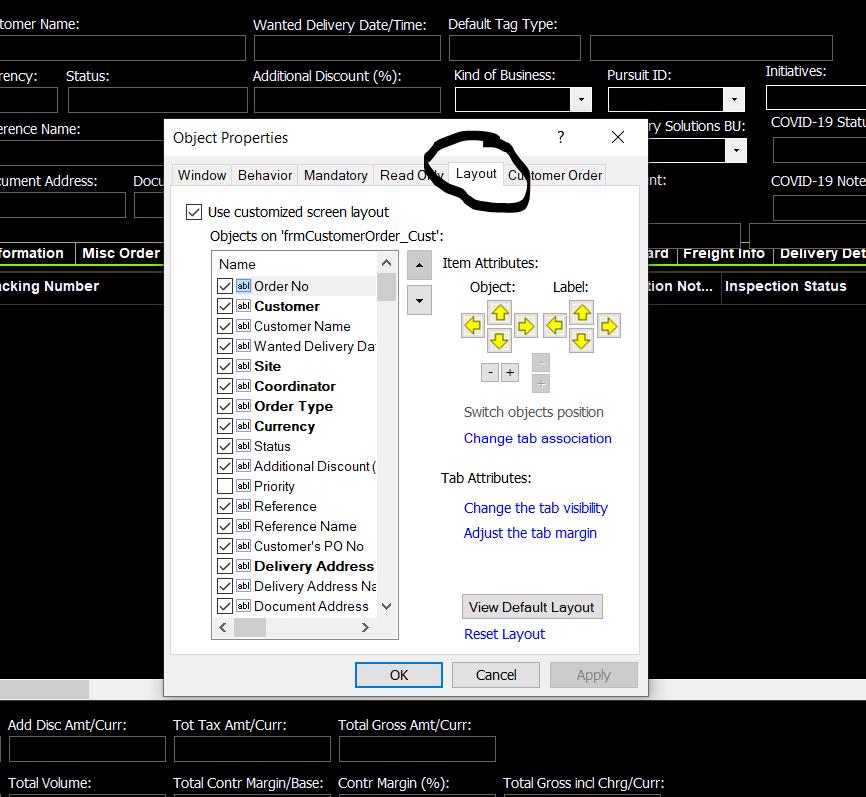
How to disable "Layout" in the Properties RMB

  • Nov 23, 2021 1:45 PM UTC
  • 5 replies
  • 502 views

Forum|alt.badge.img+8

I want to disable layout in my users screens so they can’t mess up the screen layout but can’t find it in permissions.


Help!!!
 

Best answer by Charith Epitawatta

Hi @sandra.waud,

You need to revoke “Object Properties - Layout” presentation object for this. This can be found under IFS Base Functionality in Presentation Objects by Module tab. 
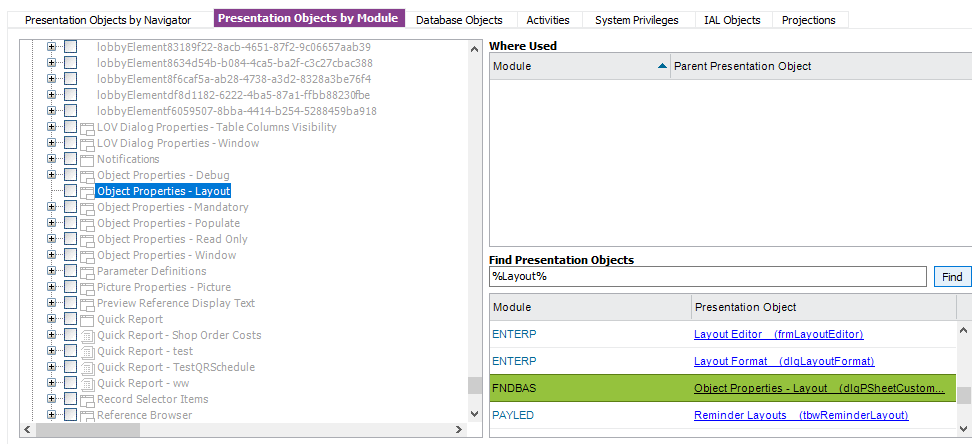
Hope this helps!

View original
This topic has been closed for replies.

5 replies

Charith Epitawatta
Ultimate Hero (Employee)
Forum|alt.badge.img+31

Hi @sandra.waud,

You need to revoke “Object Properties - Layout” presentation object for this. This can be found under IFS Base Functionality in Presentation Objects by Module tab. 

Hope this helps!


Forum|alt.badge.img+8
  • Author
  • Do Gooder (Customer)
  • Nov 23, 2021 2:00 PM UTC

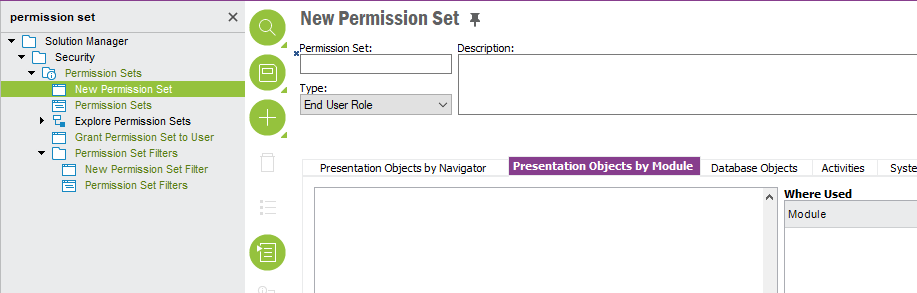
I don’t see this Presentation Objects by Module in permissions


Forum|alt.badge.img+8
  • Author
  • Do Gooder (Customer)
  • Nov 23, 2021 2:02 PM UTC

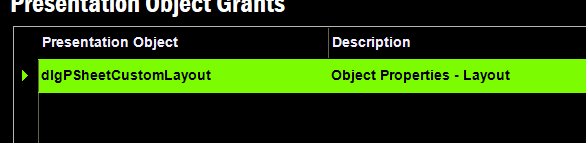
Is it this one


Charith Epitawatta
Ultimate Hero (Employee)
Forum|alt.badge.img+31

Hi @sandra.waud,

It is in “New Permission Set” window in IEE. In earlier versions, this is name as “Presentation Objects by Component.”


Charith Epitawatta
Ultimate Hero (Employee)
Forum|alt.badge.img+31

Hi @sandra.waud, 

Is it this one


Yes, this is the one.