Solved

error when starting migration job

  • Jun 28, 2021 1:19 PM UTC
  • 12 replies
  • 797 views

Forum|alt.badge.img+4

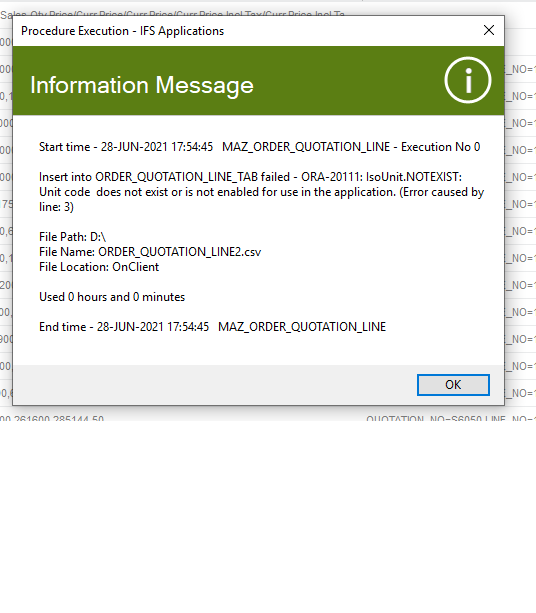
i get error below when i start a migration job 


“Unit code  does not exist or is not enabled for use in the application”

how can i solve it ???

Best answer by AkilaR

Hi @TAHER ,

You need to update all the mandatory fields of a Migration job and prepare the template accordingly. If the Flag column has M letter it means it is a mandatory fields and this field required a value either in Template or Default value column.
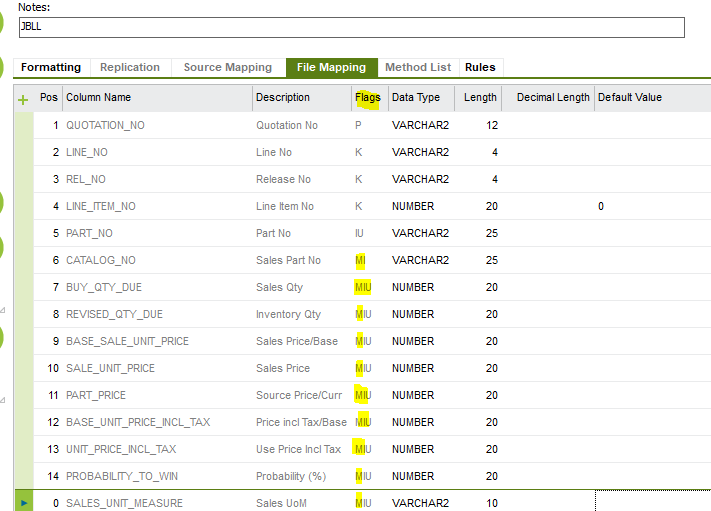
However, your above error message cause due to not defining the CONTRACT(Site) column in the migration job. 

Please update all the mandatory fields and prepare the template accordingly. The trying uploading again.

Hope this will help.

Regards,

Akila

View original
This topic has been closed for replies.

12 replies

Savinda Suvimal
Hero (Employee)
Forum|alt.badge.img+11

Hi @TAHER ,


Could you please provide more information about this migration with some screenshots.


Best Regards

Savinda 


Forum|alt.badge.img+4
  • Author
  • Sidekick
  • Jun 28, 2021 1:25 PM UTC

thnks to answer 

im running migration job on ORDER_QUOTATION_LINE 


Forum|alt.badge.img+11
  • Hero (Customer)
  • Jun 28, 2021 1:29 PM UTC

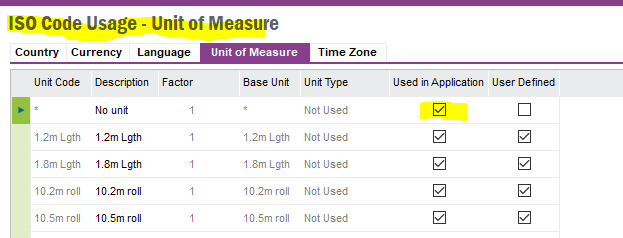
Make sure the unit code from the migration job is checked “used in application” in this screen 


Application Base Setup\System Setup\ISO Code Usage


AkilaR
Hero (Partner)
Forum|alt.badge.img+11
  • Hero (Partner)
  • Jun 28, 2021 1:33 PM UTC

Hi @TAHER ,

Check whether UOM you used in the line 3 of the migration job is available in the ISO Codes usage - Unit of Measure tab. If it is available it should be enable to use by ticking the check box Used In Application.

Hope this help,

Regards,

Akila


Forum|alt.badge.img+4
  • Author
  • Sidekick
  • Jun 28, 2021 1:33 PM UTC

actualy im newbie how can i check that??


AkilaR
Hero (Partner)
Forum|alt.badge.img+11
  • Hero (Partner)
  • Jun 28, 2021 1:46 PM UTC

Hi @TAHER ,

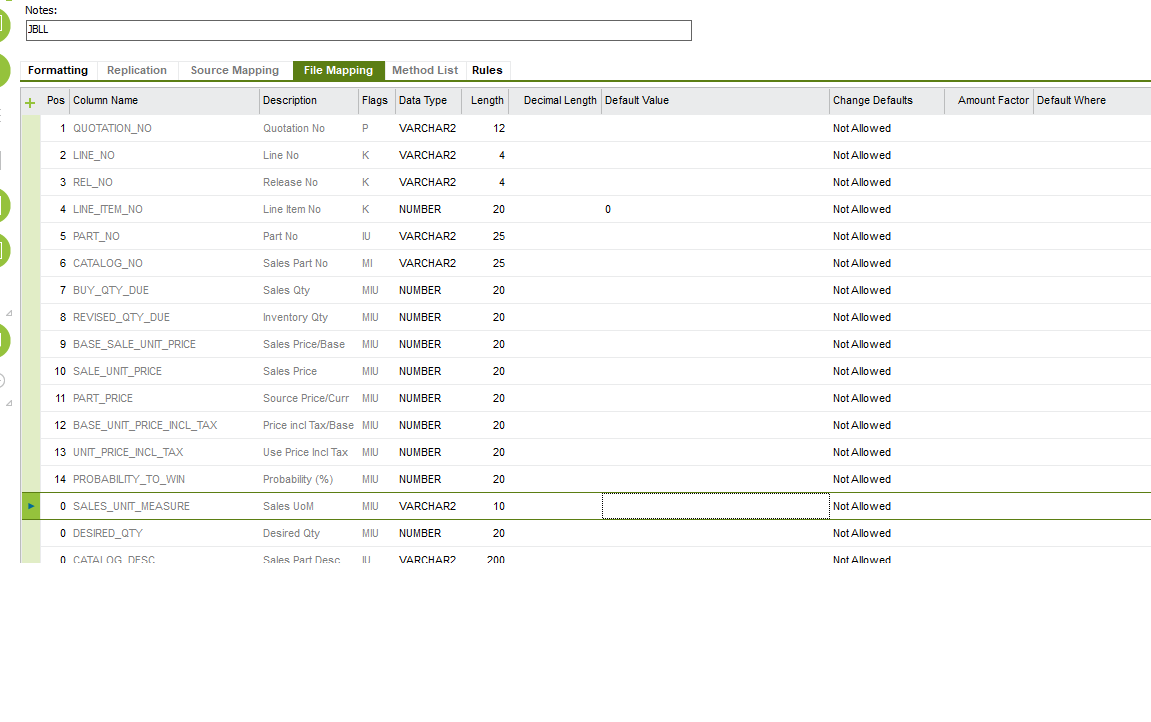
In the Migration template there should be a value for Sales Unit Measure column. Check that column’s value against the ISO Codes usage - Unit of Measure tab values. That value should be defined in there and Used In Application check box should be ticked in order to use that UOM in any transaction.

Hope this help.

Regards,

Akila


Forum|alt.badge.img+4
  • Author
  • Sidekick
  • Jun 28, 2021 1:49 PM UTC

@AkilaR  it is VARCHAR2 and is checked in uom


AkilaR
Hero (Partner)
Forum|alt.badge.img+11
  • Hero (Partner)
  • Jun 28, 2021 2:03 PM UTC

I believe you are referring the Data Type field. You should refer the Value field. Can you share the Migration template you are using along with excel extraction of Migration Job - File mapping tab.


Forum|alt.badge.img+4
  • Author
  • Sidekick
  • Jun 29, 2021 4:15 AM UTC
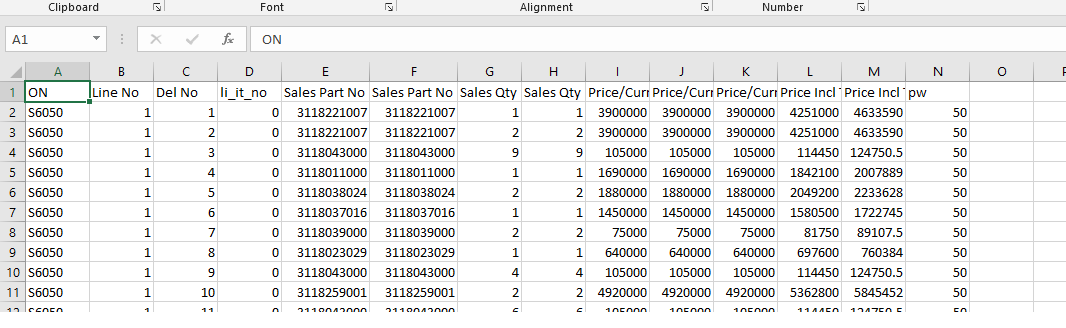
this is excel data


Forum|alt.badge.img+4
  • Author
  • Sidekick
  • Jun 29, 2021 4:16 AM UTC
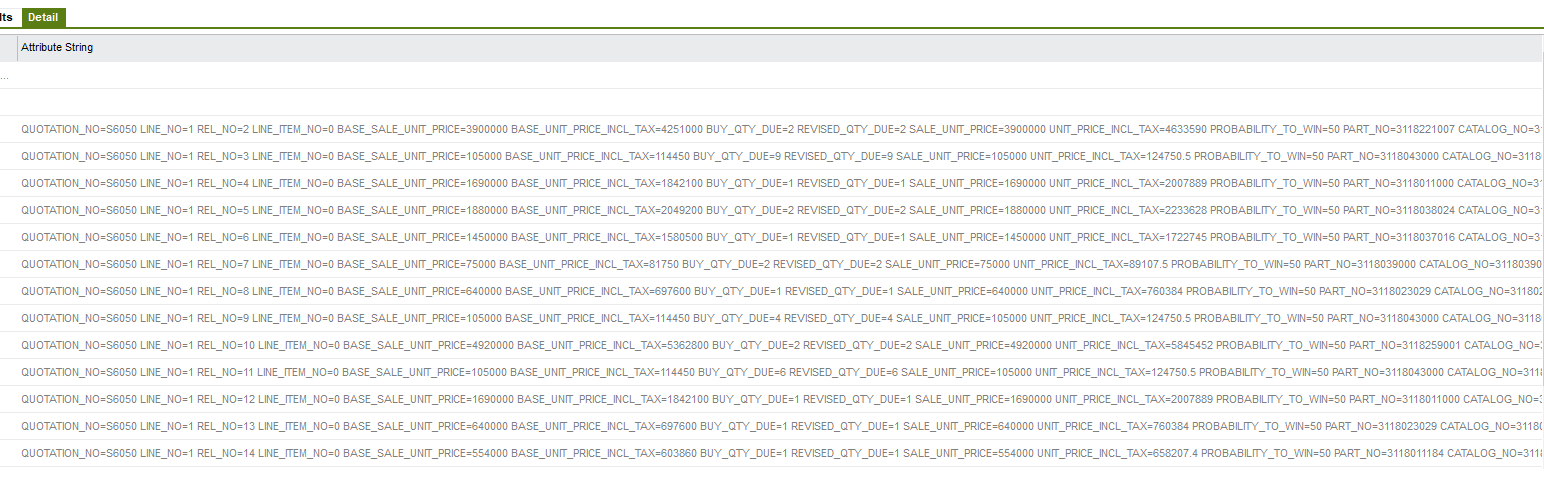
unpak job


Forum|alt.badge.img+4
  • Author
  • Sidekick
  • Jun 29, 2021 4:19 AM UTC

hi @AkilaR 

migration job


AkilaR
Hero (Partner)
Forum|alt.badge.img+11
  • Hero (Partner)
  • Answer
  • Jun 29, 2021 6:29 AM UTC

Hi @TAHER ,

You need to update all the mandatory fields of a Migration job and prepare the template accordingly. If the Flag column has M letter it means it is a mandatory fields and this field required a value either in Template or Default value column.

However, your above error message cause due to not defining the CONTRACT(Site) column in the migration job. 

Please update all the mandatory fields and prepare the template accordingly. The trying uploading again.

Hope this will help.

Regards,

Akila