Solved

Aurena - Select all lines, even the not visible ones

  • February 7, 2022
  • 3 replies
  • 203 views

Forum|alt.badge.img+5

Hi, 

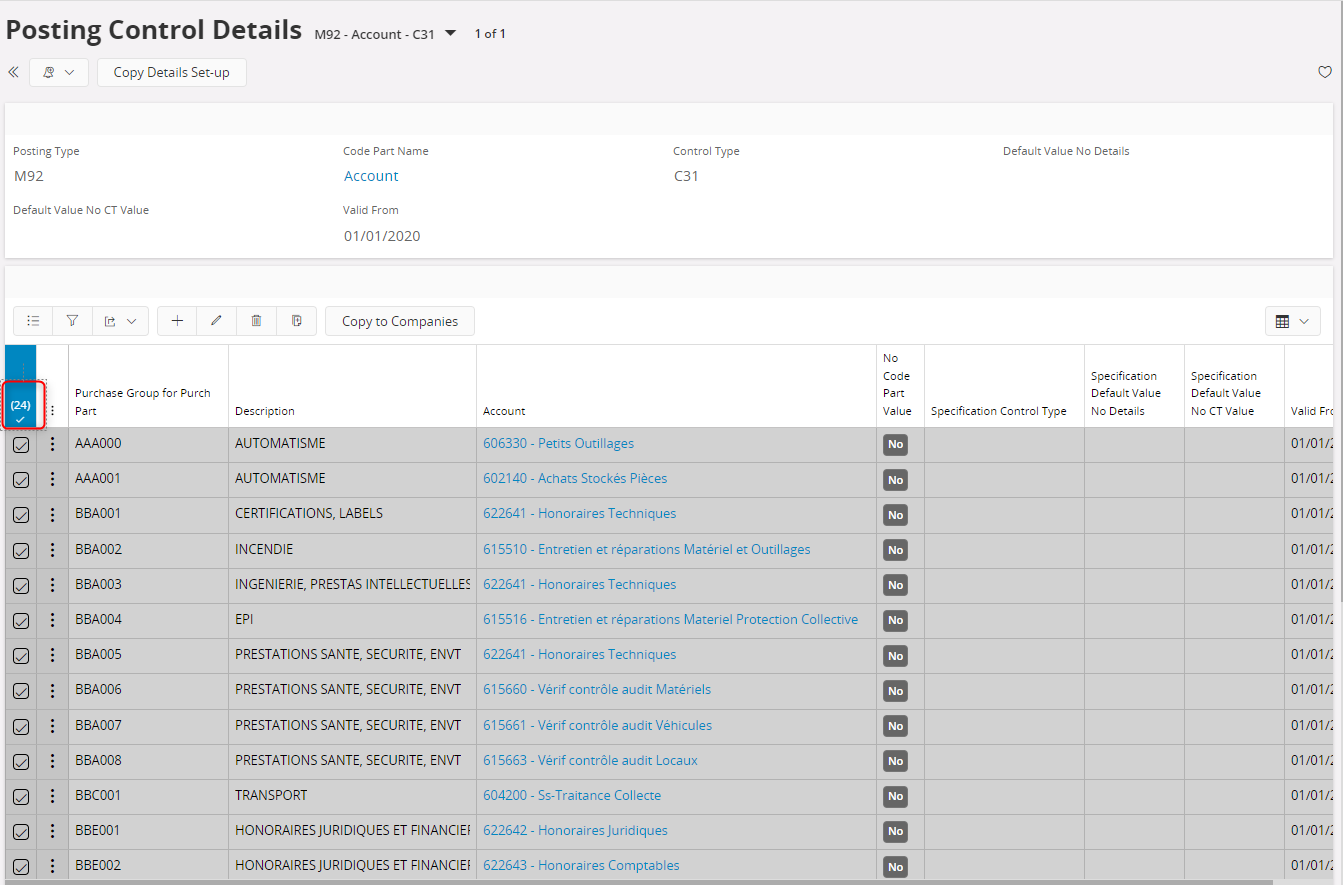
I’d like to select all the lines but when I click on the button below, it only selects the default displayed lines (24). There are many other lines that I’d like to select in order to copy and paste somewhere else. I have like hundrers of lines so I would prefer to avoid pressing in select more line in the bottom of the screen until reaching my number as it can take many many clicks to get tot the end
 

thanks for the help

ghita 

Best answer by ShawnBerk

As would we all….this is a severe and problematic limitation for many customers…..


This topic has been closed for replies.

3 replies

Forum|alt.badge.img+28
  • Superhero (Customer)
  • Answer
  • February 7, 2022

As would we all….this is a severe and problematic limitation for many customers…..


Kelum Pradeep Kumara
Superhero (Employee)
Forum|alt.badge.img+18

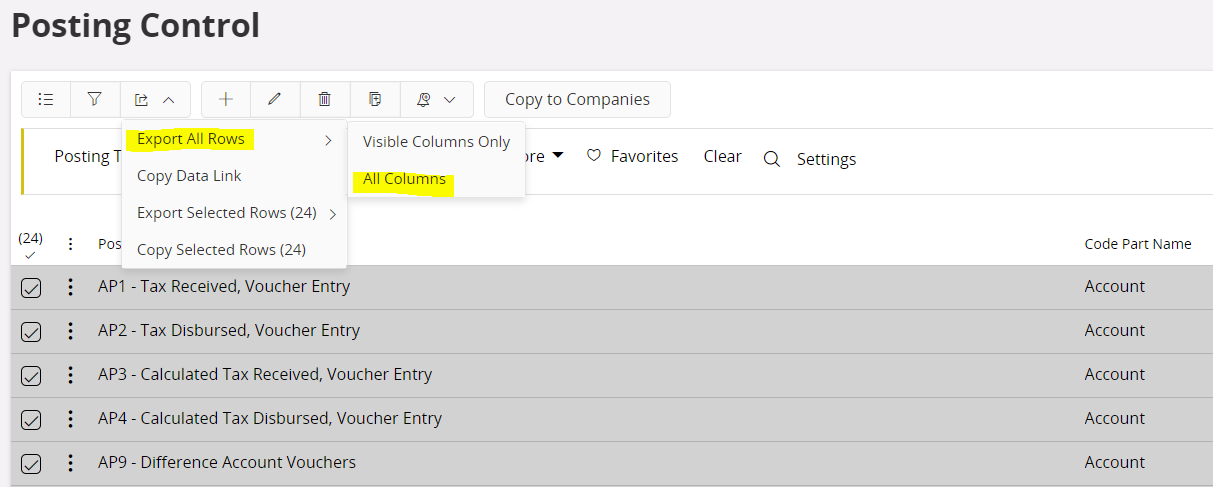
If you need to export all lines then you can select below option.


Forum|alt.badge.img+28
  • Superhero (Customer)
  • February 7, 2022

@Kelum Pradeep Kumara 

No, we don’t want to export them, we want to see them on the screen - all of the records that were retrieved, not just the first 24 that IFS R&D decides to show.

Exporting is not a solution to this issue.