Solved

IFS Cloud - How to set a column order?

  • Jun 27, 2025 12:07 PM UTC
  • 4 replies
  • 276 views

Forum|alt.badge.img+4

In Page Designer, Fieldranking is supposed to set the order of columns in the list element. When I do this on Business Opportunities, it doesn’t seem to work. We Go-Live in October and setting a column order for heavily trafficked pages is something we want to do to help our computer illiterate sales people.

Looking for instructions on this page designer feature.

Thanks.

Best answer by Arcfarazt

​@sstevens As far as I know the Field Ranking is overridden by the user’s personal profile.  Have you tried to export a profile and simply import it as the default for those users?

If you navigate to Profiles (Solution Manager/Users and Permissions/User Profile/Export Profile/Profiles), you can query for a user and Export/Import profiles.  

You could also potentially manage this by having various Page Contexts.  

View original

4 replies

COVJAMIEB
Hero (Partner)
Forum|alt.badge.img+11
  • Hero (Partner)
  • Jun 27, 2025 12:31 PM UTC

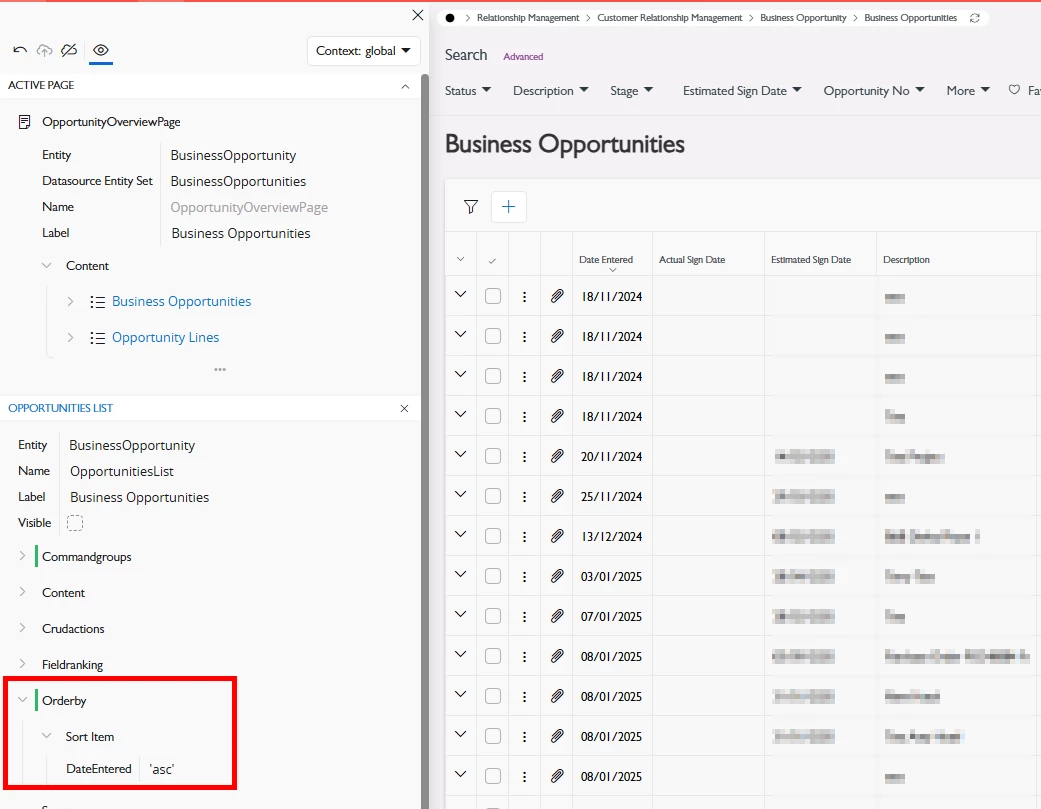
You should be looking to add in an order by,


Forum|alt.badge.img+4
  • Author
  • Do Gooder (Customer)
  • Jun 27, 2025 4:34 PM UTC

​@COVJAMIEB I wish to set a column order by default, as if someone would go to column chooser and set their preferred column order. I do like your idea for ordering the business opportunity rows, I have not added this in yet.


Forum|alt.badge.img+13
  • Hero (Partner)
  • Answer
  • Jun 27, 2025 8:44 PM UTC

​@sstevens As far as I know the Field Ranking is overridden by the user’s personal profile.  Have you tried to export a profile and simply import it as the default for those users?

If you navigate to Profiles (Solution Manager/Users and Permissions/User Profile/Export Profile/Profiles), you can query for a user and Export/Import profiles.  

You could also potentially manage this by having various Page Contexts.  


Forum|alt.badge.img+4
  • Author
  • Do Gooder (Customer)
  • Aug 5, 2025 6:19 PM UTC

It doesn’t appear I can set a column order via page designer. The best I found is exporting a profile that was setup with the correct columns and using this as the base profile to import for new users.