

Solved

Supplier Positive Pay Function detail

  • Sep 10, 2021 5:43 PM UTC
  • 3 replies
  • 264 views

arebbeadle
Hero (Customer)
Forum|alt.badge.img+14

I need help with function detail on Check Amount field. I need to remove the decimal point but keep the numbers (ie.. 4005.63 convert to  400563) ? Bank file import assumes first 2 numbers from the right are cents and they don’t need the decimal point.

Any suggestions?


Best answer by Shehan Almeida

Hi,


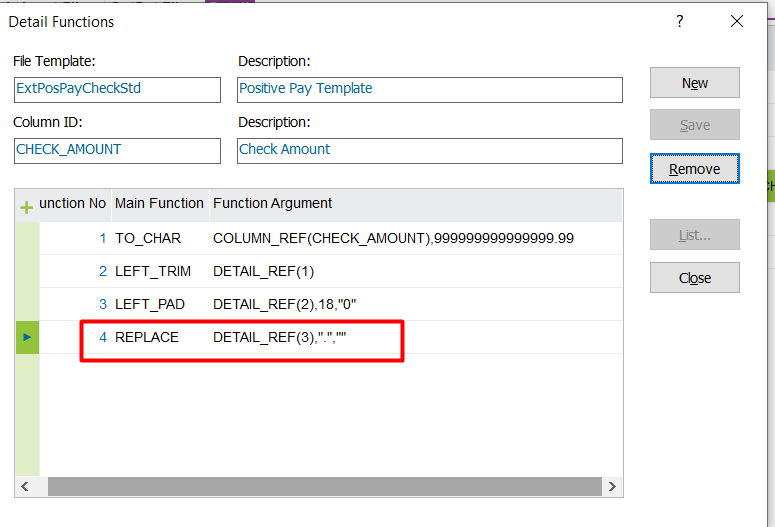
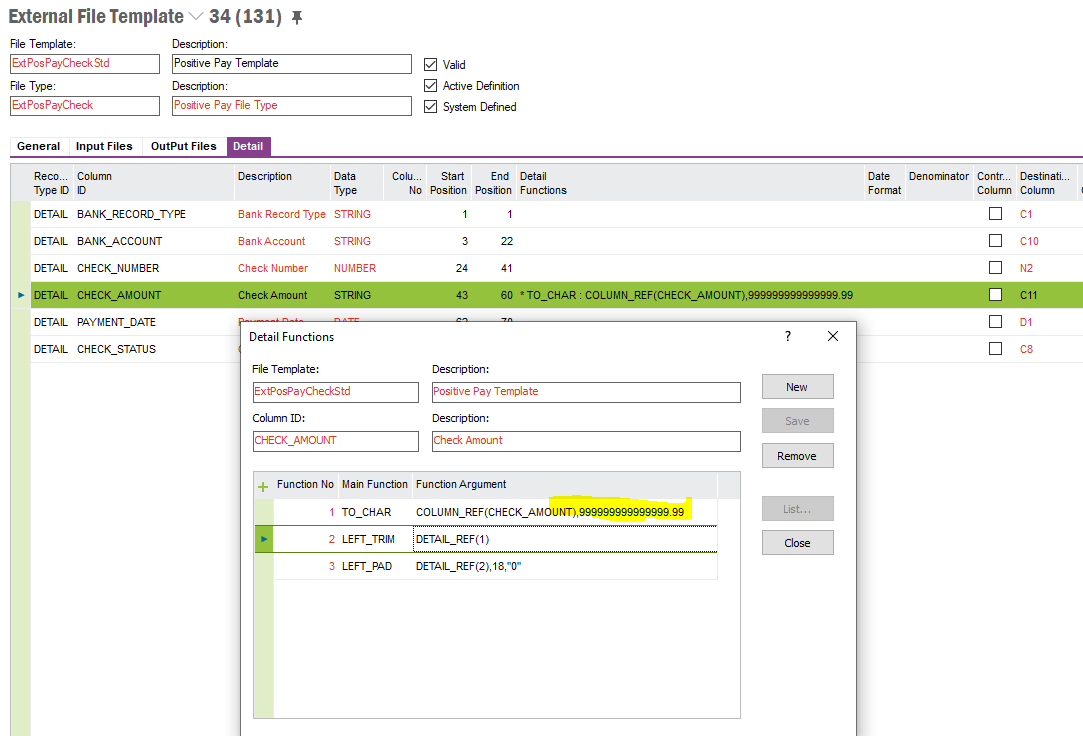
You can use the replace function to replace decimal with null value as follows.


Shehan Almeida. 

View original
This topic has been closed for replies.

3 replies

Shehan Almeida
Superhero (Partner)
Forum|alt.badge.img+19
  • Superhero (Partner)
  • Answer
  • Sep 10, 2021 6:13 PM UTC

Hi,


You can use the replace function to replace decimal with null value as follows.


Shehan Almeida. 


Forum|alt.badge.img+20

Hi, 

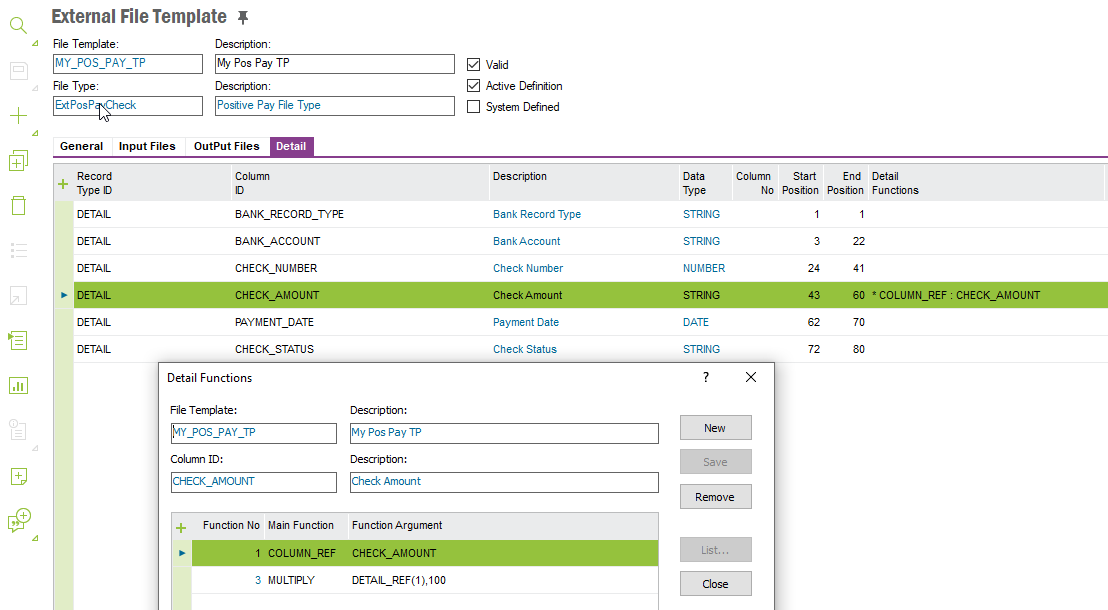
I did so many tests for a client (different use cases).  We have a number of ways to do this.  This below is pretty easy.  use multiply. 

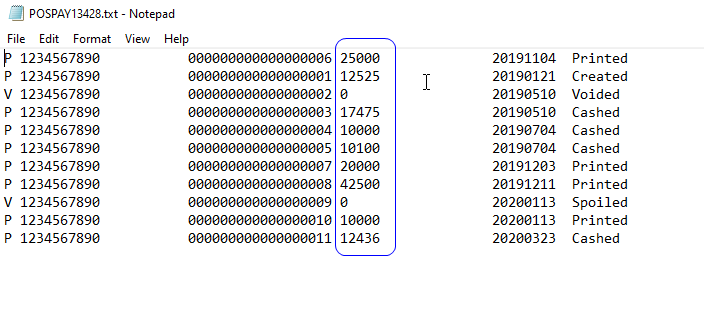
 The file then looks like this…


Best regards, 

Thomas


arebbeadle
Hero (Customer)
Forum|alt.badge.img+14
  • Author
  • Hero (Customer)
  • Sep 10, 2021 7:27 PM UTC

Building new template in APPS10, I will try both suggestions to see which one works best for us.


Thank you for the quick response.