Solved

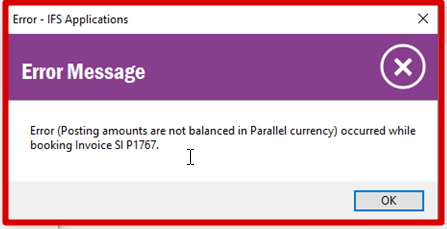
Posting amount are not balance in parallel currency

  • Jun 11, 2020 1:23 PM UTC
  • 3 replies
  • 1052 views

Forum|alt.badge.img+3

We have posted an Advance Invoice Agst Purchase Order at a Time of Final Invoice Posting we are facing This error Can sum please guide us on how to resolved This type of Error.



Best answer by Andreas_M

Hi

There is no bug to my experience. I think you have a missing posting control. Or allowed voucher variance setting in company set up


View original

3 replies

Forum|alt.badge.img+28
  • Superhero (Customer)
  • Jun 11, 2020 10:24 PM UTC

There is no way to answer this question without details of the posting.  It is either a data entry error, posting control setup error, or could possibly be a bug.  No way to know from just an error message.


Forum|alt.badge.img+8
  • Do Gooder (Customer)
  • Answer
  • Jun 26, 2020 3:24 PM UTC

Hi

There is no bug to my experience. I think you have a missing posting control. Or allowed voucher variance setting in company set up


AkilaR
Hero (Partner)
Forum|alt.badge.img+11
  • Hero (Partner)
  • Jul 7, 2020 2:59 PM UTC

Hi Manish,

I'm not sure if your issue has been already resolved or not. But the reason for this issue is Rounding off of the parallel currency. If you check on posting information your parallel currency balance may have a negative or positive value. To resolve this issue you need to modify the Parallel Currency Debit or Credit Amount to make sure Parallel currency balance is zero. Then you will able to post the issue.


Thanks and Regards,

Akila