Solved

How to rollback an asset acquisition

  • Jun 25, 2025 9:37 AM UTC
  • 3 replies
  • 189 views

Forum|alt.badge.img+1

We have asset where we have rolled back the depreciation transactions but there is no acquisition transaction to roll back.


Thanks

Best answer by Adam Bereda

Only transactions initiated from Fixed assets can be rolled back from Fixed assets. This applies to acquisition value recorder by Import function. If Acquisition was made from GL (supplier invoice or manual voucher posted on acquisition account), correct action is to Deactivate object (make it Investment again) and then post manual voucher opposite to the acquisition. Once it is updated, it creates Acquisition transaction in Fixed assets, and having + and - acquisition transactions (effectively zero acquisition value) you can use Deactivate Accounting on object.

View original

3 replies

Furkan Zengin
Ultimate Hero (Partner)
Forum|alt.badge.img+21
  • Ultimate Hero (Partner)
  • Jun 25, 2025 10:09 AM UTC

Hello ​@Stephen G 

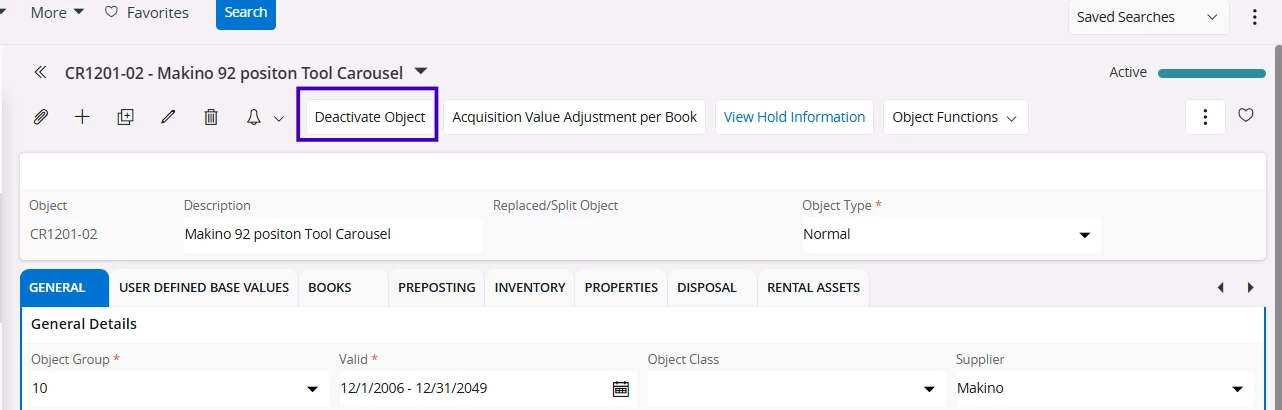
You need to go to fixed asset object window and click Deactivate Object command button. 


Hope this helps


Forum|alt.badge.img+1
  • Author
  • Do Gooder (Customer)
  • Jun 25, 2025 10:20 AM UTC

This doesn’t reverse the acquisition posting though.  The asset still retains a net book value (Object Balance Analysis)


?


Forum|alt.badge.img+16
  • Hero (Customer)
  • Answer
  • Jun 25, 2025 1:45 PM UTC

Only transactions initiated from Fixed assets can be rolled back from Fixed assets. This applies to acquisition value recorder by Import function. If Acquisition was made from GL (supplier invoice or manual voucher posted on acquisition account), correct action is to Deactivate object (make it Investment again) and then post manual voucher opposite to the acquisition. Once it is updated, it creates Acquisition transaction in Fixed assets, and having + and - acquisition transactions (effectively zero acquisition value) you can use Deactivate Accounting on object.