Solved

How to generate an order report in excel?

  • June 8, 2026
  • 3 replies
  • 39 views

Forum|alt.badge.img+5

Hello there!

I was able to create an order report using the Report Generator.


However it’s only available as a PDF file.

I have been looking for a method to enable the xls file from the IFS and I found the Community post - Excel output from Order Report.

It gave me a direction for my research, but the links aren't working, do any of you have the functional links or the documentation available?
Best answer by Furkan Zengin

Hello ​@MHRDonato 

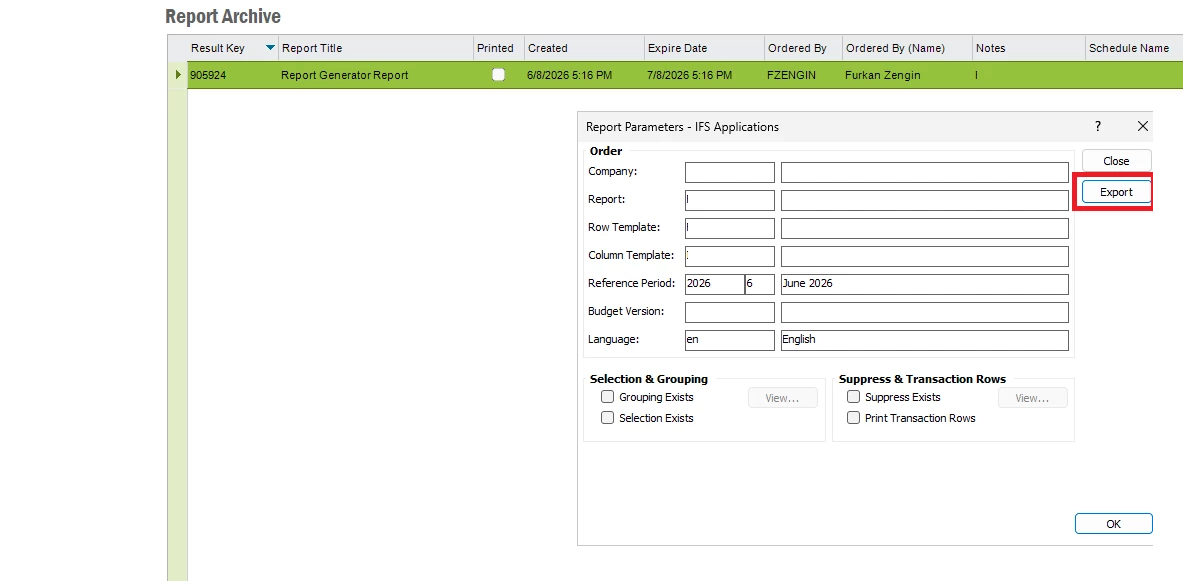
After running the report from report generator, go to Report Archive and find your report. Click right mouse and click report parameters then export. You will have option to save as excel file.


Alternatively, you can create business reporter reports natively working in excel.

Hope this helps

3 replies

Furkan Zengin
Ultimate Hero (Partner)
Forum|alt.badge.img+21
  • Ultimate Hero (Partner)
  • Answer
  • June 8, 2026

Hello ​@MHRDonato 

After running the report from report generator, go to Report Archive and find your report. Click right mouse and click report parameters then export. You will have option to save as excel file.


Alternatively, you can create business reporter reports natively working in excel.

Hope this helps


Forum|alt.badge.img+5
  • Author
  • Sidekick (Customer)
  • June 8, 2026

Hello ​@Furkan Zengin,

I followed your instruction and managed to extract the report in Excel.


Would you be able to send the documentation or give any instruction on how to create the business reporter reports natively in excel.
 

Thank you for the quick reply!


Furkan Zengin
Ultimate Hero (Partner)
Forum|alt.badge.img+21
  • Ultimate Hero (Partner)
  • June 9, 2026

Hello ​@MHRDonato 

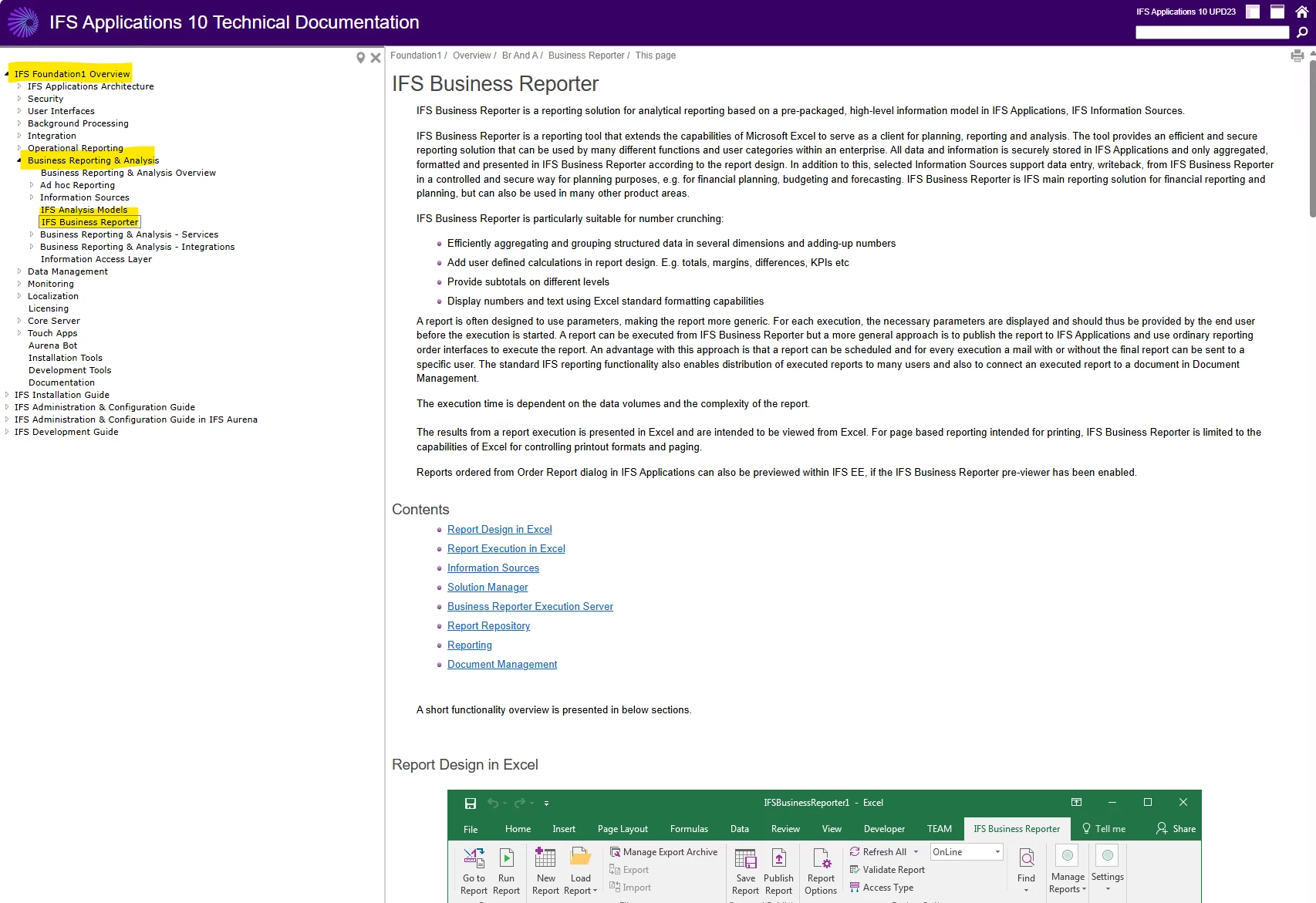
Click F1 button on any IFS page and go to technical documentation. In below screen shot, you can see the business reporter documentation.


Hope this helps