Question

GL Balance Analysis - How to configure default Group Data

  • September 18, 2025
  • 9 replies
  • 294 views

Forum|alt.badge.img+3

Hi IFS Expert

We would like to improve the Group data by default to all the user of the GL Balance Analysis. This is our default settings and we would like to change them
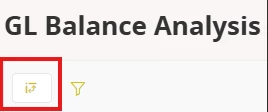
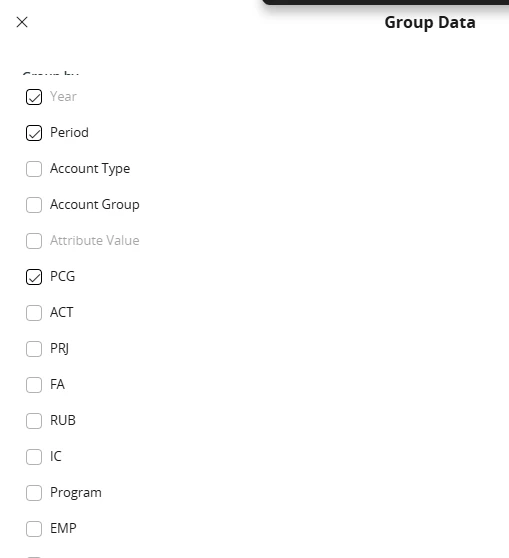
I have already prepared some basic changes in the Selection Criteria or the colomn order but I cannot find where I can configure the Group Data setup in the Page Designer. If anyone can help me in this matter that will be helpful.

Best Regard

9 replies

Forum|alt.badge.img+3
  • Do Gooder (Customer)
  • November 14, 2025

Would like to be able to do the same.


Forum|alt.badge.img+16
  • Hero (Customer)
  • January 7, 2026

I have received same question and seeking for an answer.


Forum|alt.badge.img+3
  • Do Gooder (Customer)
  • January 8, 2026

quick report.  can essentially reproduce the canned gl reports as a quick report query and pull every field or only specified fields.   at least in the case of the consolidation reports.

then save the quick report definition with “period” (+ any other fields want to base filter upon) as report execution input and now have a consistent report field definition to use going forward


Forum|alt.badge.img
  • Do Gooder (Customer)
  • July 2, 2026

I have the same issue. We would like to change the grouping setting and delete the tick on period. Is there no way that we can change the default?

Is it improved in the latest version of Cloud? 


Forum|alt.badge.img+7
  • Sidekick (Employee)
  • September 23, 2026

Indeed, GL balance analysis page should remember the settings per user and not always revert back to factory settings  


spetkus27
Do Gooder (Customer)
Forum|alt.badge.img+7
  • Do Gooder (Customer)
  • September 23, 2026

Indeed, GL balance analysis page should remember the settings per user and not always revert back to factory settings  

This is not the case. If Rosa searches period is always defaulted to checked even when she runs it with it unchecked. 


piswpl
Hero (Partner)
Forum|alt.badge.img+5
  • Hero (Partner)
  • September 25, 2026

I have raised it with IFS two times and it is not something IFS considers fixing in a near future due to more important issues with the GL Balance Analysis screen.

It has been broken a few years ago. It is really annoying.

I believe we need to create an idea here and get as many votes as possible. 


piswpl
Hero (Partner)
Forum|alt.badge.img+5
  • Hero (Partner)
  • September 25, 2026

I have the same issue. We would like to change the grouping setting and delete the tick on period. Is there no way that we can change the default?

Is it improved in the latest version of Cloud? 

Unfortunately it is not.

Greetings, Piotr :)


Forum|alt.badge.img
  • Do Gooder (Customer)
  • September 29, 2026

The grouping setting in GL Balance analysis is the one of the most important feature in IFSC, using everyday many times  during a day and also during the financial audit. Most often we need the data for all period we choose, without the period division.

I thing that we should have the possibility to configure the grouping setting in GL Balance analysis at least for the company or per user/per filter the best. F.ex. I would like to delete the tick on period or the amount in the parallel currency that we don’t use . Now GL balance analysis page doesn't remember the settings per user and per filters and always revert back to factory settings.