
Question

Aging in Customer Statement of Accounts

  • Jun 7, 2024 3:09 AM UTC
  • 4 replies
  • 176 views

Forum|alt.badge.img+9

Hi All,

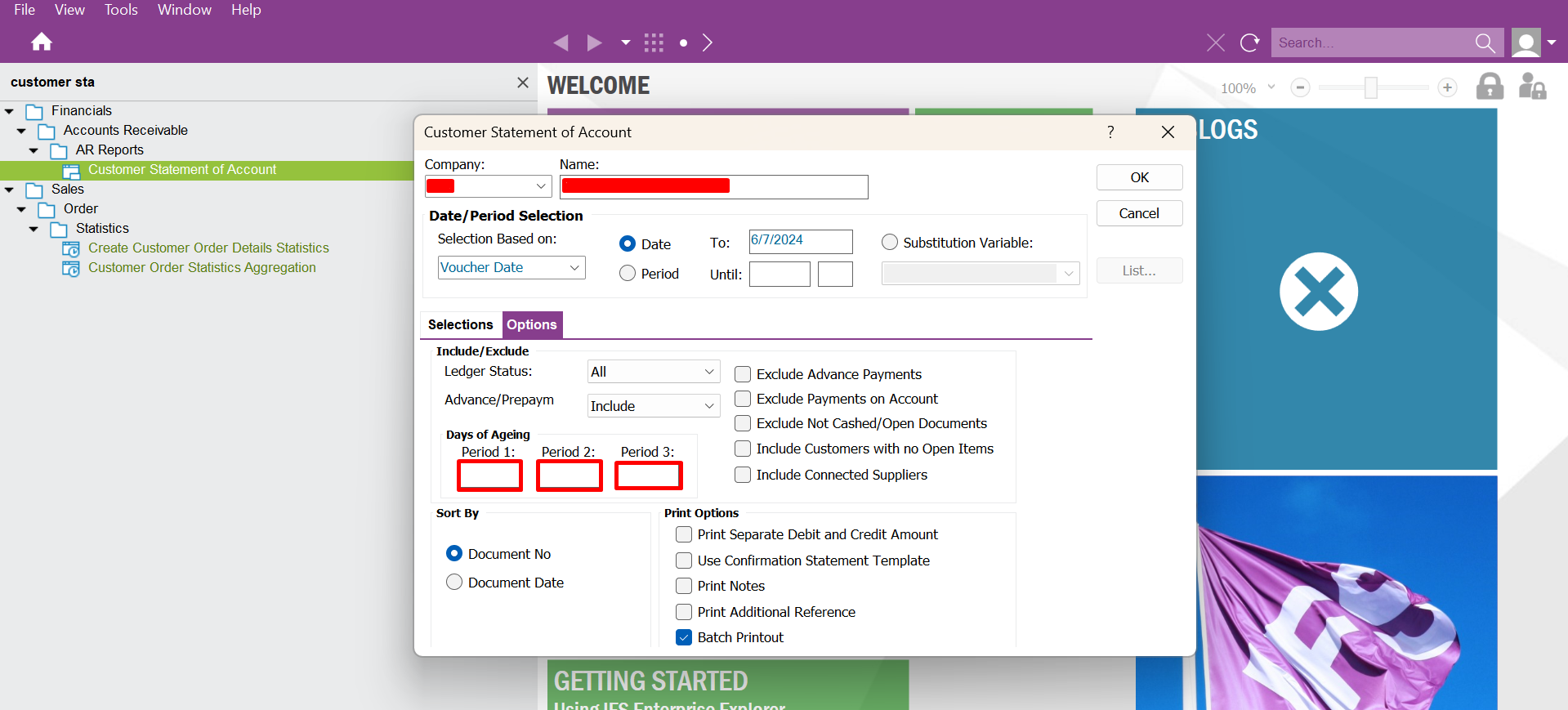
Is there any setting in IFS Application to pre-define the Aging Periods which we have show below without filling it manually when executing report?
 

Regards,

MalinG

4 replies

TimeMarBou
Hero (Partner)
Forum|alt.badge.img+9
  • Hero (Partner)
  • Jun 7, 2024 7:22 AM UTC

Hello,

Not possible.

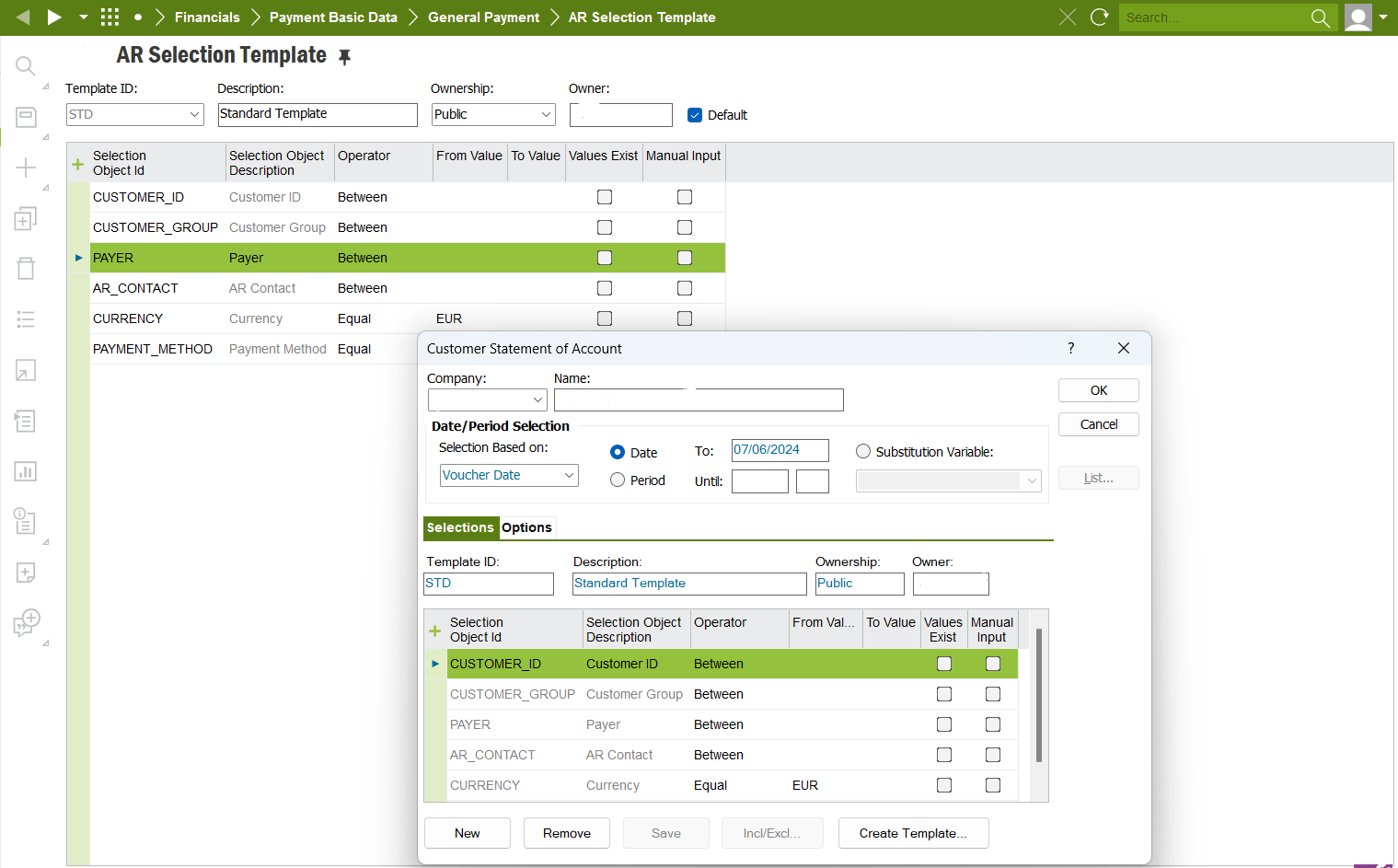
By standard you can setup the “Selections” Template. Only that:


Regards


Forum|alt.badge.img+20

Hi, 

You can run the report from the reports screen. In this you will see a list of all IFS reports. Filter for this report. 

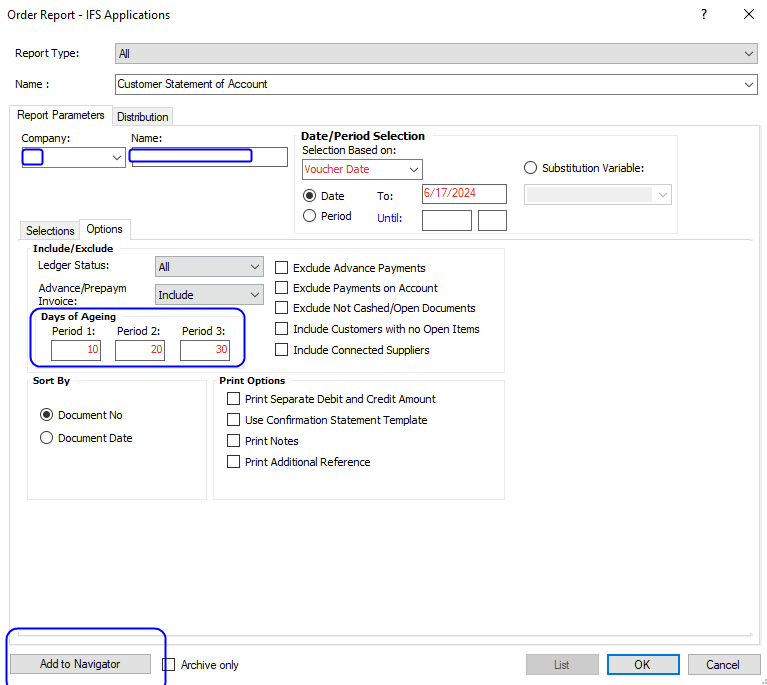
Make your selections including the aging buckets.  Don’t run it. Before running look to the option at the bottom left side - add to navigator.  This will add a default selection and other data (such as the aging buckets) to your version of the report found on the navigator. Suggest you save to navigator with a different name -  My customer statement or similar. 

Best regards, 

Thomas


Forum|alt.badge.img+4
  • Sidekick (Partner)
  • Dec 9, 2024 4:14 PM UTC

Hi ​@Thomas Peterson I cannot see this Add to Navigator option in cloud.Are there any other ways to keep the aging buckets saved in customer statement of accounts in cloud?


Thank you.


Best Regards,

Prabha


Forum|alt.badge.img+5
  • Do Gooder (Customer)
  • Nov 5, 2026 9:07 PM UTC

Hi, 

You can run the report from the reports screen. In this you will see a list of all IFS reports. Filter for this report. 

Make your selections including the aging buckets.  Don’t run it. Before running look to the option at the bottom left side - add to navigator.  This will add a default selection and other data (such as the aging buckets) to your version of the report found on the navigator. Suggest you save to navigator with a different name -  My customer statement or similar. 

Best regards, 

Thomas


Thomas, 

When we run this from the navigator we get a dialogue box that runs a batch of every customer at once and emails each customer their statement.
When we run this from Order Report, we can choose every customer, but it creates them all on one pdf and fails to send the emails out. 
Do you know of a way to use the Order Report navigator option but still trigger the individual reports for the event action?