Solved

PSO Duplicate resources in gantt - connection to regions

  • Apr 29, 2025 1:44 PM UTC
  • 4 replies
  • 120 views

Forum|alt.badge.img+7

Hello, 

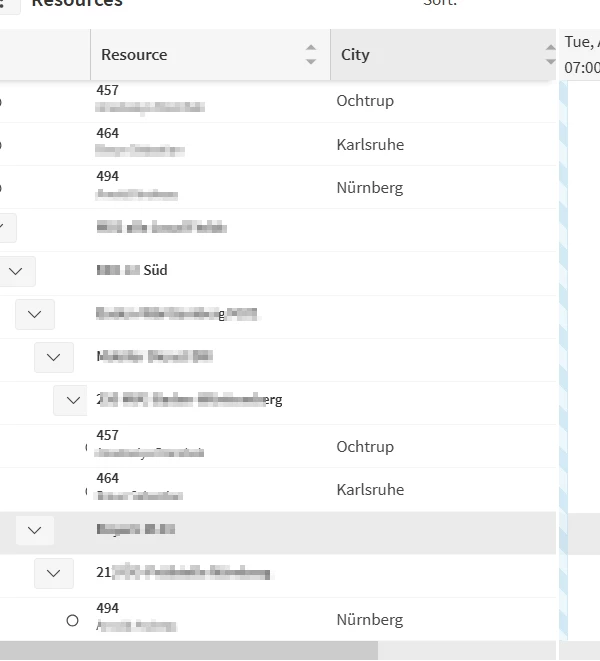
We are currently having this issue in PSO. We created several regions and connected for the beginning three resources to the regions. However, they are shown as duplicates on the gantt. In this case, resources 457, 464 and 494 are shown above, as if they wouldn’t belong to any regions and also under the current region. We deleted the resources, created them again, as usually, but nothing worked until now. Do you have any ideas here?
 

Thank you,

Iulia

Best answer by Alexander Heinze

When you see a resource in the tree AND outside the tree, it usually means that (using Valid From/To or Availabilities) the resource has a period in which it doesn’t belong to any region. Have just replicated that. If you don’t have availability patterns, try to set Valid From and Valid To outside your scheduling horizon (e.g., 2024-2026).

View original

4 replies

Alexander Heinze
Ultimate Hero (Employee)
Forum|alt.badge.img+25

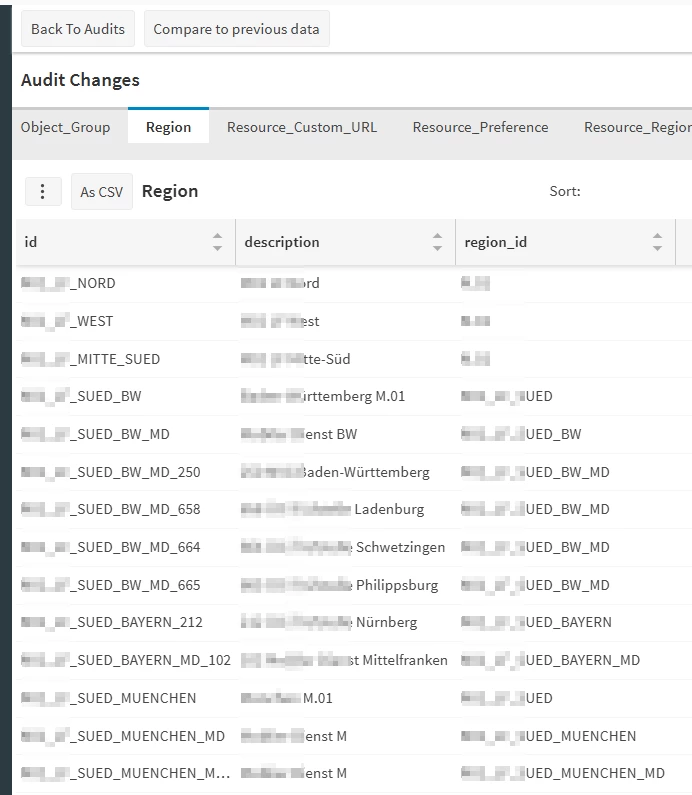
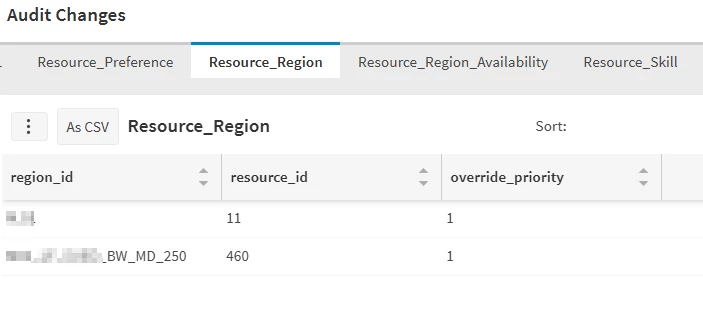
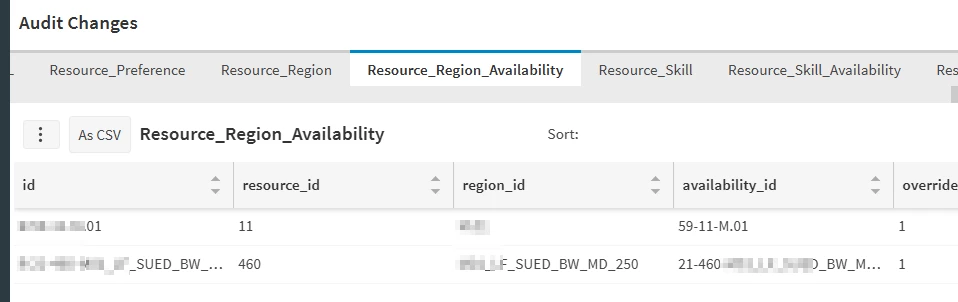
Can you have a look (or share screenshots) of the load message in PSO? Specifically Region and Resource Region, and if applicable Resource Region Availabilities.


Forum|alt.badge.img+7
  • Author
  • Sidekick (Partner)
  • Apr 30, 2025 6:08 AM UTC

Hello ​@Alexander Heinze, of course.


Alexander Heinze
Ultimate Hero (Employee)
Forum|alt.badge.img+25
  • Ultimate Hero (Employee)
  • Answer
  • Apr 30, 2025 6:29 AM UTC

When you see a resource in the tree AND outside the tree, it usually means that (using Valid From/To or Availabilities) the resource has a period in which it doesn’t belong to any region. Have just replicated that. If you don’t have availability patterns, try to set Valid From and Valid To outside your scheduling horizon (e.g., 2024-2026).


Forum|alt.badge.img+7
  • Author
  • Sidekick (Partner)
  • Apr 30, 2025 7:05 AM UTC

Hi ​@Alexander Heinze, amazing, it worked. As always, thank you very much.