Hi All,
Is it possible, based on a criteria of a other field, to hide/show a field in the side panel of a Tab?
I tried with setControlVisibility, setTabItemVisibility, setRowControlVisibility.
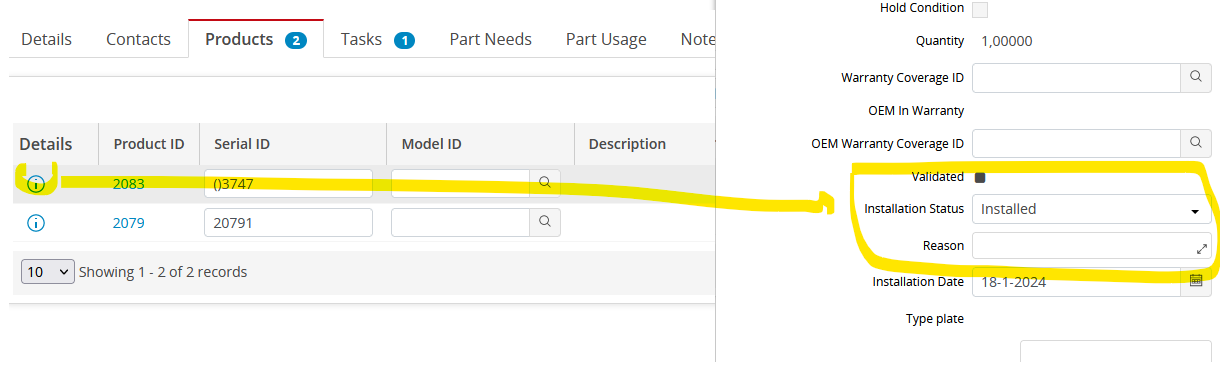

Hi All,
Is it possible, based on a criteria of a other field, to hide/show a field in the side panel of a Tab?
I tried with setControlVisibility, setTabItemVisibility, setRowControlVisibility.
Best answer by Shneor Cheshin
Hi
This is a data table row, so your script should be related to the rows.
You did not share your script, so it is hard to say where the issue is. But setRowControlVisibility should work.
In the example below, I have a script for after the value changes on the ‘Revision’ field. When it is ‘HIDE’ I will hide the ‘Serial #’ field above it.
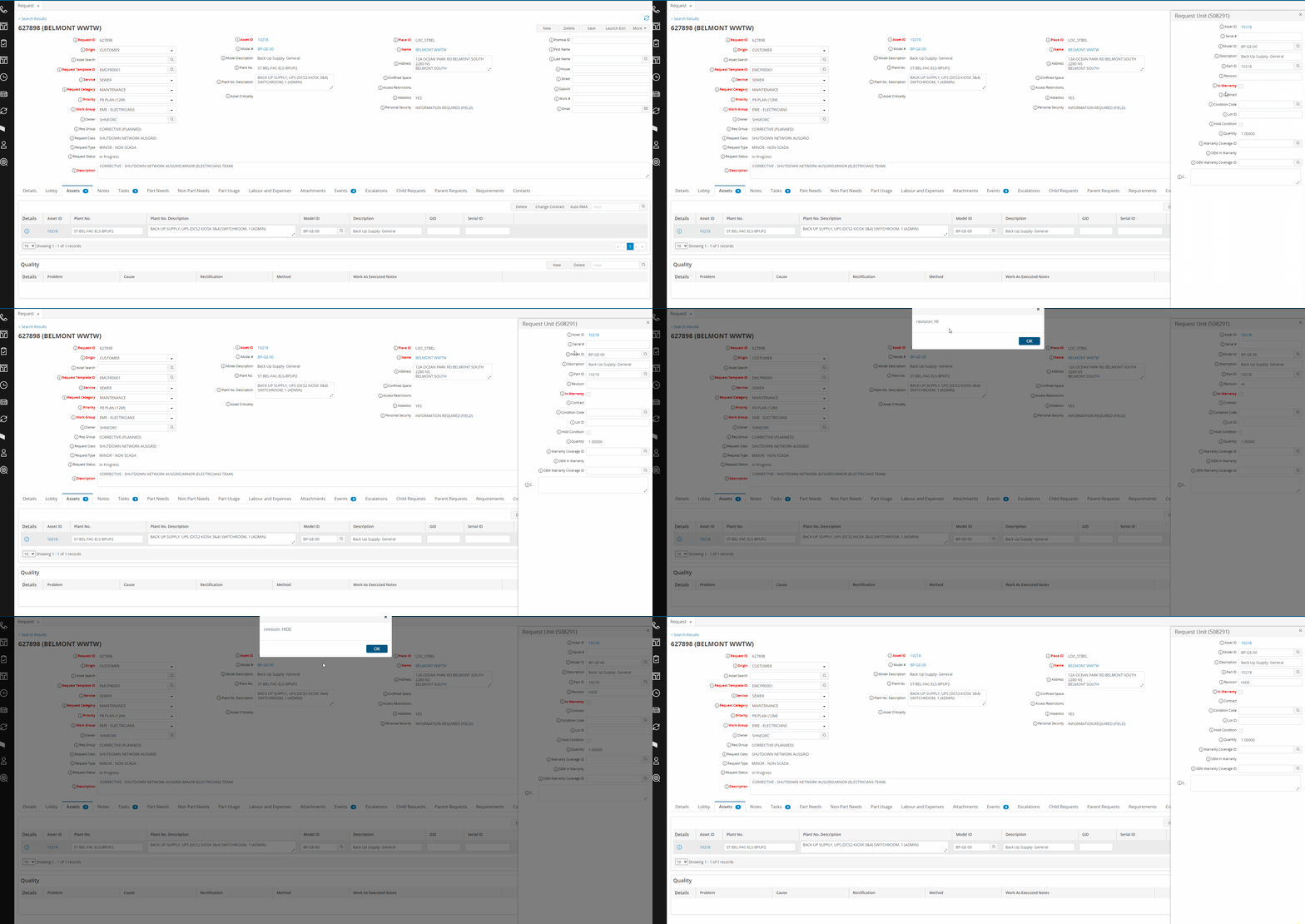
My code
var selectedRow = getDataTableSelectedRows('request_unit')[0];
var revision = getRowControlValue(selectedRow,'request_unit','revision');
alert('revision: ' + revision);
if(revision=='HIDE')
{
   setRowControlVisibility(selectedRow, 'request_unit', 'serial_id', false);
}
Cheers!
Enter your E-mail address. We'll send you an e-mail with instructions to reset your password.