Anyone know how to check the Metrix version of SQL server database ? Stuck with this issue. Need to check if database has the same Metrix version.
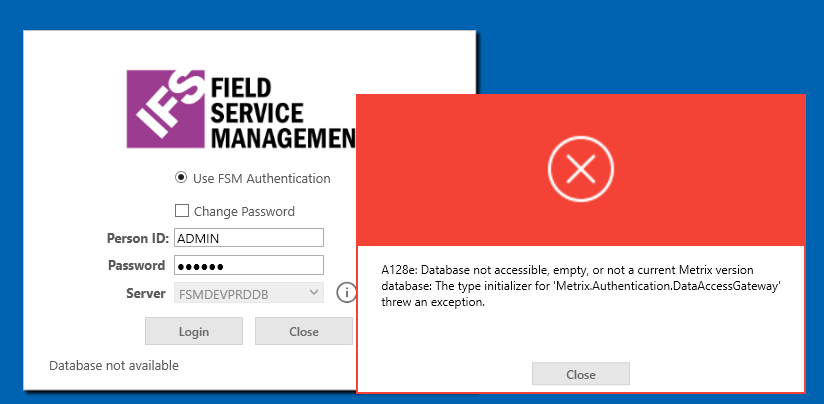
**Database exists in the server and security permissions are already given.



 +12
Anyone know how to check the Metrix version of SQL server database ? Stuck with this issue. Need to check if database has the same Metrix version.
**Database exists in the server and security permissions are already given.
Best answer by Erin McQuestion
You can issue the query select * from currver to get the history of the versions of FSM that have been deployed with that database.
The “Database not available” and the A128e exception seen in the image most often means the Application Server is currently unable to communicate with the Database. If a restart of the app server does not resolve the issue, restart the database, and then restart the app server pools again once the database is available.
Enter your E-mail address. We'll send you an e-mail with instructions to reset your password.