



Answer

In IFS Apps 8 CRM, when expands Activities folder, activity records display in ascending order on start date.

  • December 28, 2021
  • 1 reply
  • 74 views

Dilan Senevirathne
Superhero (Partner)
Forum|alt.badge.img+14

In the test environment  activity records displayed in descending order from latest to oldest date.
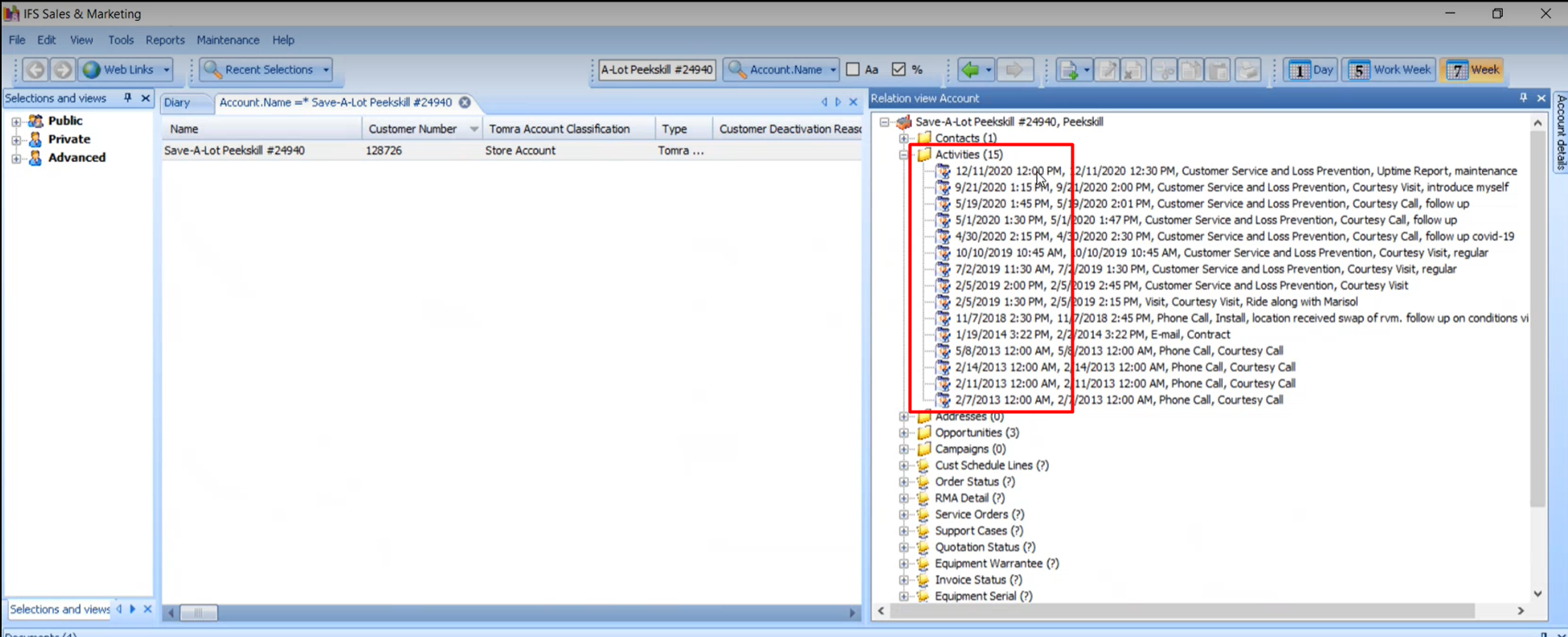


But in prod environment  activity records displayed in ascending order from oldest to latest date.
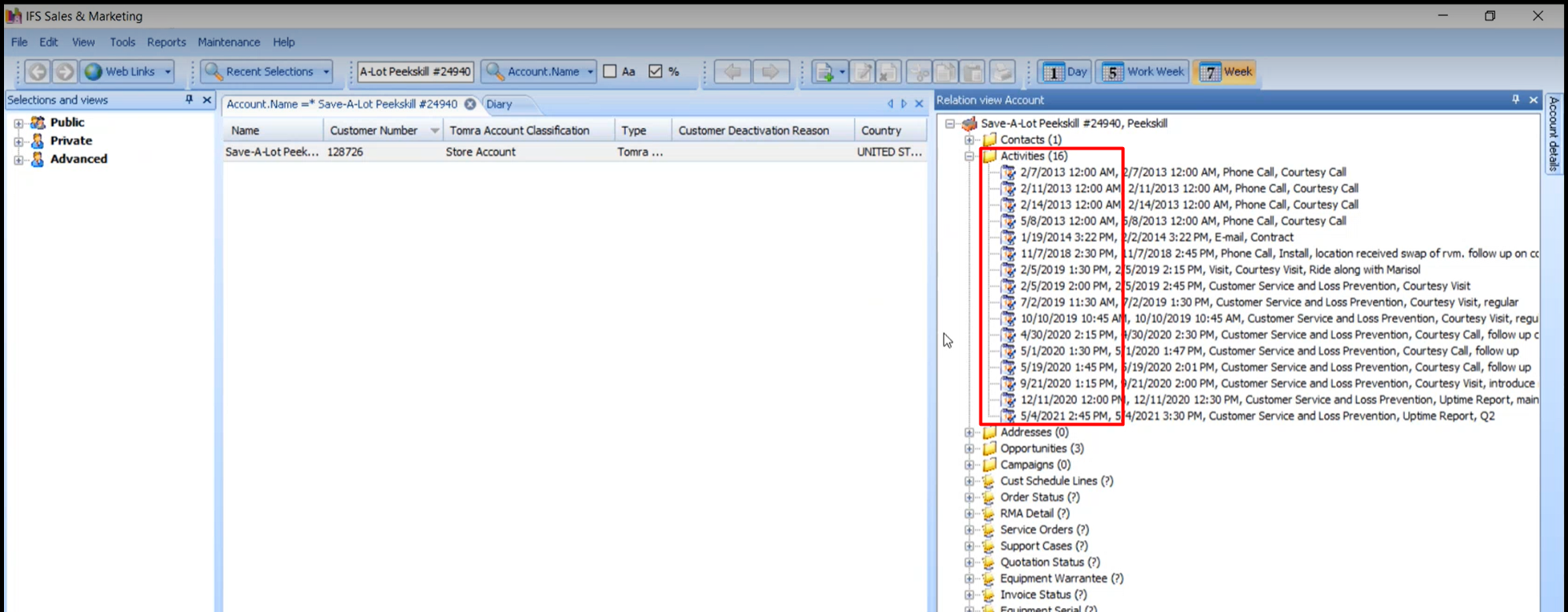


does anyone know a setting where this can be changed in Prod?

Best answer by Dilan Senevirathne

Hi All.

We found a way to do this.


Click Activities folder.

Right click and select Open as a Result

Records will display on the middle of the screen.

Double click on the Start Date column to sort in descending order.

Log out of CRM

Log back in and you will see the records in descending order when expanding the Activities folder.

Thank You,

This topic has been closed for replies.

1 reply

Dilan Senevirathne
Superhero (Partner)
Forum|alt.badge.img+14
  • Author
  • Superhero (Partner)
  • Answer
  • December 28, 2021

Hi All.

We found a way to do this.


Click Activities folder.

Right click and select Open as a Result

Records will display on the middle of the screen.

Double click on the Start Date column to sort in descending order.

Log out of CRM

Log back in and you will see the records in descending order when expanding the Activities folder.

Thank You,