Question

How do we identify which task is linked to which order in Project Connections?

  • July 15, 2021
  • 4 replies
  • 121 views

Forum|alt.badge.img+7

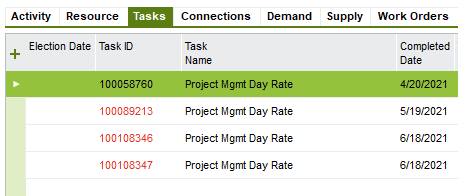
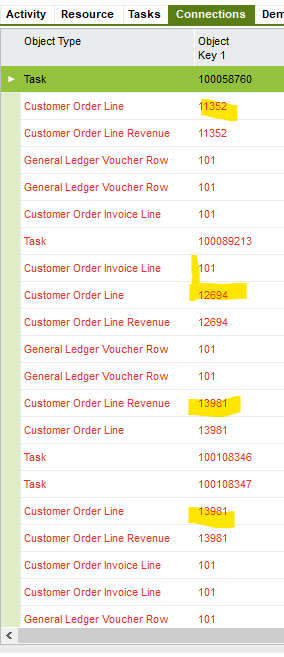
Some of our projects has multiple tasks, completed at different dates, that generate different orders.  Is it possible to tell, when viewing project connections, which task relates to which order? Below is an example of the Task and Project Connection tabs.  


Project Tasks:
 

Project Connections:
 

This topic has been closed for replies.

4 replies

Sangeetha Jayamaha
Hero (Employee)
Forum|alt.badge.img+7

@HAYLEY.WILLIAMS What is the name of the window that you have referred above? 


Asela Munasinghe
Superhero (Customer)
Forum|alt.badge.img+23

@HAYLEY.WILLIAMS , is it a customized IFS flow you are referring to? Because from what I know in the Project Navigator, we create orders through demands at the Project Activity level only. Those order no.s can be seen under the ‘demand’ tab of the project. 

My understanding is that in the standard IFS flow, tasks cannot have order refs. 


Forum|alt.badge.img+7
  • Author
  • Sidekick (Customer)
  • July 19, 2021

Sangeetha,


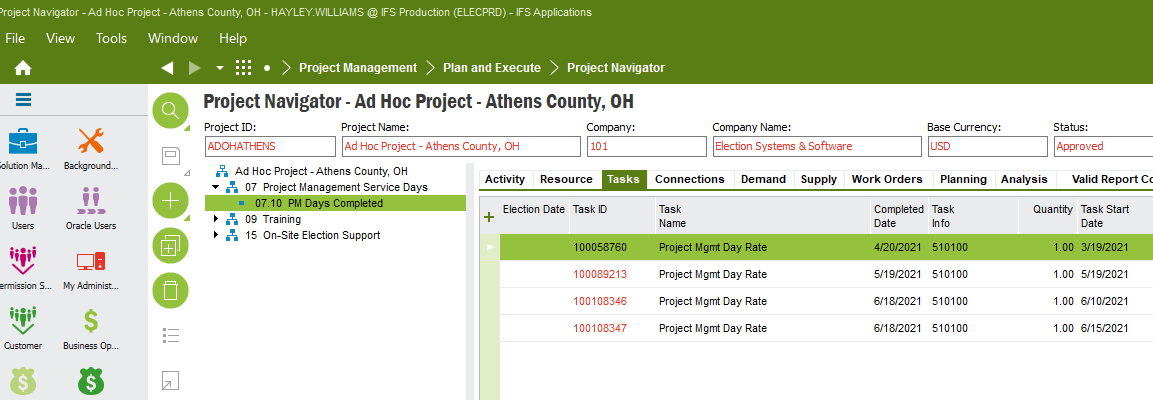
I’m in the Project Navigator Page. Apologies for not displaying that better.  Here’s a screenshot of the Tasks.  The connection tab is right next to it.  


Enzo, 

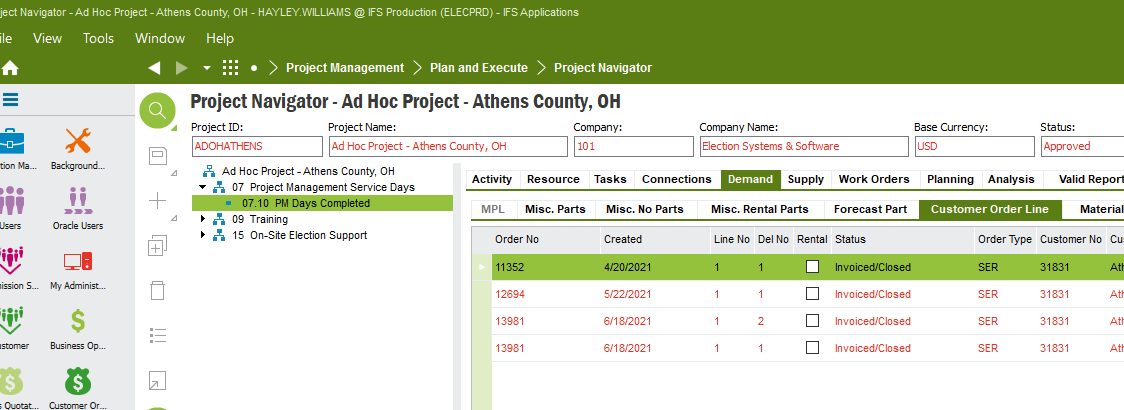
When looking at the Demand tab, I’m not seeing a Task line.  I’m seeing the different orders, but still unsure how to link it to the right task.  In my review, I think I could link it based on created date. Thank you!


Asela Munasinghe
Superhero (Customer)
Forum|alt.badge.img+23

.  In my review, I think I could link it based on created date. Thank you!


@HAYLEY.WILLIAMS , I am not really sure about that. Orders are directly connected at the Project Activity level whereas Project Tasks stand on their own, unless your business has a customized IFS flow.