Question

IFS Cloud 25R2 - Excel Migration - Database error

  • September 17, 2026
  • 5 replies
  • 60 views

Forum|alt.badge.img+1

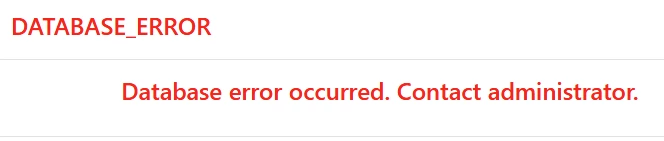
When clicked on the migration job in excel migration database error occurs. what could be the reason

5 replies

Forum|alt.badge.img+7
  • Do Gooder (Customer)
  • September 18, 2026

Hi ​@Yoshika_DOC 

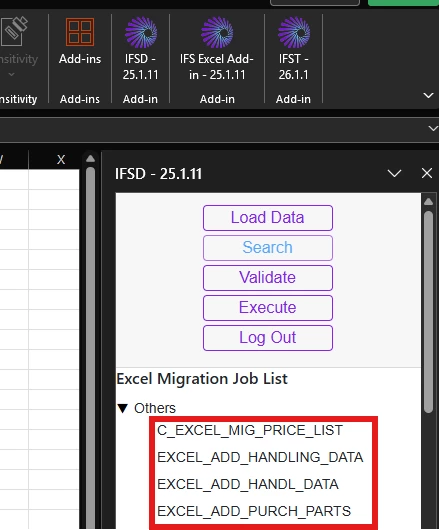
Are you clicking to select the migration job from the list in the side panel:

Or do you get the error when attempting a validate or execute?


Forum|alt.badge.img+1
  • Author
  • September 20, 2026

Hi AO00001, Yes this error occurs when I just click on the migration job in the side panel


Forum|alt.badge.img+7
  • Do Gooder (Customer)
  • September 21, 2026

Does this affect all migration jobs or just one also, all users using the tool or just one? Have you granted the projection for the migration job to the user that is logged into the tool in Excel? Has that user been granted the projection ExcelAddinHandling? 


Forum|alt.badge.img+1
  • Author
  • September 29, 2026

Jst this one. Yes projection and excel add in access granted


Forum|alt.badge.img+7
  • Do Gooder (Customer)
  • September 29, 2026

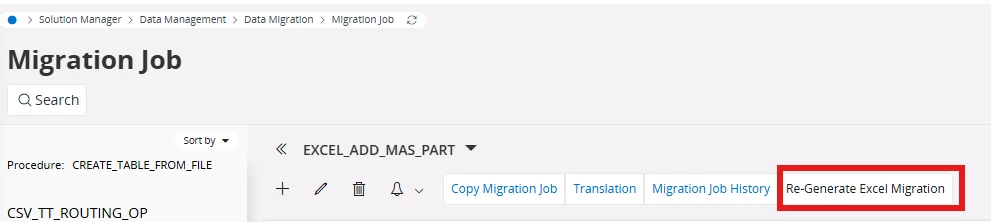
Hi ​@Yoshika_DOC I would first try to regenerate the job from the migration job screen:
 

Then try logging in to Excel again and see if you receive the same error. 
If you still get the error, check that the job name is 22 characters or less, starts with a letter and only contains letters, numbers and underscores. 
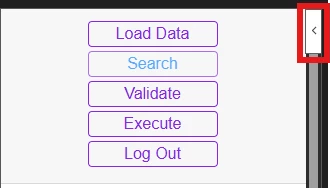
If you still get the error, in Excel, click anywhere next to the buttons to make this box appear:
 

Then click on ‘Attach Debugger’. This will give you the dev tools and allow you to find the actual error, usually on the console tab.
Good luck!