Solved

Data Migration privilige

  • Apr 8, 2022 6:57 AM UTC
  • 6 replies
  • 235 views

Jan Siekmann
Sidekick (Partner)
Forum|alt.badge.img+7

​

Hello everyone,

I get an error message when I try to load migration job (detail) or to execute job with my personal user in Cloud:
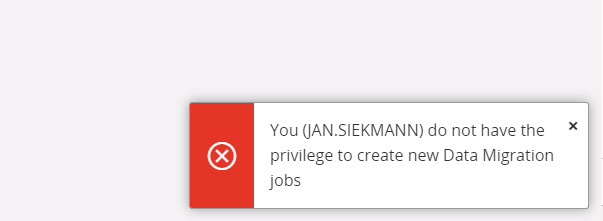
How can I assign this privilege to a user?

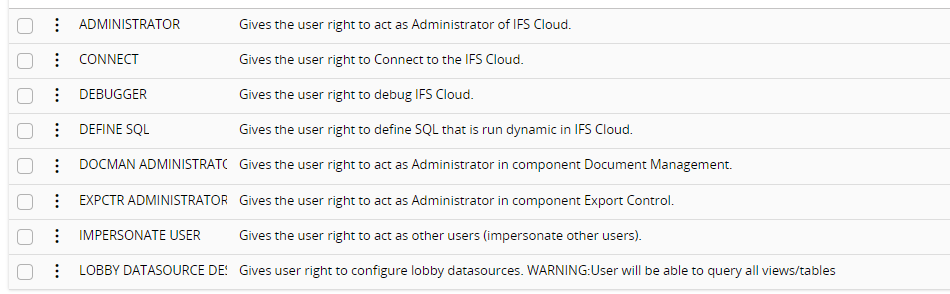
I cannot find it in the list:
Thanks for a feedback.

BR,

Jan

​

Best answer by Makede

Hi Jan,

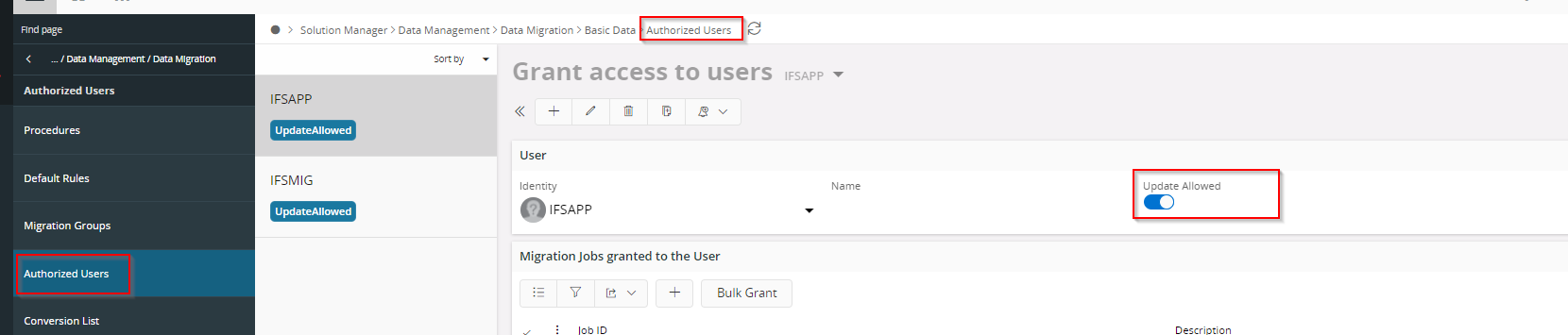
there is an basic data area called Authorized Users. Here you need to add your user. And take care that the slider Update Allowed is active

Best regards
Martina


View original

6 replies

Forum|alt.badge.img+12
  • Hero (Employee)
  • Answer
  • Apr 8, 2022 7:01 AM UTC

Hi Jan,

there is an basic data area called Authorized Users. Here you need to add your user. And take care that the slider Update Allowed is active

Best regards
Martina


Forum|alt.badge.img+12
  • Hero (Employee)
  • Apr 8, 2022 7:01 AM UTC

Hi @Jan Siekmann 

there is an basic data area called Authorized Users. Here you need to add your user. And take care that the slider Update Allowed is active

Best regards
Martina


Jens
Hero (Employee)
Forum|alt.badge.img+10
  • Hero (Employee)
  • Apr 8, 2022 7:04 AM UTC

Hi,

is your user already added here?

Navigator: Solution Manager → Data Management → Data Migration → Basic Data → Authorized User


Jan Siekmann
Sidekick (Partner)
Forum|alt.badge.img+7
  • Author
  • Sidekick (Partner)
  • Apr 8, 2022 7:12 AM UTC

Hi @Makede@Jens 

Fantastic.

My user was missing in the authorized users.

Thank you for your help.


BR,

Jan


russellclayton
Sidekick (Customer)
Forum|alt.badge.img+4
  • Sidekick (Customer)
  • Apr 24, 2023 8:50 PM UTC

What does “Update Allowed” do? There is no direct reference to it in the technical documents other than the toggle being true in a screenshot.

Assumption: if YES, the user can update existing records.


Jens
Hero (Employee)
Forum|alt.badge.img+10
  • Hero (Employee)
  • Apr 25, 2023 5:46 AM UTC

Hi @russellclayton

please have a look into the Technical Documentation of IFS Cloud: 

https://docs.ifs.com/ 


Update Allowed means you are also allowed to modify the migration jobs.

“Update NOT Allowed” means you are only allowed to execute the migration job.

Prerequisites:

The migration job is granted to the user


/Jens



