Solved

Basic Data Synchronization - Apps 10

  • Mar 21, 2023 8:31 PM UTC
  • 6 replies
  • 256 views

DHCRADPA
Hero (Customer)
Forum|alt.badge.img+12

I have one company (not the source one) which does not appear in the Target companies list. How can I include all existing companies in this window?

Best answer by Makede

There are two prerequisites in App10 which must be fullfilled:
- Target company cannot be a source company at the same time
- You need to have access to the company (your user must be added to the target company)


So here you can see that my company 1234 is listed as source company
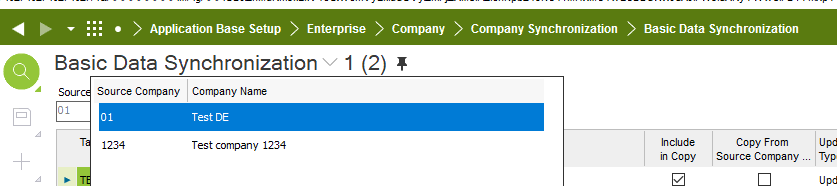
 

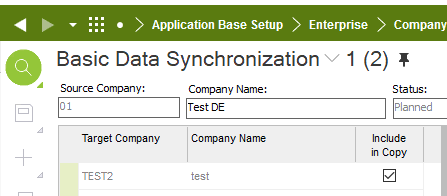
Therefore this company is not in the list of target companies
 

View original

6 replies

william.klotz
Superhero (Customer)
Forum|alt.badge.img+21
  • Superhero (Customer)
  • Mar 22, 2023 2:35 AM UTC

Hi @DHCRADPA ,


I'm not sure I understand what you are doing.  Could you elaborate what you are trying to do and which IFS screen you are on?


DHCRADPA
Hero (Customer)
Forum|alt.badge.img+12
  • Author
  • Hero (Customer)
  • Mar 22, 2023 3:02 PM UTC

The screen is in the title; 
Application Base Setup > Enterprise > Company > Company Synchronization > Basic Data Synchronization


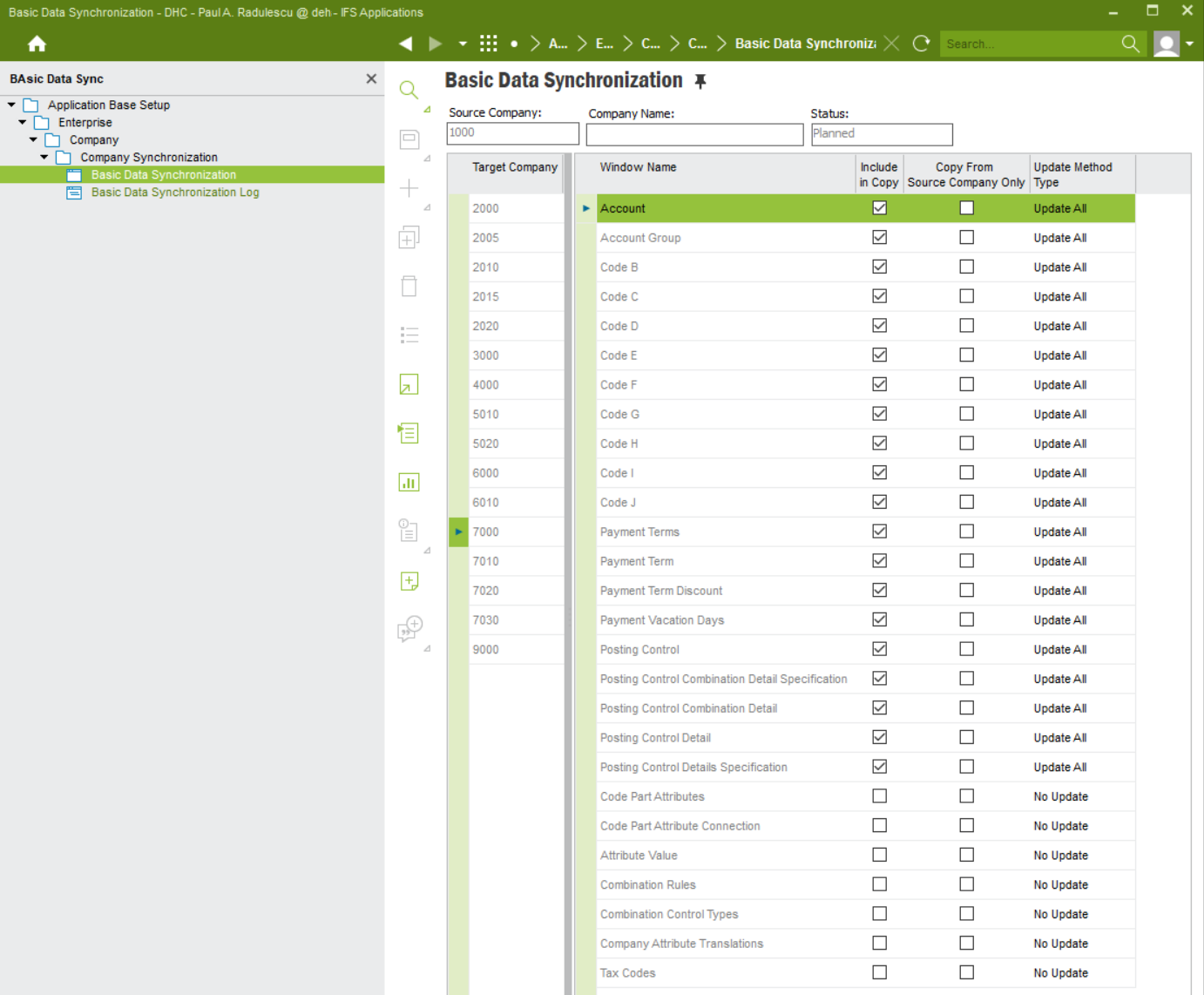
We have multiple legal entities. (e.g. 1000, 2000 ..9000). I select 1000 as source company, and my 7000 company does not appear in the targets. Every other one is there. There’s no + button to add it .. 


With thanks, Paul.


Forum|alt.badge.img+12
  • Hero (Employee)
  • Mar 30, 2023 10:53 AM UTC

Hi @DHCRADPA 

which IFS version do you use? Can you please add a hardcopy of the Basic Data Synchronization screen
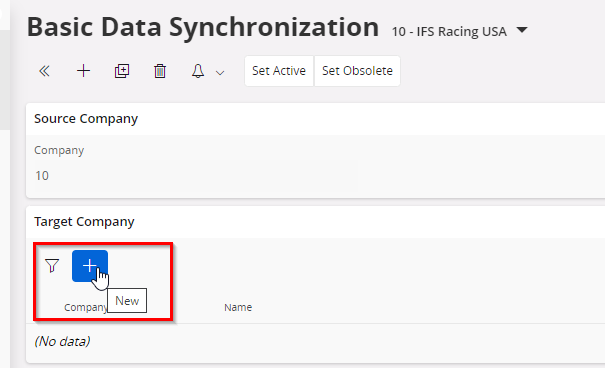
Normally I would expect a plus sign under the target company area to add a company. Looks like this:


Forum|alt.badge.img+12
  • Hero (Employee)
  • Answer
  • Mar 30, 2023 11:10 AM UTC

There are two prerequisites in App10 which must be fullfilled:
- Target company cannot be a source company at the same time
- You need to have access to the company (your user must be added to the target company)


So here you can see that my company 1234 is listed as source company


Therefore this company is not in the list of target companies


DHCRADPA
Hero (Customer)
Forum|alt.badge.img+12
  • Author
  • Hero (Customer)
  • Mar 30, 2023 3:21 PM UTC

 Thank you very much Makede. We’re on APPS10 UPD16.

The 7000 company was the source of another set (7010,7020,7030). Since both Basic Data Sync groups were in planned state, I was able to “un-define” the 7000 as being the source from the 2nd set, and consolidate everything with 1000 as the source. Everything works as expected. 


I think the limitation is to avoid circular references, and that makes sense. Many thanks, again! 


There are two prerequisites in App10 which must be fulfilled:
- Target company cannot be a source company at the same time
- You need to have access to the company (your user must be added to the target company)


So here you can see that my company 1234 is listed as source company

<..>

Therefore this company is not in the list of target companies

<..>


Forum|alt.badge.img+8
  • Sidekick (Partner)
  • Apr 21, 2023 11:33 AM UTC

Hello,


I was wondering if you knew how to run automatic copy of a basic data synchronization created with the active status? 


I can go copy manually to companies but I don’t know how to run it in the automatic way.


Thanks, 

Tanya