Question

How do you search by UoM (Inventory or purchasing) in 25R2 on Purchase Requisition Lines?

  • July 8, 2026
  • 4 replies
  • 41 views

Forum|alt.badge.img+5

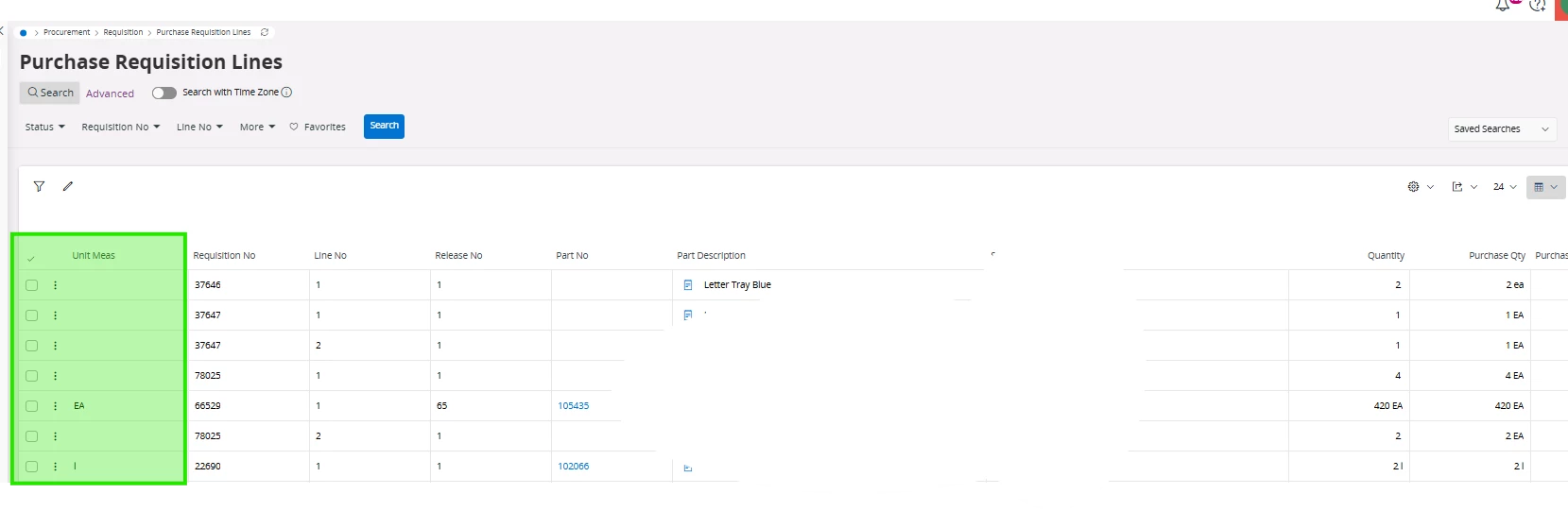
We are moving from Apps10 to 25R2 and we have several searches based on Inventory UoM and Purchasing UoM.  In Cloud, the UoM looks like it is part of the quantity fields but the contains option doesn’t work (example ~BX in Quantity or Purchase Quantity)
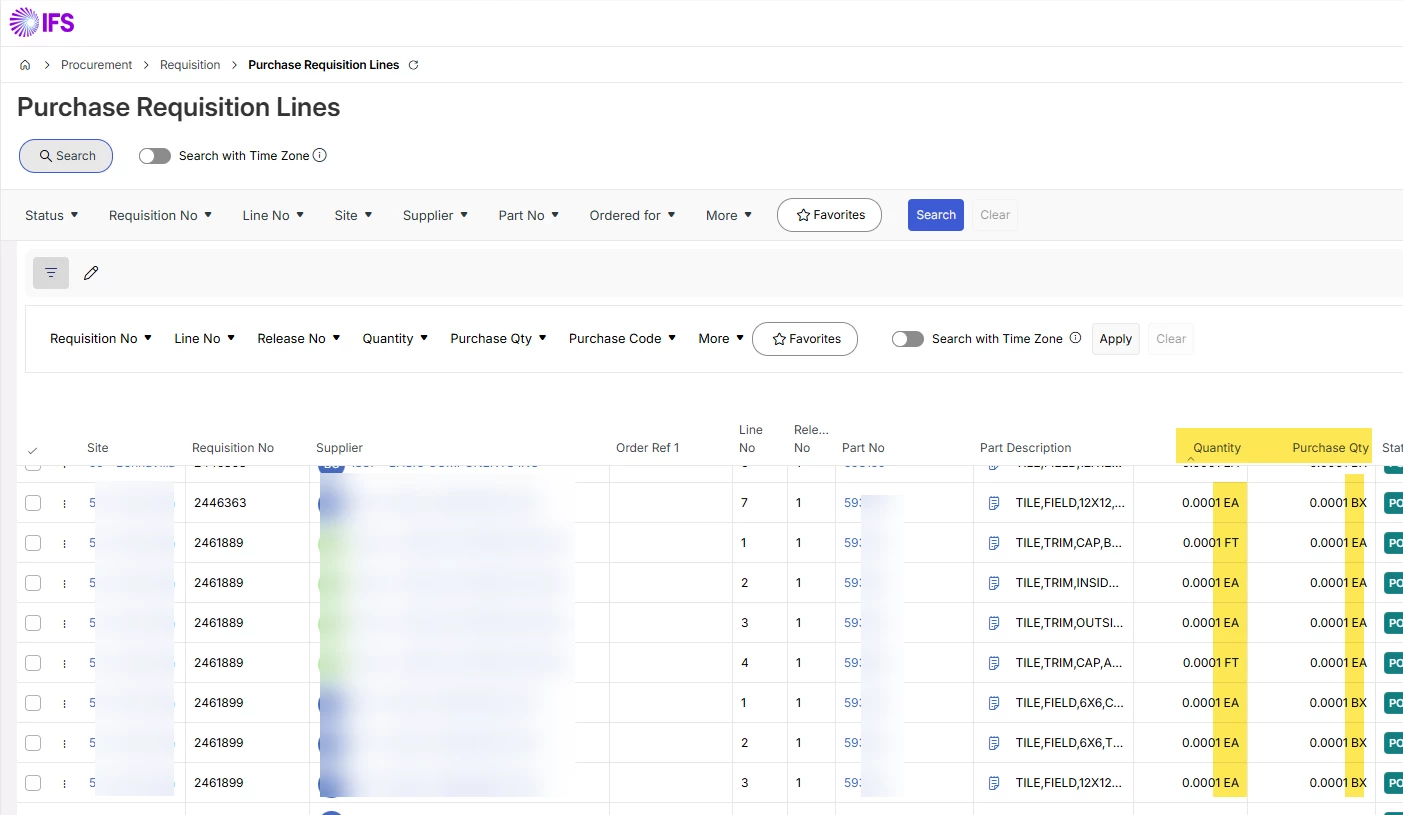
Anyone have a recommendation on how to search or filter by UoM on this page?


4 replies

WyrDavidB
Hero (Partner)
Forum|alt.badge.img+9
  • Hero (Partner)
  • July 9, 2026

Hi

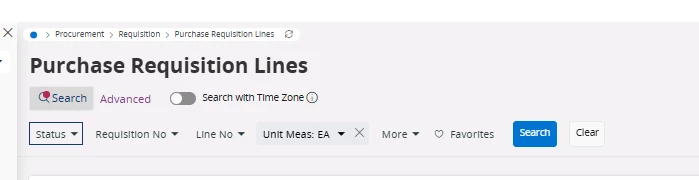
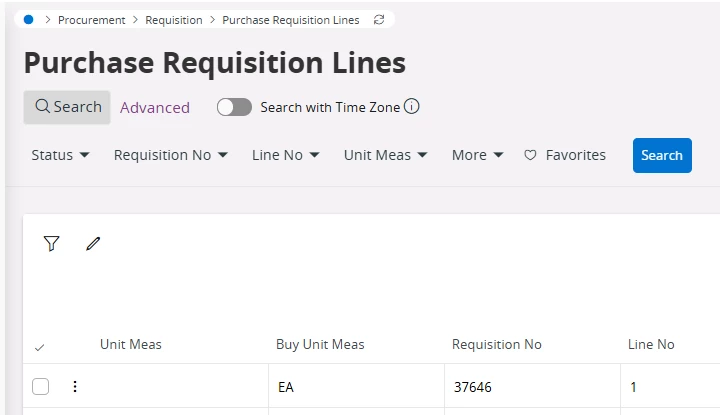
The Unit Meas field can be added via page designer.

and can then be used in the search bar


Forum|alt.badge.img+5
  • Author
  • Sidekick (Customer)
  • July 9, 2026

Thanks, I was just trying to use what was already on the screen.  It seems odd to put the UoM in the quantity and Purchase Order Qty fields but not make them searchable.  It confuses users when IFS does that.  We need both the Inventory UoM and Purchasing UoM on this screen for several of our processes.  We tend to purchase in one UoM but inventory in a different UoM.


WyrDavidB
Hero (Partner)
Forum|alt.badge.img+9
  • Hero (Partner)
  • July 10, 2026

Hi Maurine,

I understand the desire to use what is available on the screen without making any changes.

The Quantity and Purchase Qty columns are database number fields with the UoM appended in the projection - which is why it is not possible to search using the UoM - it saves space on the screen without needing an additional column, but that doesn’t help in your situation.
It is also possible to add the purchase UoM via page designer.


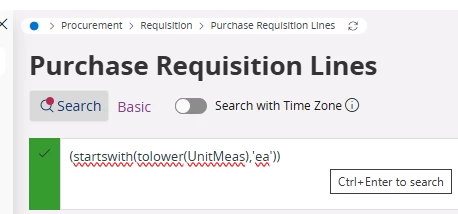
As the UnitMeas, and BuyUnitMeas fields are linked to the projection, it is also possible to create an advanced search using those columns without exposing them via page designer.
You could potentially create some saved searches using this logic?


Good luck!

Dave


Forum|alt.badge.img+5
  • Author
  • Sidekick (Customer)
  • July 10, 2026

Thanks Dave that information helps and we can move forward.