

Can someone tell me how can I create a shop order from the “Demand-Misc Parts” section of Project Navigator?
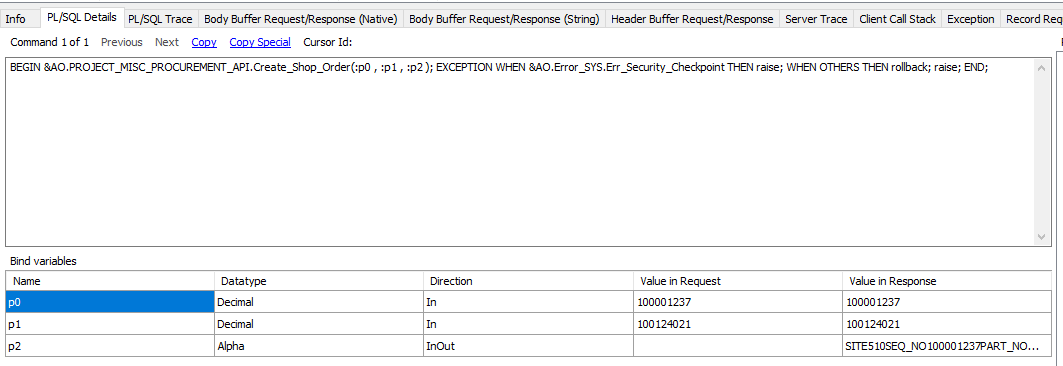
The API call is PROJECT_MISC_PROCUREMENT_API.Create_Shop_Order but I don’t know which mouse event calls it.

Can someone tell me how can I create a shop order from the “Demand-Misc Parts” section of Project Navigator?
The API call is PROJECT_MISC_PROCUREMENT_API.Create_Shop_Order but I don’t know which mouse event calls it.
Best answer by ShawnBerk
From a Project Activity.
First, add a part to the Demand > Misc Parts tab that is a manufactured inventory part setup to be created with a Shop Order.
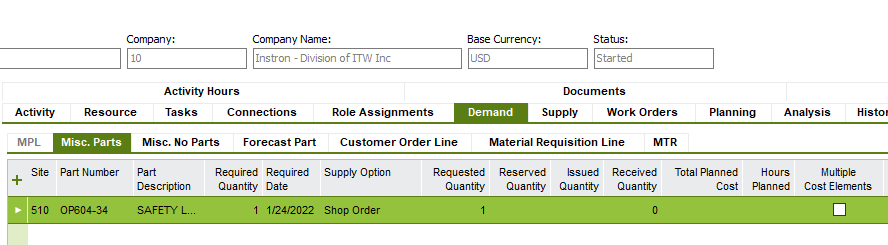
Second, RMB and select Create Project Supply Request (shows disabled because I didn’t grab the screen

This will trigger the API call you mention
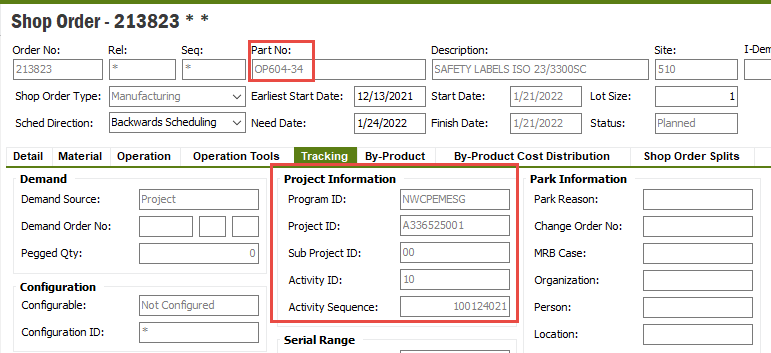
You can then RMB from the part to Shop Order Detail to see the resultant Shop Order connected to the activity you started from.
Code Part M113 has to be setup correctly to make this work
Enter your E-mail address. We'll send you an e-mail with instructions to reset your password.

