


Question

Configuring Demand Plan Server IFS Cloud Version 25.2.2

  • June 30, 2026
  • 1 reply
  • 14 views

Forum|alt.badge.img
  • Do Gooder (Customer)

Dear IFS Community,


we have just installed a Demand Planning Server and are experiencing difficulties configuring it according to our company’s requirements.


The problem is as follows:


We only have these two tables available for selection
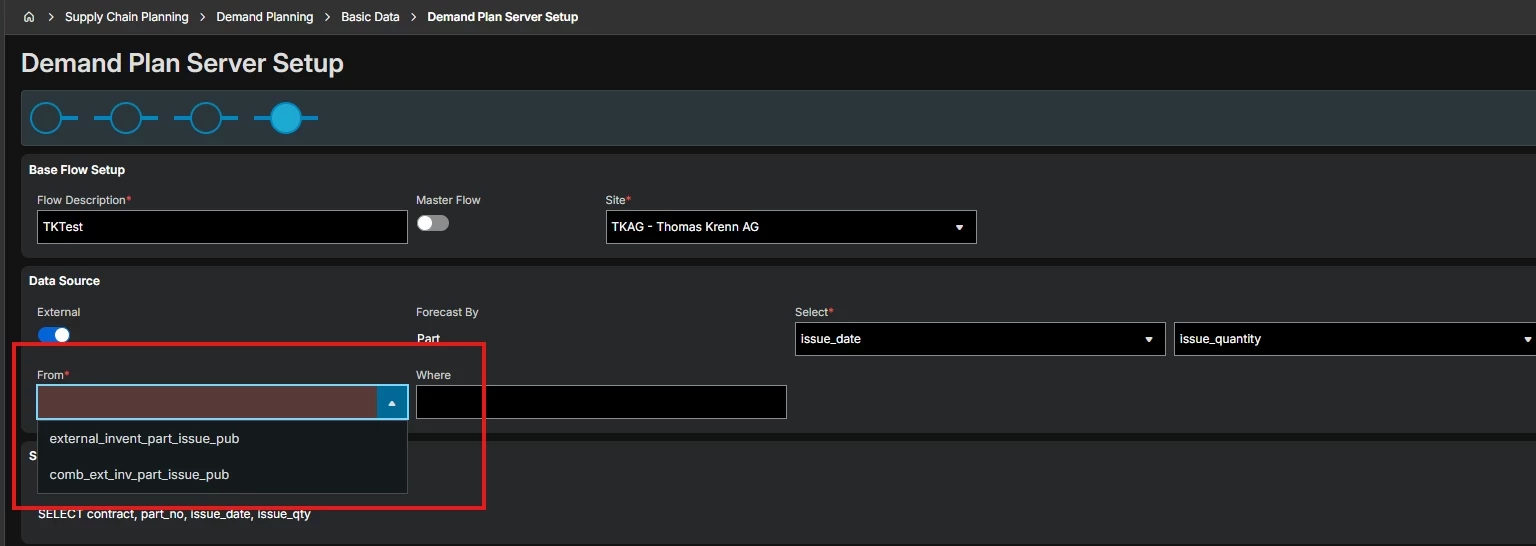
and they appear to contain only demand for “SalesParts.” 
We cannot use “SalesParts” for our company because we primarily sell finished goods based on “ProductStructures.” 
Our goal for the demand planner is to operate based on “InventoryPart.” 
Ideally, we would like to calculate demand based on “Inventory_Transaction_History” using selected transaction codes.


Is there a way to configure the two views available in the demand planner module, or is there an option to add a custom view so that the demand planner calculates the correct demand for our company?

We are on IFS Cloud Release 25R2. 


Thanks in advance.


BR, Sabrina

1 reply

Richard Owen
Superhero (Employee)
Forum|alt.badge.img+15
  • Superhero (Employee)
  • June 30, 2026

Hi,

I think either of the options in the dropdown list will work for you.

Typically, when you’re new to IFS Demand Planning, you select the comb_ext_inv_part_issue_pub view as this allows you to use pre-IFS historic transactions in addition to IFS historic transactions which are then built up over time.

The historic transactions in these standard views are based on inventory parts (in other words, the inventory part transaction history/customer order delivery transactions).

We often use the term ‘sales parts’ when describing ‘sales history’, but it’s always the inventory part history in these standard views.

Yes, it is also possible to create non-standard views which contain any specific historic transactions or maybe pre-aggreageted historic transactions if required.

However, I suggest you give the standard functionality a try first and see if that works for you.

Good luck!

