

Solved

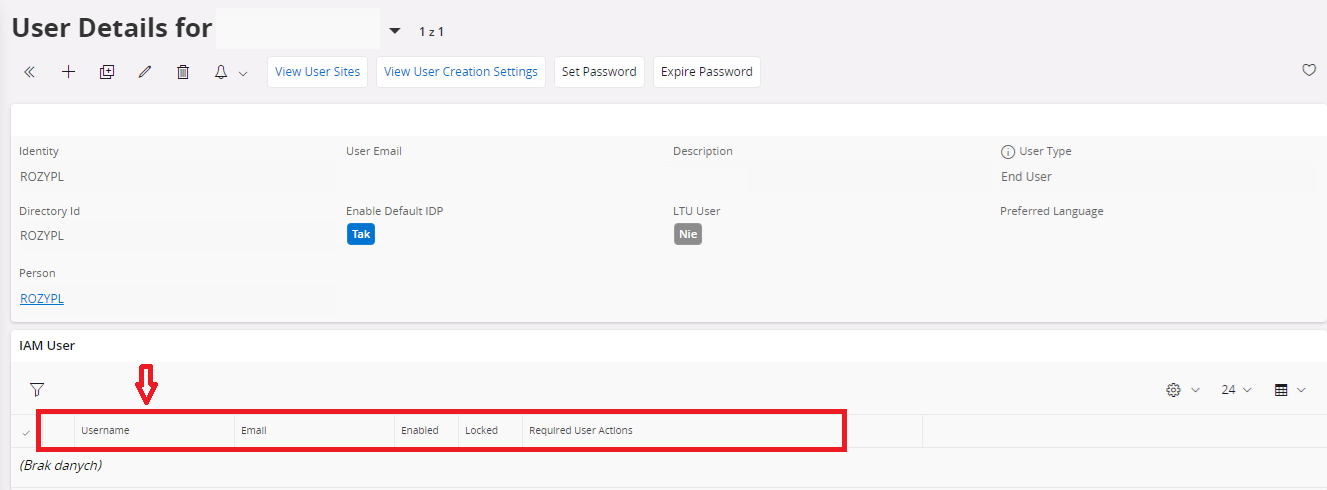
Restore "IAM user" entry in details for user

  • December 11, 2023
  • 2 replies
  • 413 views

Forum|alt.badge.img+4
I accidentally deleted the entry. How to restore it?
 

Best answer by Marcel.Ausan

@r.zyszkiewicz you could try to:

→ edit the user and set Enable Default IDP to FALSE → save

→ edit the user again and set Default IDP back to TRUE → save

→ ask the user/pwd to login again

Once they would login again and Default IDP is True, keycloak will create an entry as IAM user

2 replies

Marcel.Ausan
Ultimate Hero (Partner)
Forum|alt.badge.img+22
  • Ultimate Hero (Partner)
  • Answer
  • December 11, 2023

@r.zyszkiewicz you could try to:

→ edit the user and set Enable Default IDP to FALSE → save

→ edit the user again and set Default IDP back to TRUE → save

→ ask the user/pwd to login again

Once they would login again and Default IDP is True, keycloak will create an entry as IAM user


  • Do Gooder (Employee)
  • January 7, 2026

Setting a new password will also recreate the deleted IAM user.





