
Solved

Page Designer. Form "Prepare Work Order" dialog "Pre Posting".

  • Apr 16, 2025 11:52 AM UTC
  • 7 replies
  • 240 views

Forum|alt.badge.img+9

Hello,

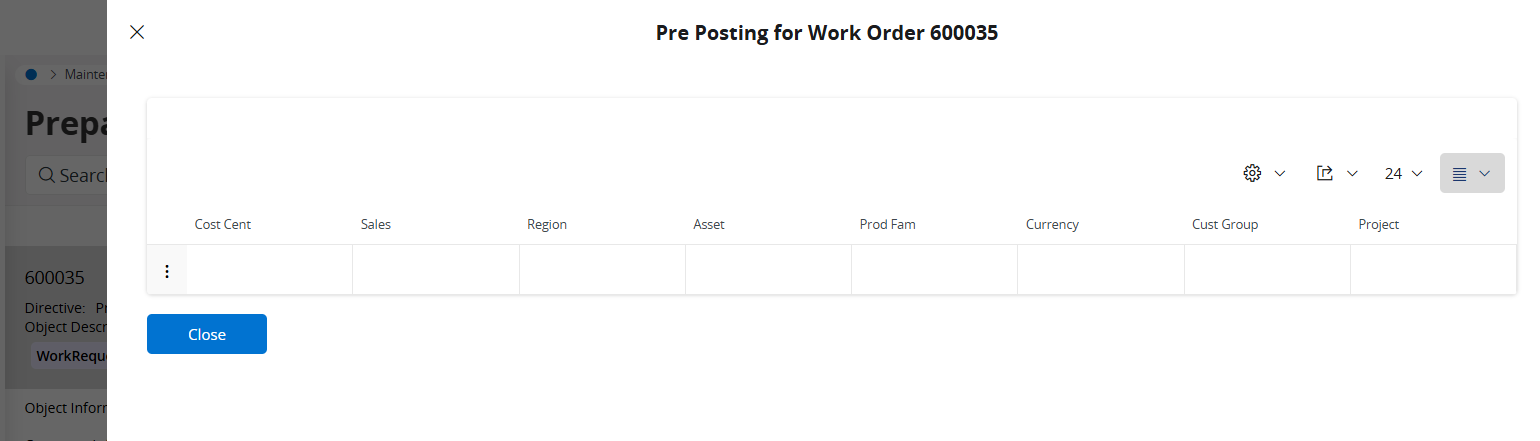
maybe someone can consult me how it is possible to design through Page Designer the dialog window “Pre Posting” in the form “Prepare Work Order”?

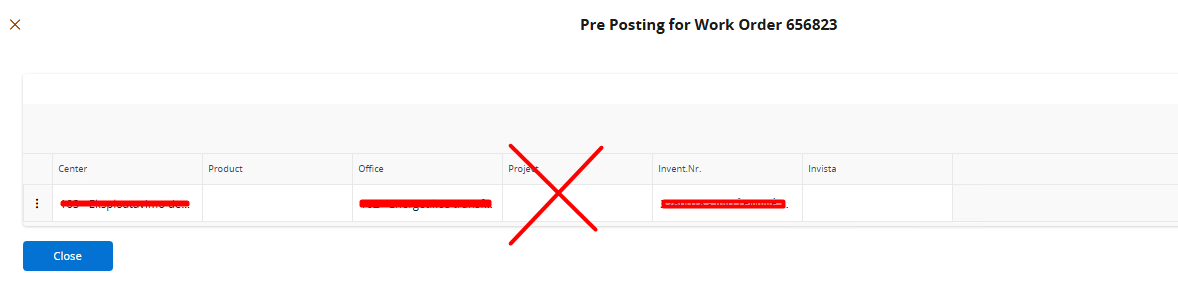
Need to hide one field and cannot find where to do it.

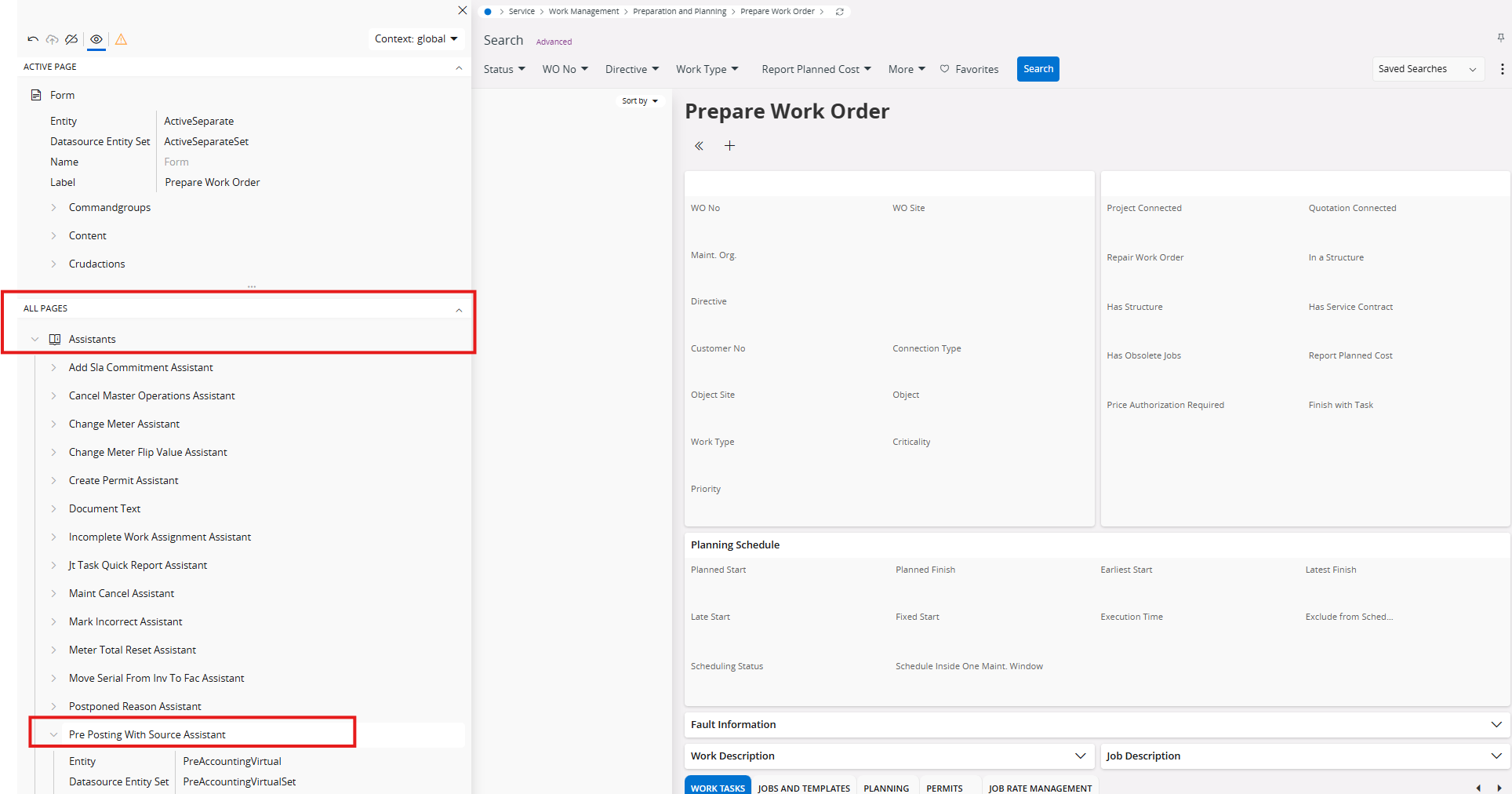
I open Page Designer but cannot find the place where to do it. There is no such dialog between listed Dialogs, also cannot find it between the lists and in other places:
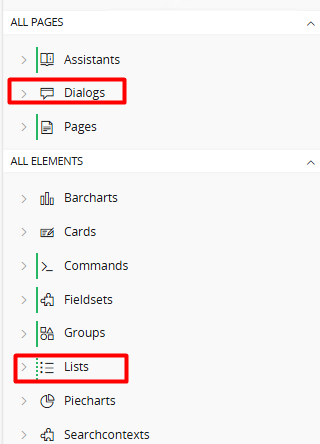
Where could I modify Pre Posting dialog window?

Thank you beforehand:)

Best answer by infkriszh

Hi Lina,
It looks, that the posting type T50 is settled for several code parts.


The settled code parts are available on preposting forms of work order pages.
You can delete them from posting controls and they will not be visible on the preposting form.

View original

7 replies

TLAKLK
Hero (Employee)
Forum|alt.badge.img+7
  • Hero (Employee)
  • Apr 16, 2025 12:24 PM UTC

Hi Lina,


Could you please let us know what is the product version?


Regards,

Thilina.


Forum|alt.badge.img+9
  • Author
  • Sidekick (Partner)
  • Apr 16, 2025 12:29 PM UTC

Hi, TLAKLK

Product version is 24.1.1


Abdul
Superhero (Partner)
Forum|alt.badge.img+20
  • Superhero (Partner)
  • Apr 16, 2025 12:31 PM UTC

Hi ​@Lina Menciene,

Please refer to the screenshot below.


Regards

Abdul Rehman


TLAKLK
Hero (Employee)
Forum|alt.badge.img+7
  • Hero (Employee)
  • Apr 16, 2025 12:46 PM UTC

Hi Lina,


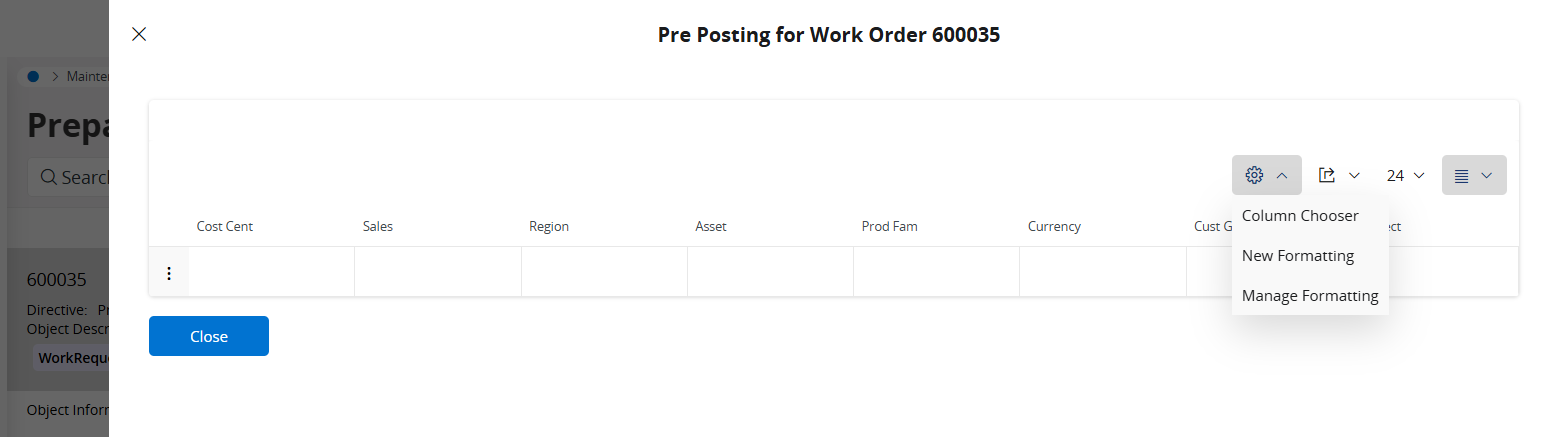
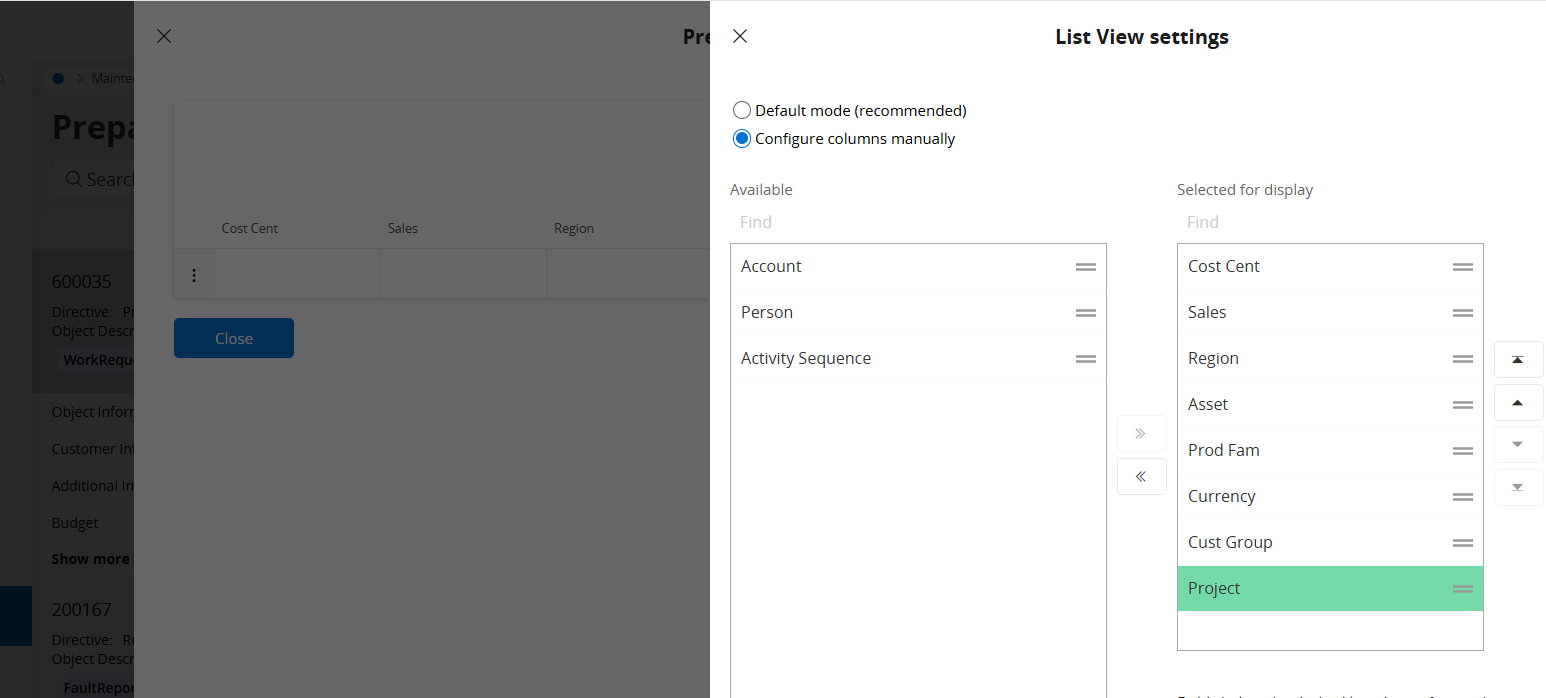
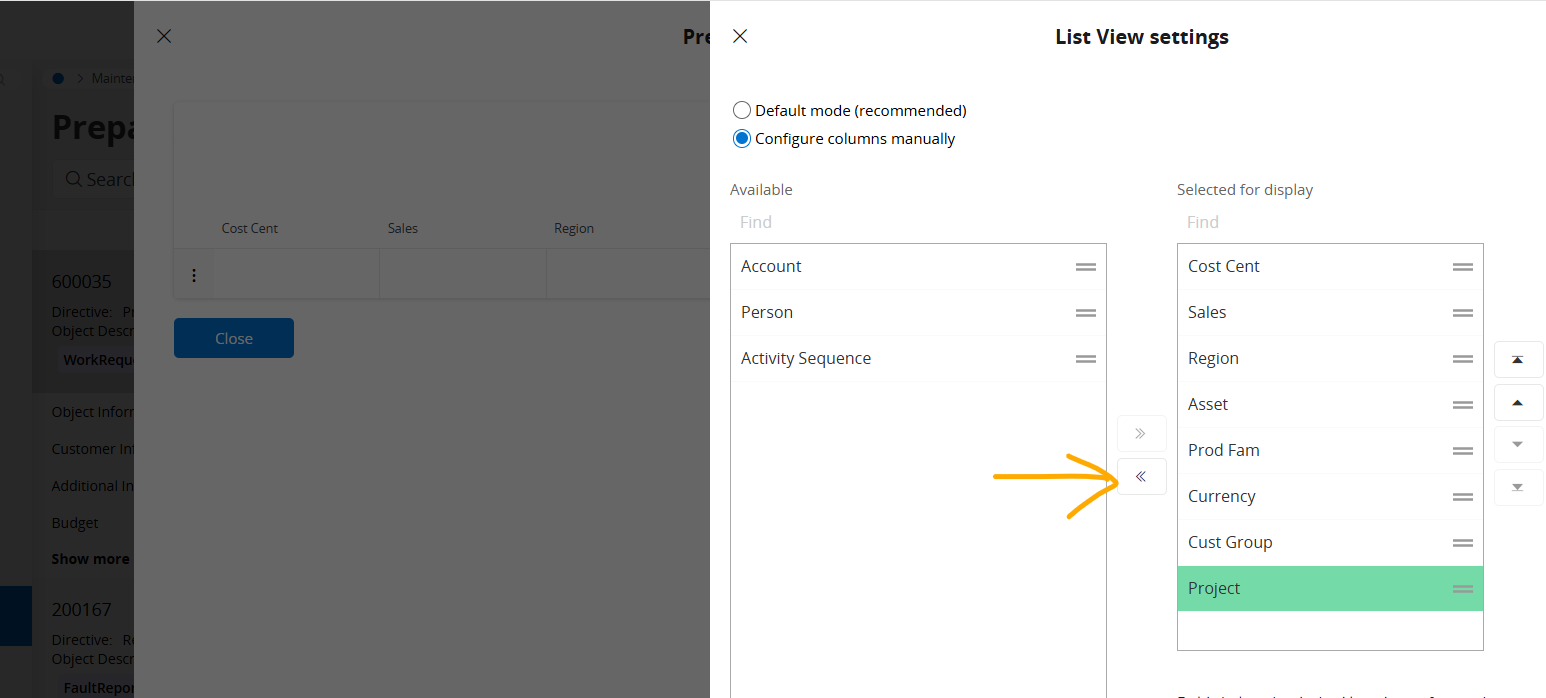
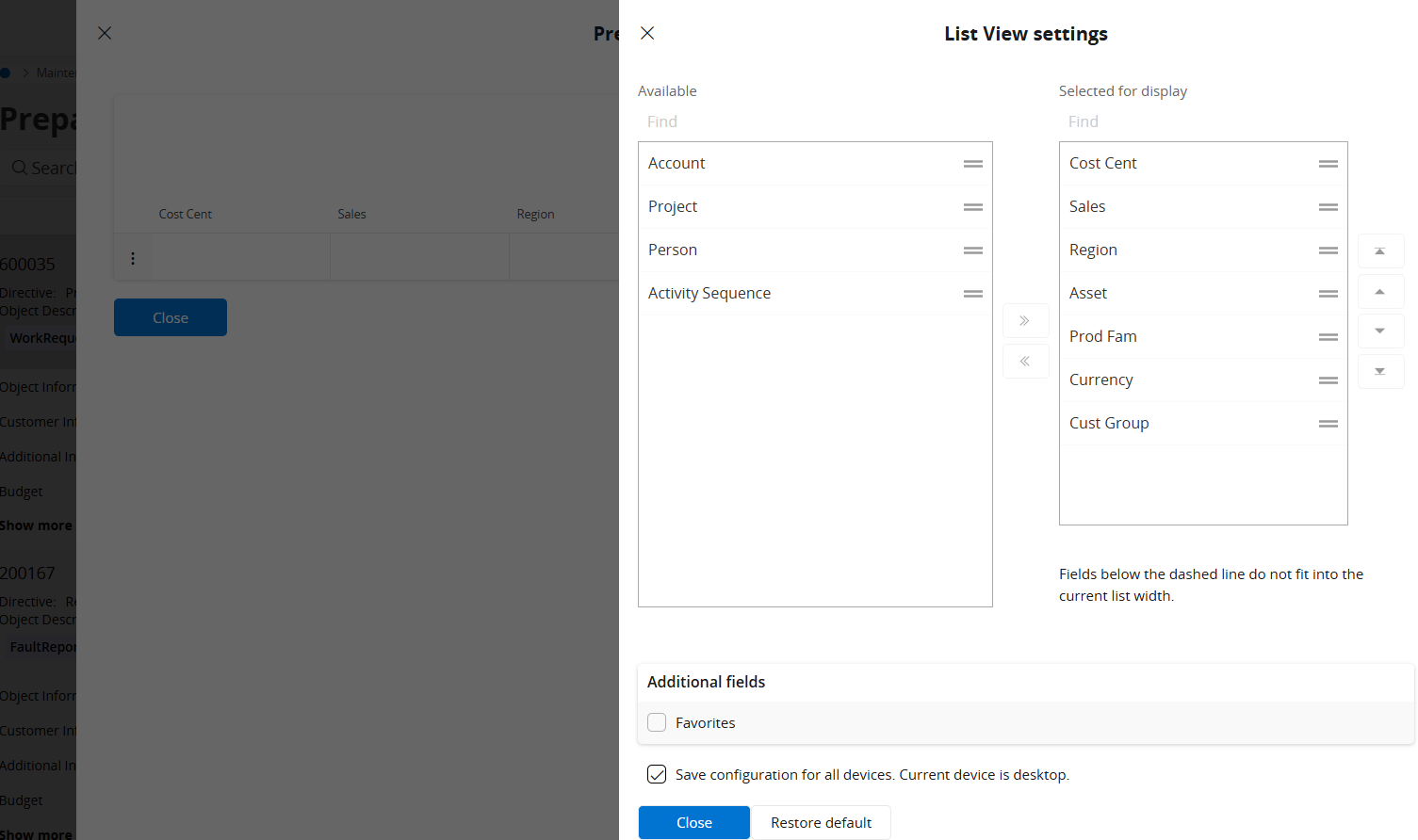
You can hide “project” field using below test steps instead of page designer.


  1. Click on pre posting.
  1. Click on column chooser.
  1. Click on project.
  1. Click on arrow.
  1. Select “save configuration to all devices”. Then click close.

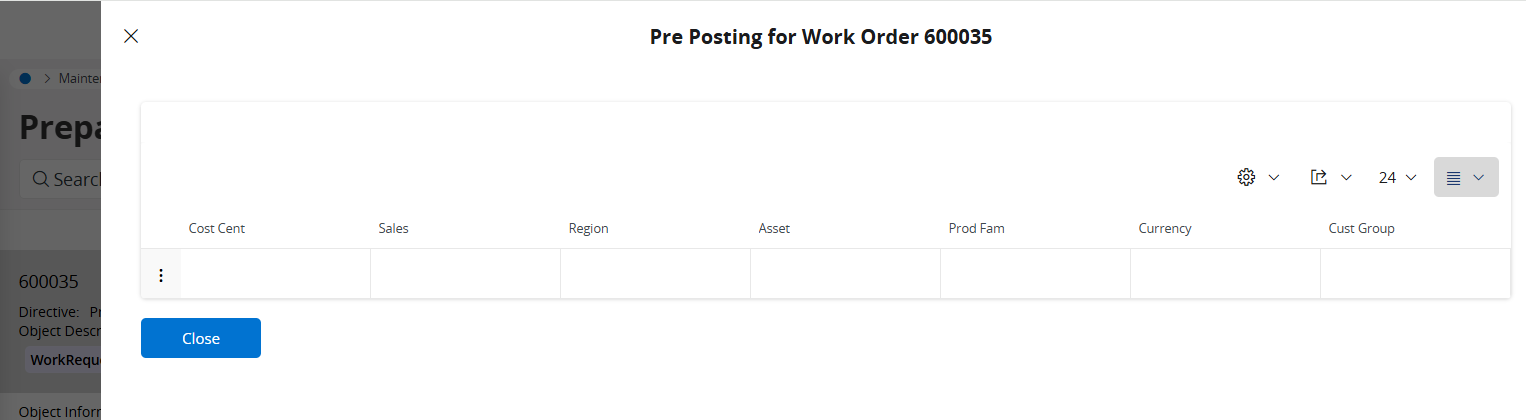
Now the “project” field is hidden. 


Regards,

Thilina.


Forum|alt.badge.img+9
  • Author
  • Sidekick (Partner)
  • Apr 16, 2025 12:48 PM UTC

Abdul, thank you so much. How I could skip the Assistant:)


Forum|alt.badge.img+9
  • Author
  • Sidekick (Partner)
  • Apr 16, 2025 12:50 PM UTC

TLAKLK, thank you for the answer. We need from Page Designer, because we have some contexts:)


Forum|alt.badge.img+2
  • Do Gooder (Partner)
  • Answer
  • Jul 23, 2025 2:55 PM UTC

Hi Lina,
It looks, that the posting type T50 is settled for several code parts.


The settled code parts are available on preposting forms of work order pages.
You can delete them from posting controls and they will not be visible on the preposting form.