Question

Coordinator Handling in Request / Request Work Task

  • March 18, 2026
  • 2 replies
  • 22 views

Forum|alt.badge.img+3

In IFS Cloud 25R2, we are working with Service Requests and Request Work Tasks and have encountered an issue related to the Coordinator field.

Currently, the system appears to require a Default Coordinator defined at the user level. If this is not set, we receive an error when generating the Invoice Preview.

Our questions are:

  1. Where is the Coordinator officially defined and maintained for Service Requests / Request Work Tasks

  2. What is the recommended approach if we need to process a Service Request using a different Coordinator than the user’s default if we cannot specify a different other than the default?

Any guidance or clarification on standard behavior vs recommended setup would be greatly appreciated.

Thanks in advance!

2 replies

kasunhp
Sidekick (Partner)
Forum|alt.badge.img+9
  • Sidekick (Partner)
  • March 18, 2026

Hi,

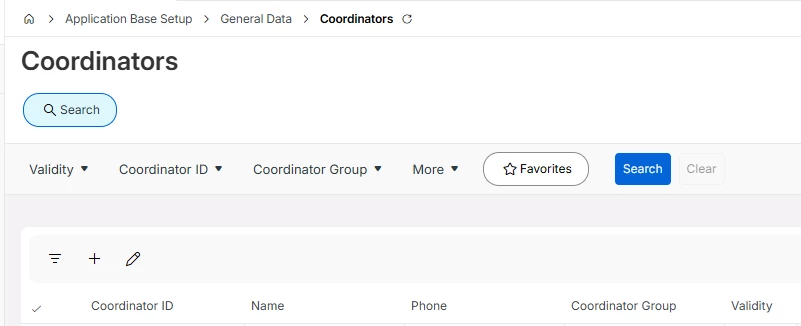
Coordinators can be added via Application Base Setup > General Data > Coordinators page. These coordinators will be visible in an LOV in the invoice preview. You change there if you want.


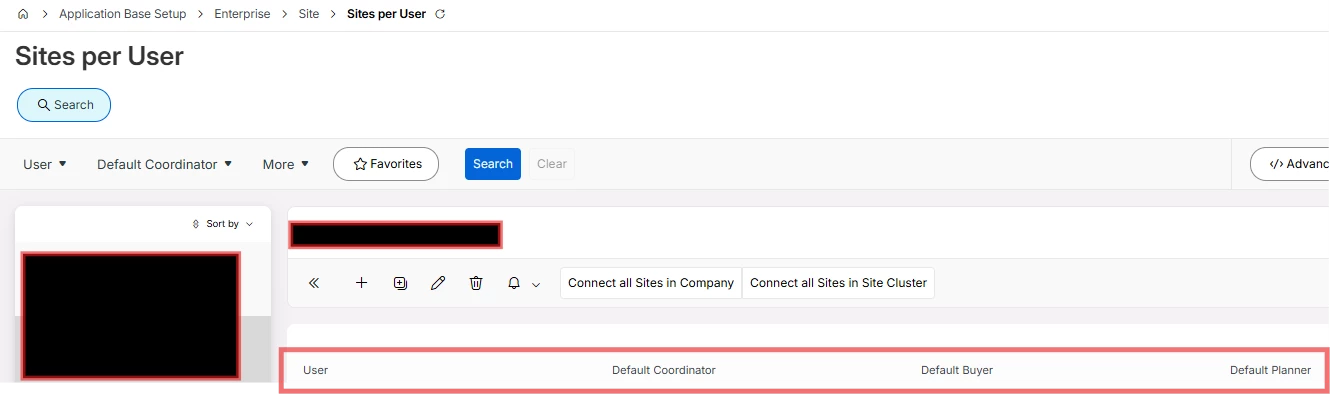
If you put  a default coordinator in Sites per User, normally that user appears as by default as the Coordinator.


Let me know if you need more clarifications.


Forum|alt.badge.img+6
  • Hero (Employee)
  • March 19, 2026

Hi,

Additionally, the Coordinator can also be configured at the Service Organization level.

When an Invoice Preview is created from a Request, the Coordinator is assigned based on the following priority order: (1) Service Organization, (2) Site per User, (3) *.

In the Invoice Preview, the Coordinator can be updated as needed while the Preview is in the New state.

This is the expected standard behavior. If it is not working as intended, please log a support bug for further investigation.

Best Regards,

Pubudika