



Solved

When creating new contract in v15: contract ID is blanked

  • October 18, 2021
  • 2 replies
  • 44 views

bskallerud
Hero (Customer)
Forum|alt.badge.img+12

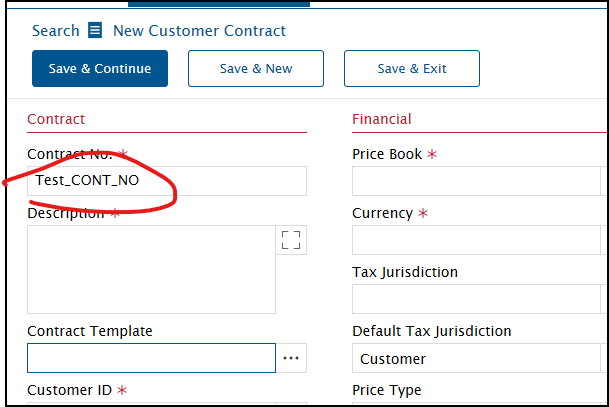
When creating a new contract in v15, we find that the Contract ID is blanked when we chose Contract Template. Is there a way to either keep the Contract ID after chosing a template, or rearrange the order of the data fields som Contract Template comes before Contract ID? 
 

Best answer by Phil Seifert

Hi Bjørn,

I believe it should be possible to rearrange the order of the fields using Customizer.

Kind regards,

Phil

2 replies

Phil Seifert
Ultimate Hero (Employee)
Forum|alt.badge.img+24
  • Ultimate Hero (Employee)
  • Answer
  • October 18, 2021

Hi Bjørn,

I believe it should be possible to rearrange the order of the fields using Customizer.

Kind regards,

Phil


bskallerud
Hero (Customer)
Forum|alt.badge.img+12
  • Author
  • Hero (Customer)
  • October 18, 2021

We solved this by a bit of a hack: we did not find a way to to keep the Contract ID after using the contract template, and there is no way to move data fields around. But we solved it by deleting both Contract ID and Template ID with Customizer, and then adding them back where we want them. But now the tab order is not ideal...


