In the Quick Search - how do I know what columns are searched within a module - in Employee Browser?

Solved
V15.2 - how can I see what columns are searched within Quick Search?


 +12
+12Best answer by Phil Seifert
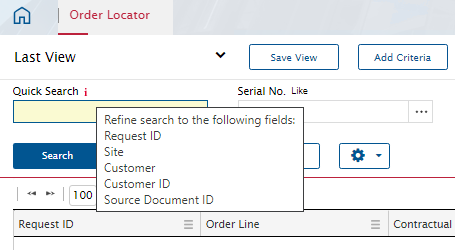
You can see the fields used for the Quick Search in the module by hovering your mouse over the red information hyperlink to the right of the Quick Search label.



Enter your E-mail address. We'll send you an e-mail with instructions to reset your password.