

Solved

Removing or hiding sales tax from sales order report

  • April 4, 2022
  • 2 replies
  • 198 views

bskallerud
Hero (Customer)
Forum|alt.badge.img+12

Hi - I have a request from my team to remove the sales tax from the sales order report (and sales order history report). We send out the reports as order confirmations, and certain customers will have some orders with sales tax, others without (eg. some boats have to pay VAT, others not - belonging to the same company). We use our ERP to calculate VAT, so it is OK to have all orders being without.

I have tried deleting the sub-report calculating tax - the report then crashes.

I have tried to set all fields invisible (Show field - false) - but some of the fields are still show

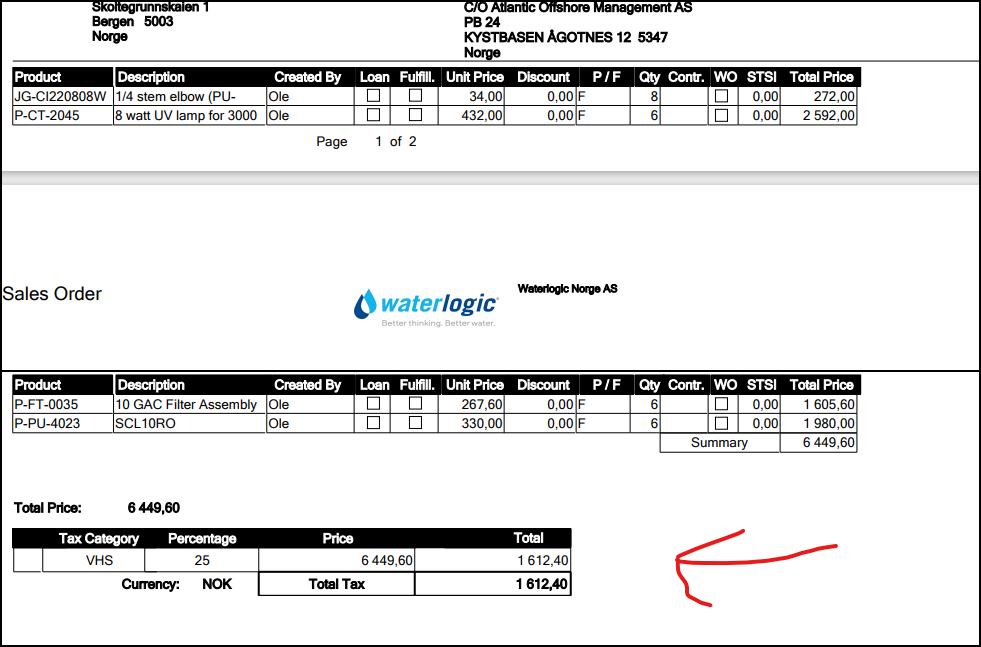
Any good tips from you guys? The bottom part here is what we want gone
 

Best answer by Susie Yao

Hi,

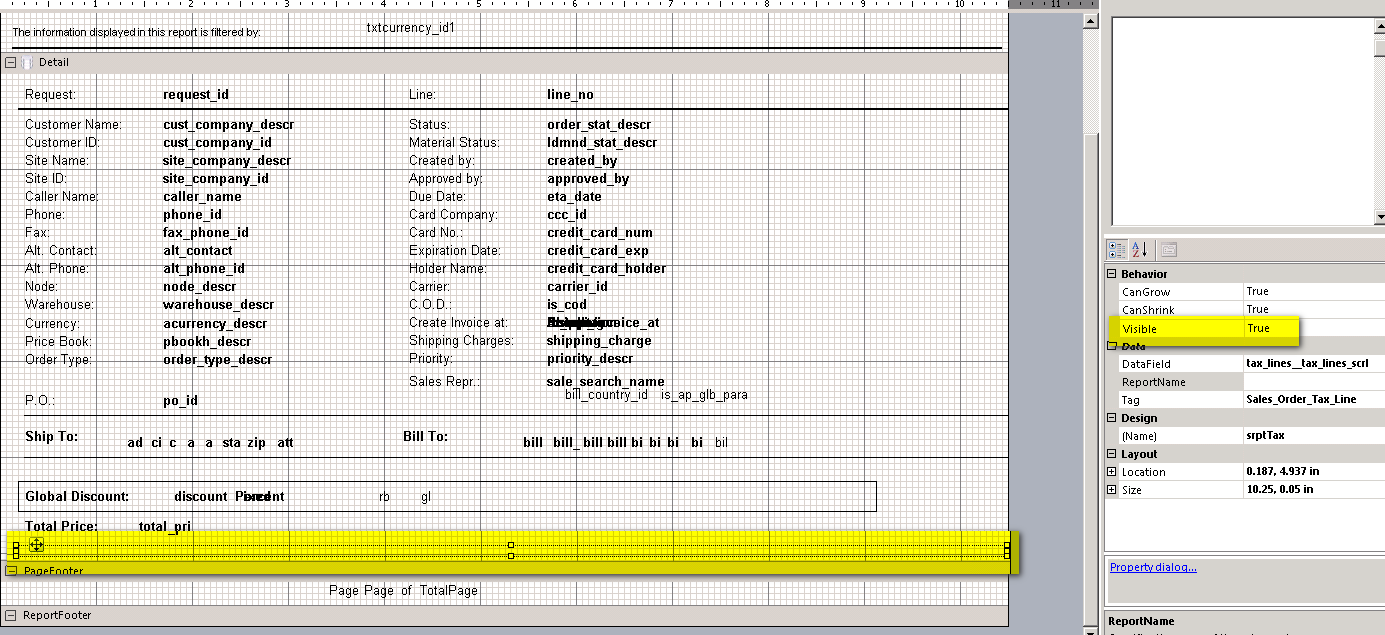
You can hide a whole sub report by setting the ‘Visible’ property to ‘False’, which can be done on the main report layout as below.  (You need to find the target sub report on the main report layout and select it first.)

Regards,

Susie

2 replies

Forum|alt.badge.img+10
  • Hero (Employee)
  • Answer
  • April 4, 2022

Hi,

You can hide a whole sub report by setting the ‘Visible’ property to ‘False’, which can be done on the main report layout as below.  (You need to find the target sub report on the main report layout and select it first.)

Regards,

Susie


bskallerud
Hero (Customer)
Forum|alt.badge.img+12
  • Author
  • Hero (Customer)
  • April 5, 2022

Hi Susie - thank you very much!

Worked like a charm