Solved

Period for loaded orders mobile Astea 15.2

  • December 7, 2022
  • 3 replies
  • 73 views

bskallerud
Hero (Customer)
Forum|alt.badge.img+12

Hi gang - where in Astea can I define the period orders are loaded on mobile? Somebody is very much behind on his work, and suddenly the orders were noe longer on his mobile...

Best answer by Phil Seifert

Hi Bjørn,

I am not aware of an option to restrict the dispatch of work orders (demand labor) or orders to the mobile clients based on the date range of the activity or service order.

There is a workflow (mobile) which does control when an order is dispatched and when it is removed.  You might take a look at this area.
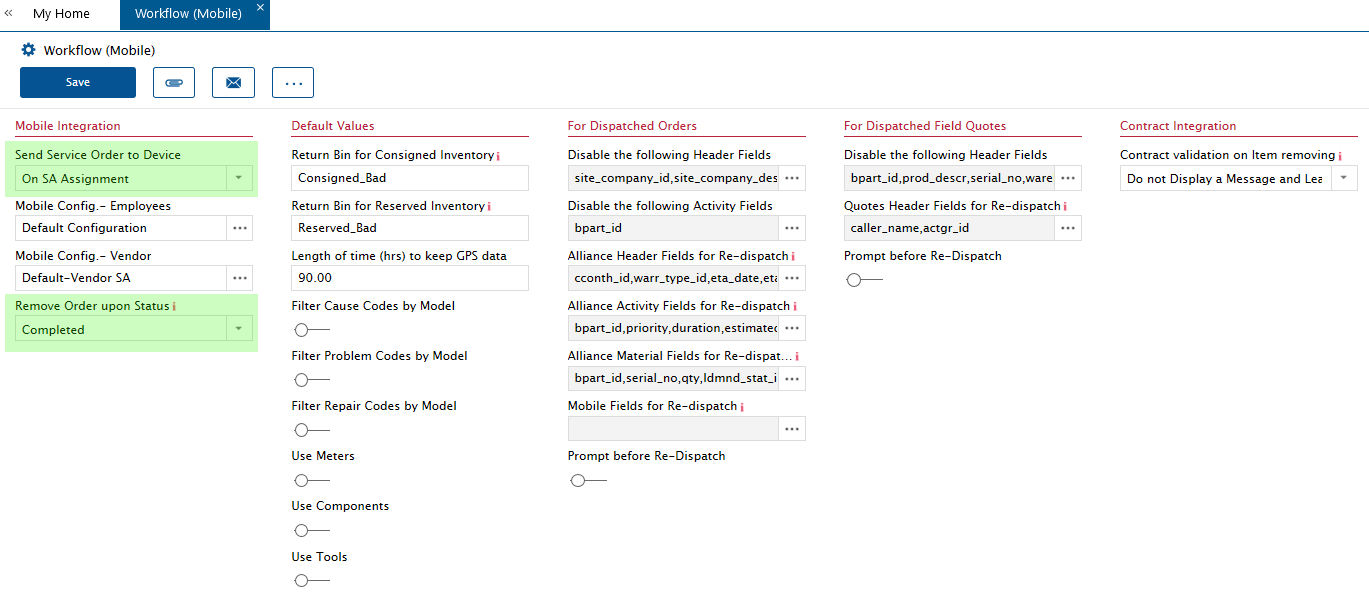
 

Also confirm that exclude mobile was not enabled on those orders you feel are missing from his client.

There is an MOE to limit the length of time orders in history are kept on the mobile client but your question seems to relate to orders that are active and not in history.


 

3 replies

Phil Seifert
Ultimate Hero (Employee)
Forum|alt.badge.img+24
  • Ultimate Hero (Employee)
  • Answer
  • December 7, 2022

Hi Bjørn,

I am not aware of an option to restrict the dispatch of work orders (demand labor) or orders to the mobile clients based on the date range of the activity or service order.

There is a workflow (mobile) which does control when an order is dispatched and when it is removed.  You might take a look at this area.


Also confirm that exclude mobile was not enabled on those orders you feel are missing from his client.

There is an MOE to limit the length of time orders in history are kept on the mobile client but your question seems to relate to orders that are active and not in history.



bskallerud
Hero (Customer)
Forum|alt.badge.img+12
  • Author
  • Hero (Customer)
  • December 7, 2022

Thanks, Phil

The Dispatcher was assigning tasks due back in September, and they did not show on the SAs mobile. When he changed the ETA to today, they showed.

I’ll tell him this is a hardcoded system setting - and he should not allow this kind of lag from his SAs


Phil Seifert
Ultimate Hero (Employee)
Forum|alt.badge.img+24
  • Ultimate Hero (Employee)
  • December 7, 2022

I am still checking this, Bjørn. I think what really happened when you changed the ETA is that it re-dispatched the work order and had perhaps nothing to do with the dates.

If you have another example, perhaps you can just exclude the order from mobile to pull it back (letting the application know the order is not already on the device) and then not exclude.  Change NO data and see if it then appears on the mobile client.  Or another quick test is to modify the problem description in a minor way (add a space or period somewhere and save).