Solved

Orders not updated automatically on mobile - v15

  • Jan 11, 2022 12:19 PM UTC
  • 5 replies
  • 86 views

bskallerud
Hero (Customer)
Forum|alt.badge.img+12

In our live v15 environment, orders are not automatically updated on mobiles. The SAs have to manually refresh the client to se changes/new orders. Any ideas?

Best answer by Phil Seifert

HI Bjørn,

Please review the settings for the Profiles - WLN - Mobile to ensure it is enabled and that the webservice URL is correct.

If this is changed, restart the server and then see if the work orders are now pushed.  Also test push notifications with the mobile client in the background to see if you get sound alerts from the push notifications (assuming your MOE is set to allow sounds).


 

View original

5 replies

Phil Seifert
Ultimate Hero (Employee)
Forum|alt.badge.img+24
  • Ultimate Hero (Employee)
  • Answer
  • Jan 11, 2022 12:27 PM UTC

HI Bjørn,

Please review the settings for the Profiles - WLN - Mobile to ensure it is enabled and that the webservice URL is correct.

If this is changed, restart the server and then see if the work orders are now pushed.  Also test push notifications with the mobile client in the background to see if you get sound alerts from the push notifications (assuming your MOE is set to allow sounds).



Forum|alt.badge.img+7
  • Sidekick (Customer)
  • Jan 11, 2022 12:28 PM UTC

Hi,

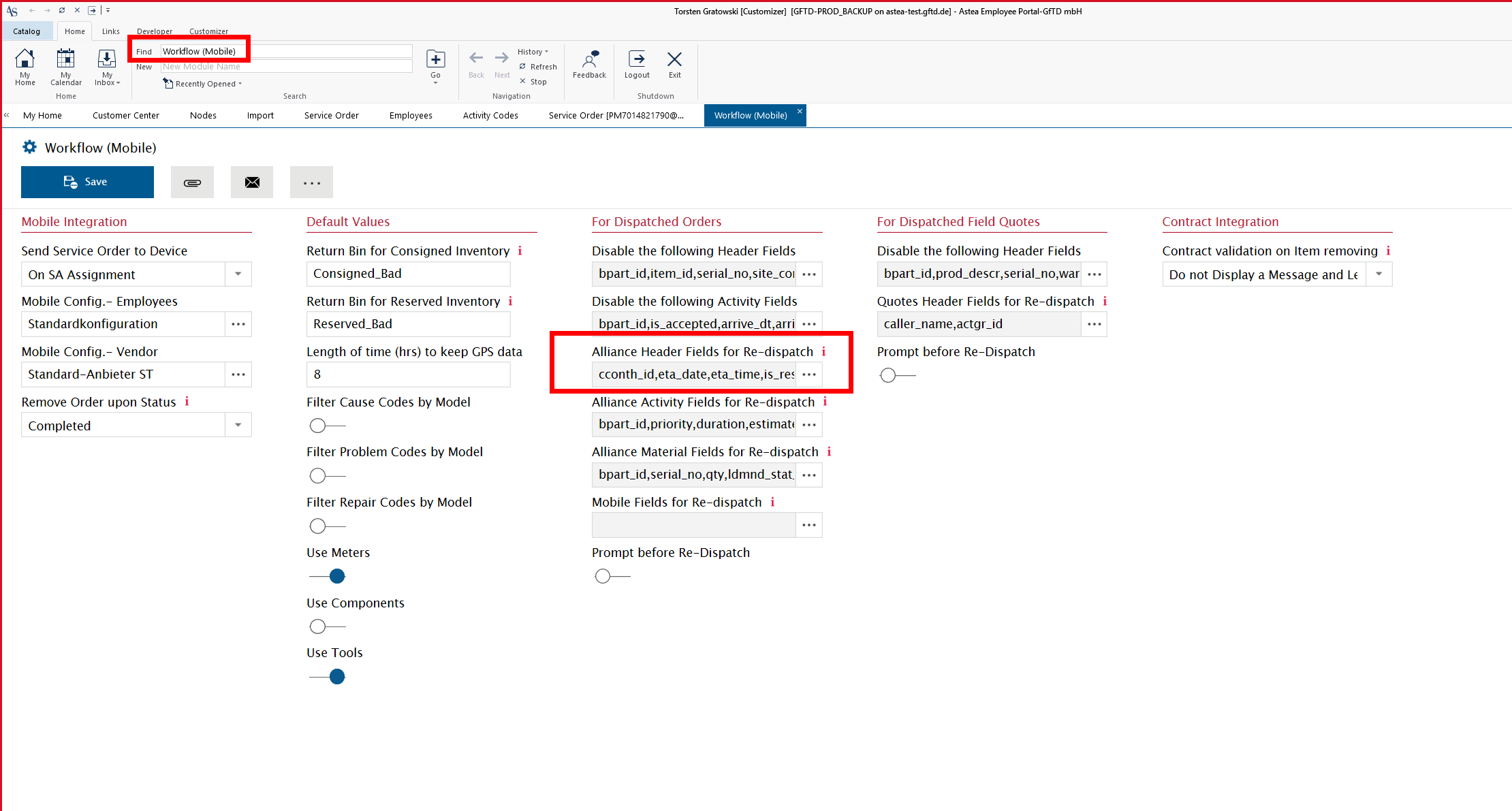
normally the updated information should be pushed to mobile, when the requried fields are there:


but sometimes, in very few cases this sometimes does not happen, also for us.


Phil Seifert
Ultimate Hero (Employee)
Forum|alt.badge.img+24
  • Ultimate Hero (Employee)
  • Jan 11, 2022 12:31 PM UTC

Hi Torsten,

In Bjørn’s case, it was the original dispatch that was not happening.  You are correct for a re-dispatch situation where the order is already dispatched so good to point this out!


Reid Gilbert
Superhero (Employee)
Forum|alt.badge.img+15
  • Superhero (Employee)
  • Jan 11, 2022 12:33 PM UTC

Try browsing the mobile webservices URL that is entered in the Configuration Editor in an Internet Explorer window...see if that throws any error messages (sometimes that will throw an error message that will help to pinpoint the problem).


bskallerud
Hero (Customer)
Forum|alt.badge.img+12
  • Author
  • Hero (Customer)
  • Jan 11, 2022 1:01 PM UTC

Thanks, Phil

In Global.xml Mobile was pointing to localhost. Changed it to the mobile server, and I can now confirm that it works