Hi,
Trying to use the “new” Dispatch Console in Web mode, one of our customer has discovered a very weird behavior :
Right Click on Map and select “Display All Agents on Map” then “Show Direct Routes”
Any Agents or Site address that are unvalidated effectively are displayed in outer space – geo-coordinates 181, -181. This means that it is difficult to see the routes for all technicians on the map, as you have lines everywhere.
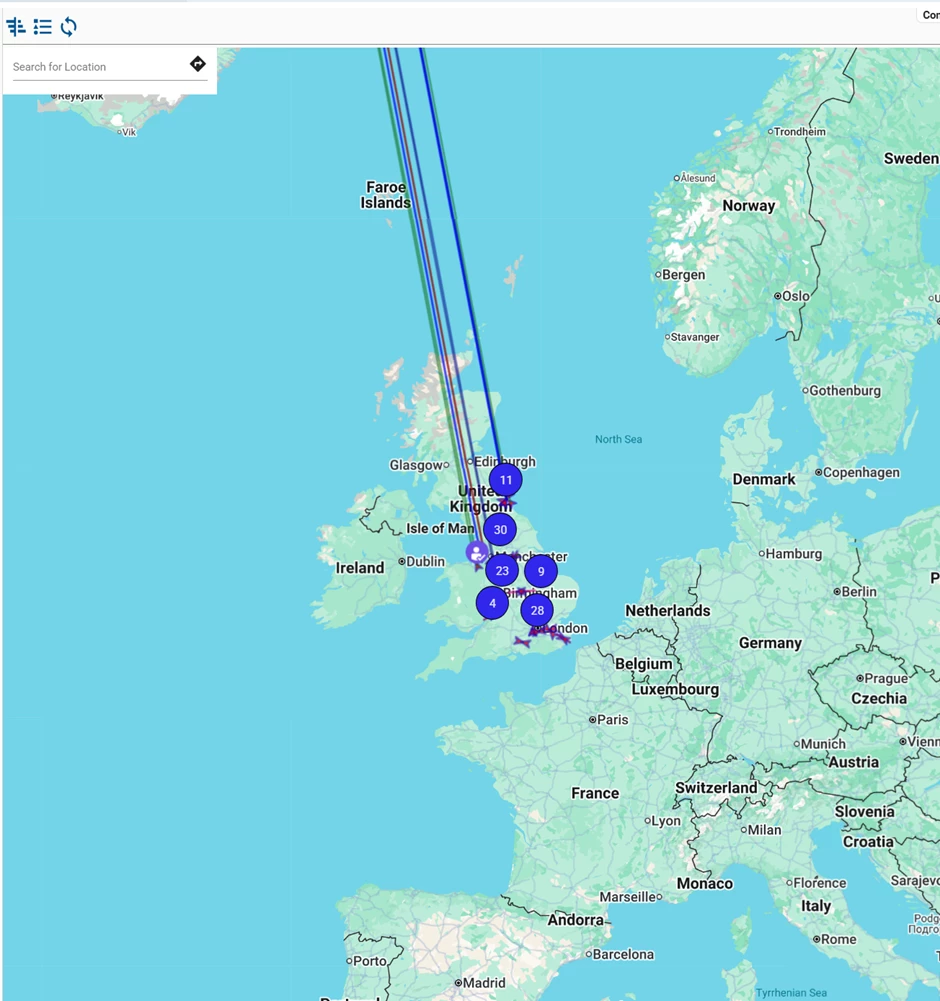
whereas in ths DC Smart client the unvalidated addresses are simply not displayed. This makes it easier to see the routes (obviously without the unvalidated orders)
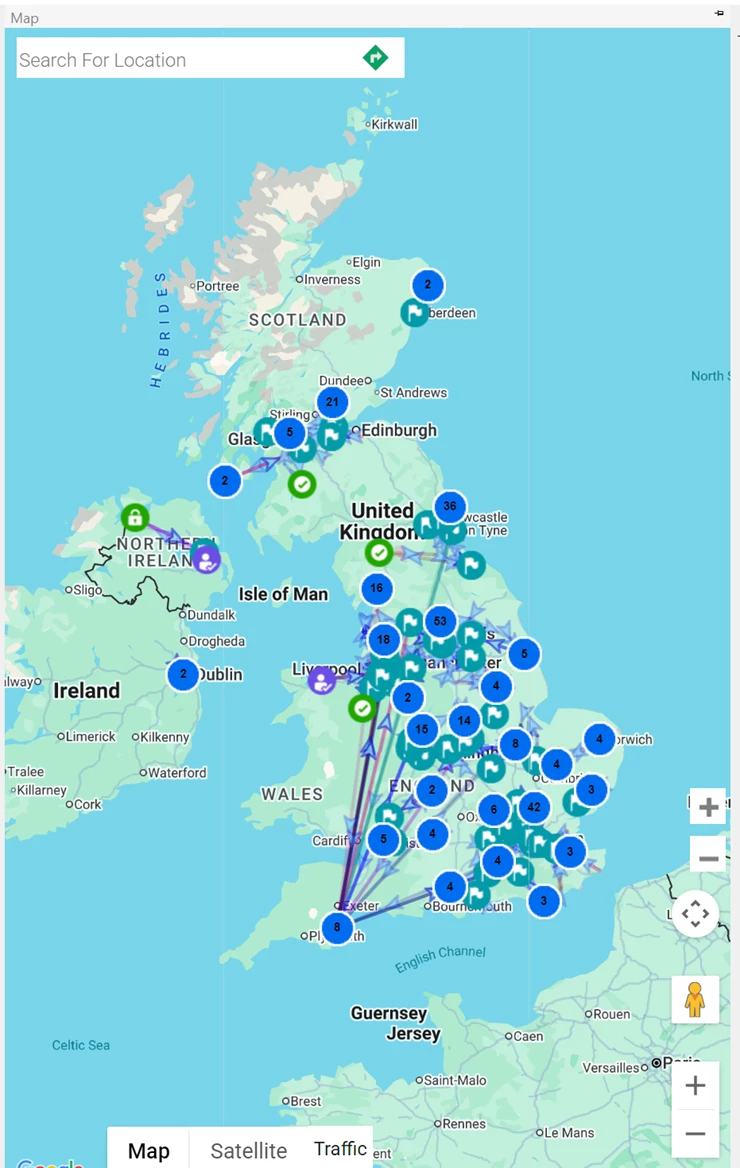
Is there any parameter in th Web DC that simply ignores routes for these unvalidated addresses ?
Is it a bug ?
Thank you
ALLIANCE V15.4 SU11