

Hi could you tell me which type of attachment we need to upload to SOX module to have this feature ? we want to display a text on the mobile device of all the MobileEdge technician
THanks for your feedback
Christophe

Hi could you tell me which type of attachment we need to upload to SOX module to have this feature ? we want to display a text on the mobile device of all the MobileEdge technician
THanks for your feedback
Christophe
Best answer by Phil Seifert
Hi Christophe,
It appears to be standard image type files such as JPG and PNG.
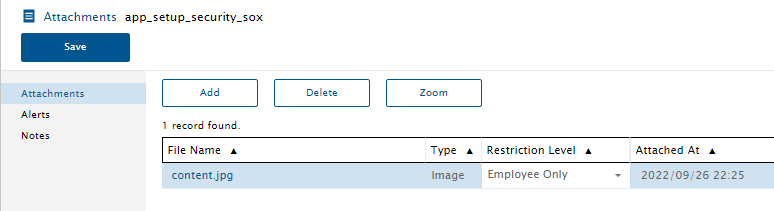
Specifically in looking at an example on a QA environment, I could a JPG file was attached:
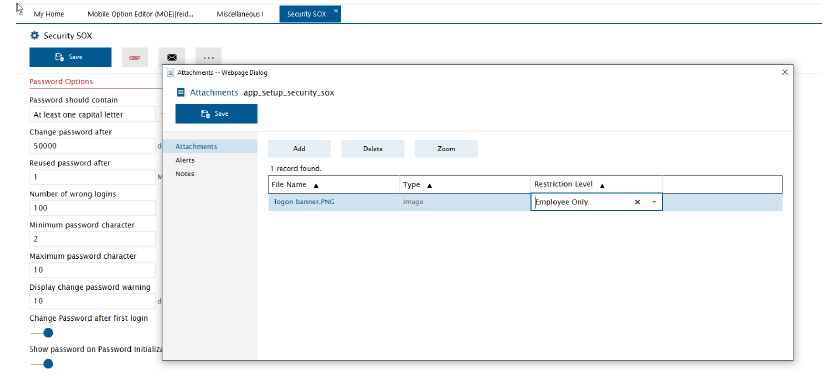
A screen shot in the mobile users guide shows a PNG file.
I would expect it to be any of the image file formats defined in the global.xml as allowed filetypes:
.txt;.pdf;.doc;.docx;.xls;.xlsx;.ppt;.pptx;.bmp;.avi;.jpg;.jpeg;.png;.xml;.avi;.wav;.mp3;.wma;.mp4;.log;.mov;.zip;.mkv;.dot;.dotx;.eml;.msg;.tif;m4a;.bku;.gz
The mobile users guide states:
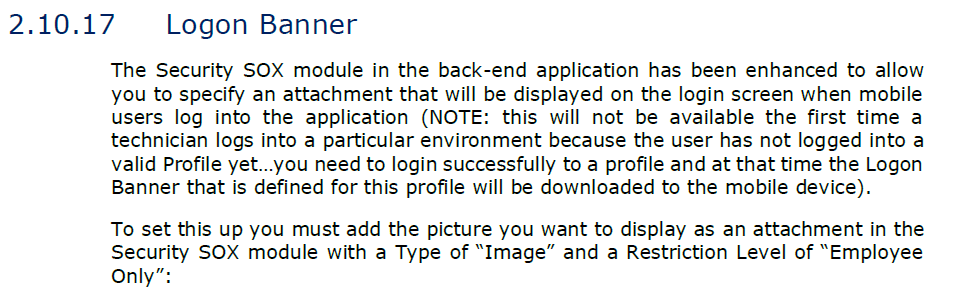
JPG and PNG should cover almost everyone’s needs (for text, it appears the text has to be within an image). Hope this helps.
Enter your E-mail address. We'll send you an e-mail with instructions to reset your password.


