

Specific business scenario can cause crashes with Astea application. Running the procdump utility under crash mode will create a dump file automatically right before the process dies.
Instructions:
======================================
Link to app: https://docs.microsoft.com/en-us/sysinternals/downloads/procdump . This is an official tool that belongs to MS. Please download it and put to any directory on the Astea application server(s)
Run with following parameters:
C:\sysinternals\procdump <PID> -ma -e <OUTPUT_FOLDER>
Where
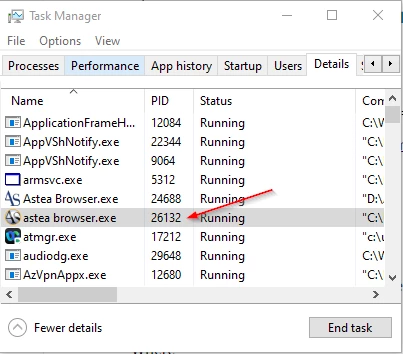
PID – is process id of just started service. You can see it in Windows Task Manager Command Line column.
OUTPUT_FOLDER – folder to keep created dump file
The option –e means the dump file should be created when unhanded error occurred. Based on the last event log you sent me it was exact case when process terminated due to unhandled exception.
-ma – full dump.
The dump files that result will greatly help Astea support diagnose global application crashes.