Question

In ALLIANCE V15 , in the 1st count sheet Entry module - the QTY column is initialized to 0 by default causing input issues

  • June 23, 2026
  • 3 replies
  • 23 views

Forum|alt.badge.img

Hi IFS Community, 

I need help or solution about my topic. 

In ALLIANCE V15, when we initiated the first count sheet, the number "0" was in all the products lines in the Qty column. And we must delete it each time before inserting the correct one.

Could this field be left blank? Could it be an option to add somewhere? 

I appreciate your help. This matter is urgent as our users are making a significant number of mistakes with the inputs. 
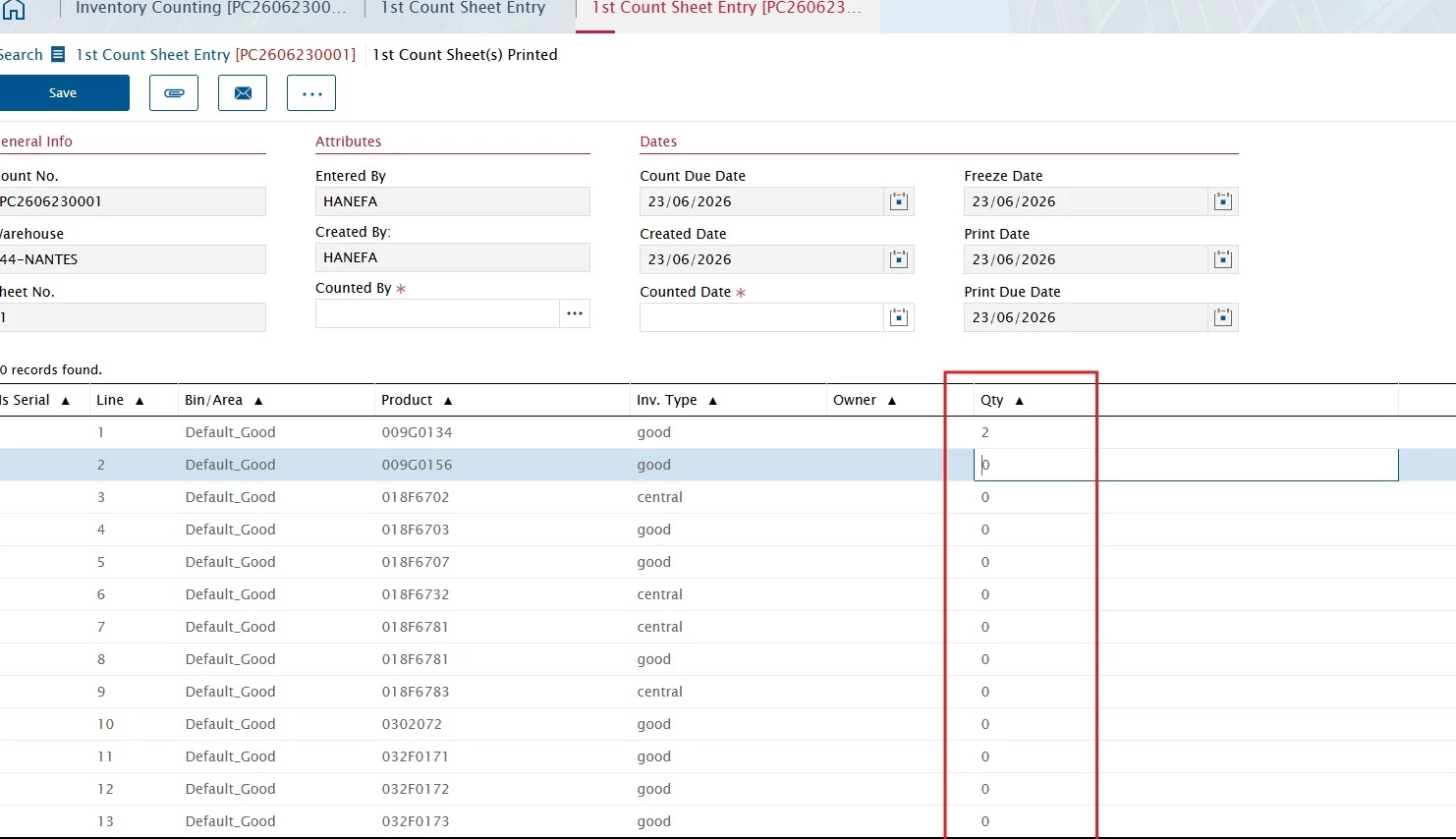
screen


3 replies

Phil Seifert
Ultimate Hero (Employee)
Forum|alt.badge.img+24
  • Ultimate Hero (Employee)
  • June 23, 2026

Hi Fatima,

Unfortunately, I do not find an option to leave this value null by default in the standard application.

To resolve this it would be necessary to arrange/log a Services billable customization as further functional changes to standard is no longer possible at this point in the life cycle.

I confirmed when the count sheet is generated, the data values in the database are defaulted to zero not null so this means any customization would either have to populate null by default instead of zero (the table row column definition does accept null) or the UI needs to display a null value if the data has a zero value which means more work as it would likely need to be done on mobile as well as the backend UI.

Further, if the value is not updated from null to zero when you don’t have the product, this also means more work for the inventory count taker as then you must update the counted qty again to zero.  Given there are potentially many parts to count as they may still be associated as a known product for the warehouse bin. This last is actually a time saving mechanism.

Additional note, I don’t think populating null is a good idea anyway as when you do the reconciliation there is variance check on the qty versus the expected quantity.  From a pure SQL point, those rows would have to be treated carefully in the comparison to treat null as a zero in other parts of the inventory counting code.


Reid Gilbert
Superhero (Employee)
Forum|alt.badge.img+15
  • Superhero (Employee)
  • June 23, 2026

Hi Fatimatou,
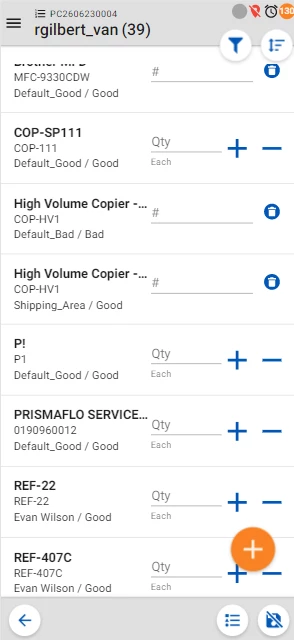
Are these warehouses associated with mobile technicians?  If you have the Inventory Counting module enabled in the Mobile Edge application and the Warehouse module has the “Mobile Count” checkbox checked then these users will be able to complete the Inventory Count from the mobile device (and those entries will be blank until the users enter a value either via the popup keyboard or by pressing on the + and - icons to adjust the qty):
 

Thanks,
Reid


Forum|alt.badge.img
  • Author
  • Do Gooder (Customer)
  • June 29, 2026

Thank you both for your replies.. I will see with my business team if we need to make a billable customization.

Next, I need to verify the information with the Mobile Edge app