Question

How to add one more filter field on Order Locator filters.

  • August 1, 2025
  • 2 replies
  • 42 views

Forum|alt.badge.img+7

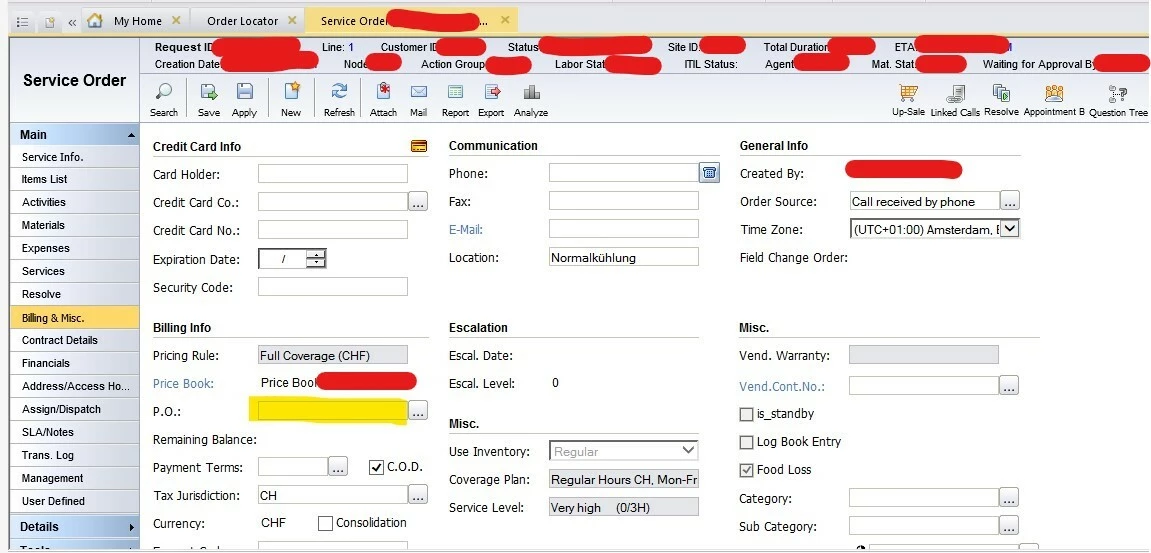
We have received an request from the business to add P.O. Field under Billing & Misc. form into filter field on the Order Locator screen.
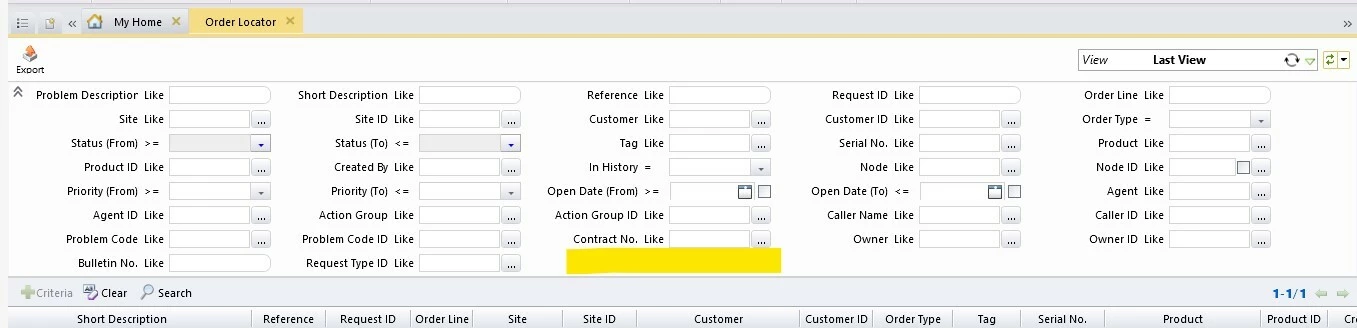


Could you please provide any documentation or steps which we need to follow to complete this task.

2 replies

Phil Seifert
Ultimate Hero (Employee)
Forum|alt.badge.img+24
  • Ultimate Hero (Employee)
  • August 1, 2025

Hi Firdosh,

This normally requires a custom development for v14 which is what you are showing above in your screen shot if you want that field specifically in the filters and scroller results.  It would be the cleanest method to get this available.

Otherwise, a work around might be using Customizer as Customizer fields are often added to the filter and scroller but that is for custom fields, not standard fields such as you are describing.

I have not tried this but you might be able to create a new Customizer custom field on the main page of the order that is a computed lookup with option to save to the database where it would find the value of the P.O. field.  When this is done, both order locator and the service order search both have this field added (at least in 15.4 they do) where it can be searched and shown in the scroller results.


Forum|alt.badge.img+7

Hello ​@Phil Seifert ,


Thank you for your prompt response.


As I understood correctly, As P.O. is a Astea standard field so we can not add that field into search filter using customization.

But we can create a new custom field on to the Service Order module and that field can be added to the filter.