Hi all,
How do we enable interactions on Astea Mobile?




Hi all,
How do we enable interactions on Astea Mobile?
Best answer by Pranavan Paranthaman
Hi Dimuthu,
You can enable interactions via the Mobile Options Editor (MOE) module:
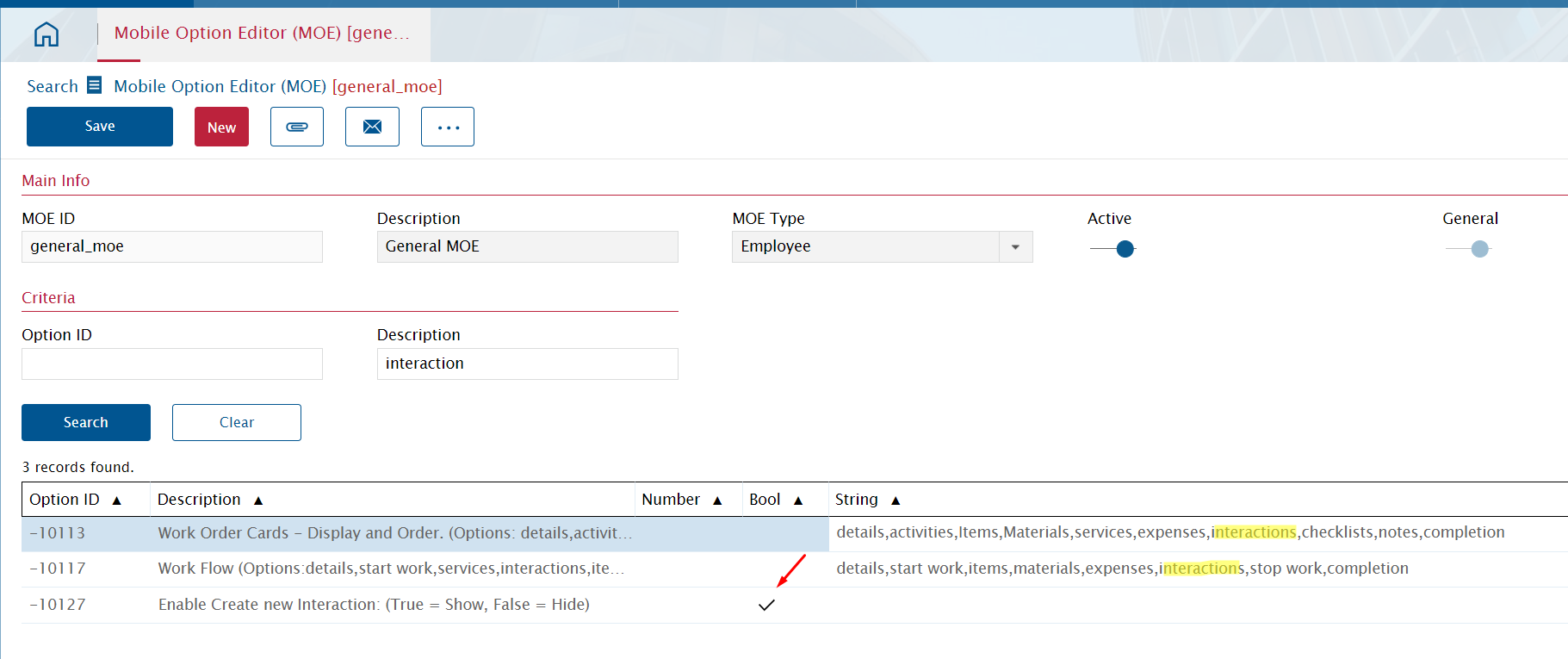
1. Zoom into the relevant mobile user profile.
2. Enable Option ID -10127 using the Bool check box.
3. Make sure Option IDs -10113 and -10117 have the "interactions" keyword in the string fields.
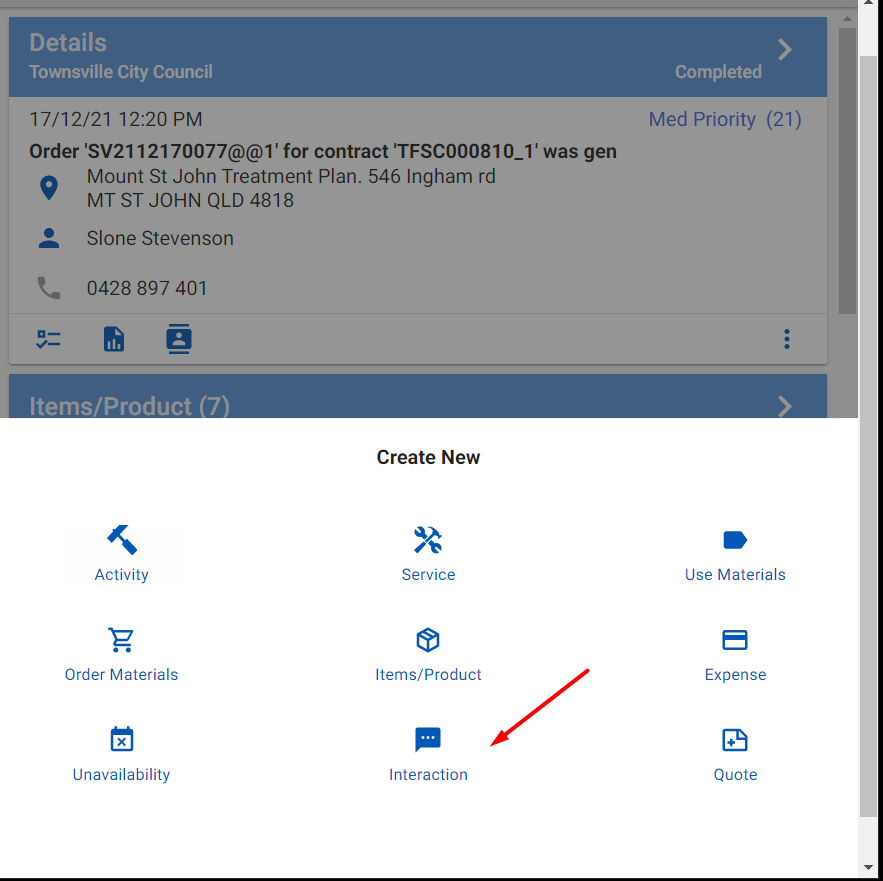
Reinitialize the user and it will appear in the list when you tap the Create new button in a service order.
Enter your E-mail address. We'll send you an e-mail with instructions to reset your password.