Solved

Custom Widgets

  • Apr 23, 2024 11:05 PM UTC
  • 3 replies
  • 491 views

Forum|alt.badge.img+7

Can we add new custom widgets / counters on the home screen.

Wanted to create a dashboard to display on a large screen for a warehouse.


Best answer by Phil Seifert

HI Nazish,

R&D confirmed my answer above was correct:

Creating new widgets or modifying the existing ones can be done only by the Services team as a customization. As far as I know, the work involves SQL, meta-data and sometimes also C# code.

This is not user customizable to build new widgets.


View original

3 replies

Bjornar Brekka
Do Gooder (Employee)
Forum|alt.badge.img+2
  • Do Gooder (Employee)
  • Apr 24, 2024 8:12 AM UTC

Hi

Yes, this can be done using IFS Lobby Datasource and Element designer. Information about Lobby Configuration should be available in your IFS technical documentation. 

You can edit and existing lobby or create a completely new lobby.


Phil Seifert
Ultimate Hero (Employee)
Forum|alt.badge.img+24
  • Ultimate Hero (Employee)
  • Apr 24, 2024 9:17 AM UTC

Hi Nazish,

I am sure Bjornar is correct regarding IFS Cloud or APPS 10 but this does not apply to Alliance which is a different application to what the reply was based.

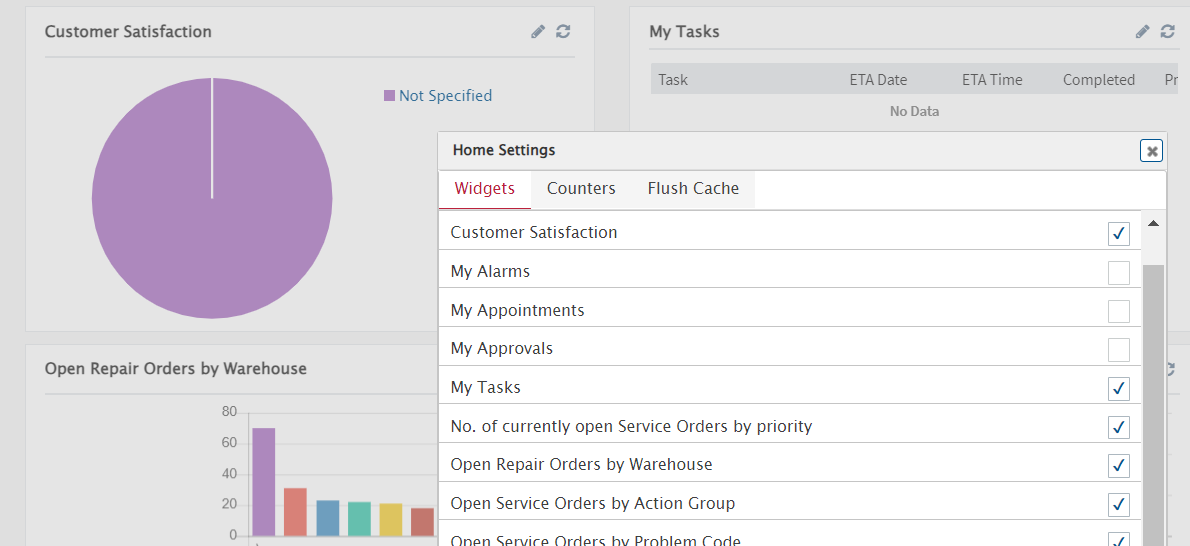
I am not aware of a way to add your own custom widgets to this in Alliance but will ask R&D to confirm whether this is possible or not however searching all the documentation, I can only find this reference relates to the agnostic web browser (Chrome, MS Edge, etc.):

No mention is made whether this can be customized with additional widgets.


Phil Seifert
Ultimate Hero (Employee)
Forum|alt.badge.img+24
  • Ultimate Hero (Employee)
  • Answer
  • Apr 24, 2024 11:03 AM UTC

HI Nazish,

R&D confirmed my answer above was correct:

Creating new widgets or modifying the existing ones can be done only by the Services team as a customization. As far as I know, the work involves SQL, meta-data and sometimes also C# code.

This is not user customizable to build new widgets.