
Hi there , not sure if what this button does , was assuming it take it to the tracking link but that didnt work , is there any where to enable it or would this be a new customization we need to create ?
Alliance Version is 15.4


 +7
+7Hi there , not sure if what this button does , was assuming it take it to the tracking link but that didnt work , is there any where to enable it or would this be a new customization we need to create ?
Alliance Version is 15.4
Best answer by Phil Seifert
Hi,
First, this question should be asked in the Alliance group forum, not this one. I will ask to see if this can be moved to the proper group.
As for the question itself, the documentation from the Ship List.pdf indicates you need to set up integration to specific carrier service providers.
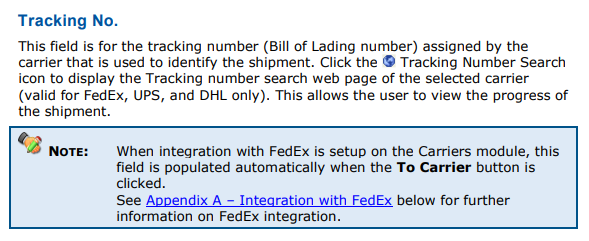
(The icon you highlighted is the redesign of the old globe Icon but indicates searching the world.)
If you use any of the mentioned providers , please read Ship List.pdf Appendix A where it gives the various required setup in the application.
If you require IFS assistance setting up the integration, my recommendation is to reach out to your IFS services consultants for quotes for consultancy.
Enter your E-mail address. We'll send you an e-mail with instructions to reset your password.



