In Alliance 15.4, our customer has very very long checklists, which can be hard to review.
I wonder if there is a way to or collapse or expand sections in a checklist, for mobility as well for back-office ?
Thank you for any suggestions.
BR
Laurence
Best answer by Reid Gilbert
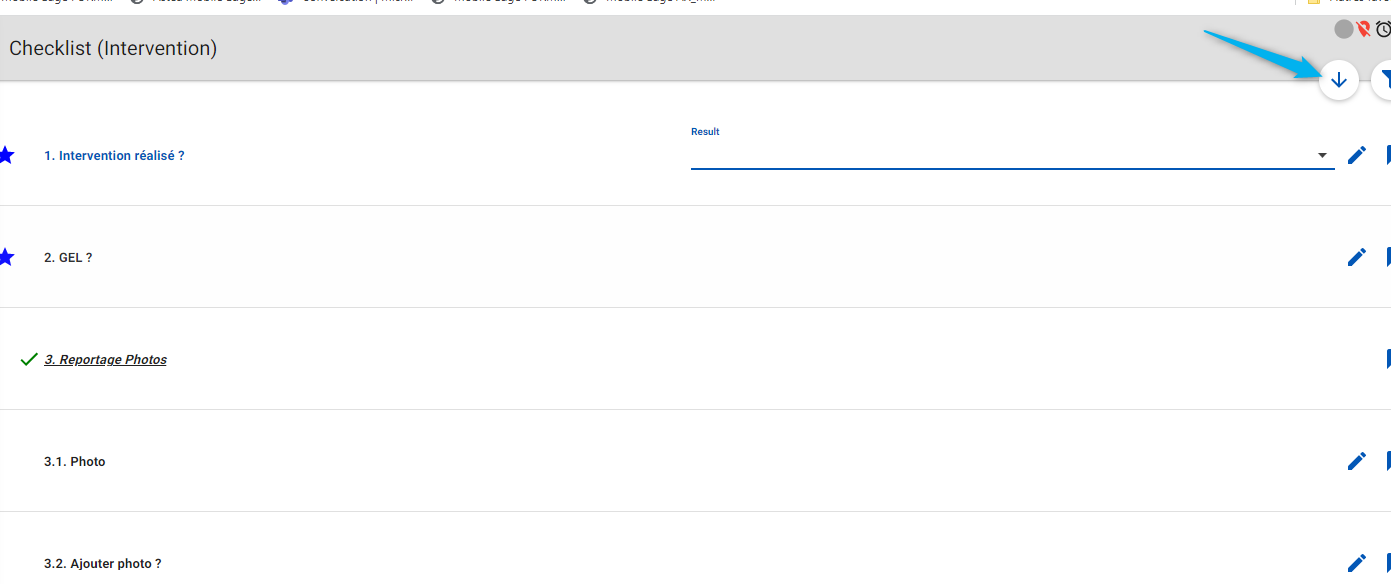
Hi Laurence, On the mobile side we don’t currently have functionality to quickly collapse or expand sections in the checklist (we did add a button to quickly navigate the tech downwards through the list to the next open checklist line). I’m not sure if this functionality exists on the Alliance side. Thanks, Reid
Try indenting your sections and using a qualifying question to expose the section. This would also allow you to bypass a set of questions by answering no to the qualification question.
Hi Laurence, On the mobile side we don’t currently have functionality to quickly collapse or expand sections in the checklist (we did add a button to quickly navigate the tech downwards through the list to the next open checklist line). I’m not sure if this functionality exists on the Alliance side. Thanks, Reid