Solved

behavior Customizer

  • November 22, 2021
  • 4 replies
  • 80 views

Forum|alt.badge.img+9

I’m redoing our customizations and have a difference in behavior. We’re on V15.3.1

Because of a reported error, we first have to customize the Title before adding Customized Fields. Doing that I cannot select the Style of the added fields, only of the added text.

That was surely the case we did the first customization:

How can I addapt the style ?

Additional question, is there a possebility to sort the fields alphabetically in the drop down selection list? Now it is difficult to find the needed field.


Best answer by Phil Seifert

Hi Piet,

Additional question, is there a possebility to sort the fields alphabetically in the drop down selection list? Now it is difficult to find the needed field.

The sorting of the fields in the drop down list is being fixed and should be available with HF5 for your v15.3 release.


4 replies

Phil Seifert
Ultimate Hero (Employee)
Forum|alt.badge.img+24
  • Ultimate Hero (Employee)
  • November 22, 2021

Hi Piet,

I have been working with our developers responsible for the Customizer.  At this point, the best we can do is to modify the customization file directly while they work out the Customizer itself.

Please contact me with Anthony to arrange a session where we can take a look to do this.

There is not an option to sort the fields in the Title editing screen. If you look this would invalidate the order preference option noted by the up/down arrows on the right side of the screen.

Phil


Phil Seifert
Ultimate Hero (Employee)
Forum|alt.badge.img+24
  • Ultimate Hero (Employee)
  • November 22, 2021

I see what you mean about the sorting, you mean when you are adding a new field there is a drop down and it is very long & not sorted.  I was modifying the titles just now for another customer seeing this situation.

In any case, I think we need to talk and go over exactly what you want to see in the is_info and in the header so I can make it happen for you manually.

Phil


Forum|alt.badge.img+9
  • Author
  • Sidekick (Customer)
  • November 22, 2021

after editing the title on the open Service Info page, the customization I did on the fields in teh Service Info page did not work after a public publishing. Did not work for multiple users.

I had to flush all cache after login via the web and then the customization worked OK

I also noticed that now I could adapt the style of all fields in the title and could also publish that correctly.

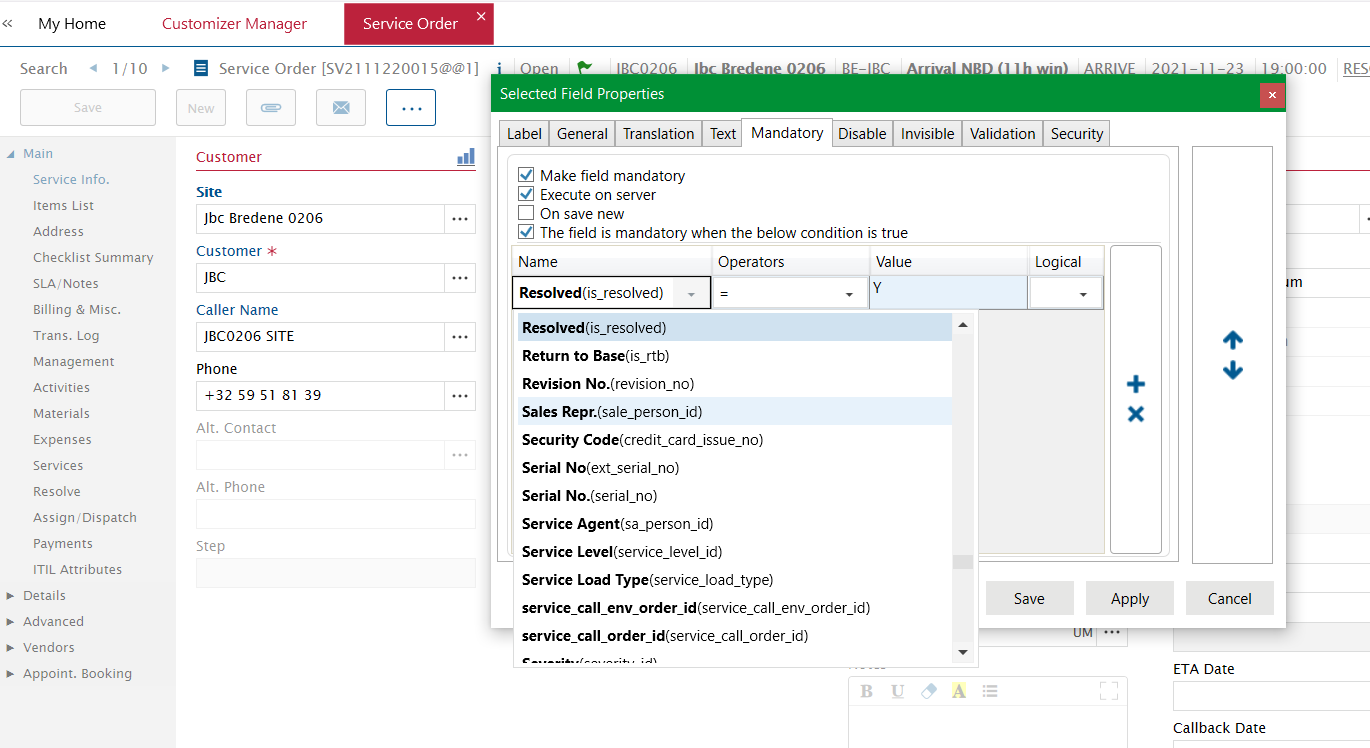
Indead about sorting the fields is in the drop-down list in the title editor, if adding a mandatory field with a condition, then you have all fields correctly ordered in a alphabetic order which make selecting much more easier.


Phil Seifert
Ultimate Hero (Employee)
Forum|alt.badge.img+24
  • Ultimate Hero (Employee)
  • Answer
  • April 27, 2022

Hi Piet,

Additional question, is there a possebility to sort the fields alphabetically in the drop down selection list? Now it is difficult to find the needed field.

The sorting of the fields in the drop down list is being fixed and should be available with HF5 for your v15.3 release.