Solved

API to delete checklist from order

  • Jun 10, 2021 5:28 AM UTC
  • 8 replies
  • 274 views

Forum|alt.badge.img+7
  • Sidekick (Customer)

Hello,


does anyone knows, how to delete a checklist from an order via API?

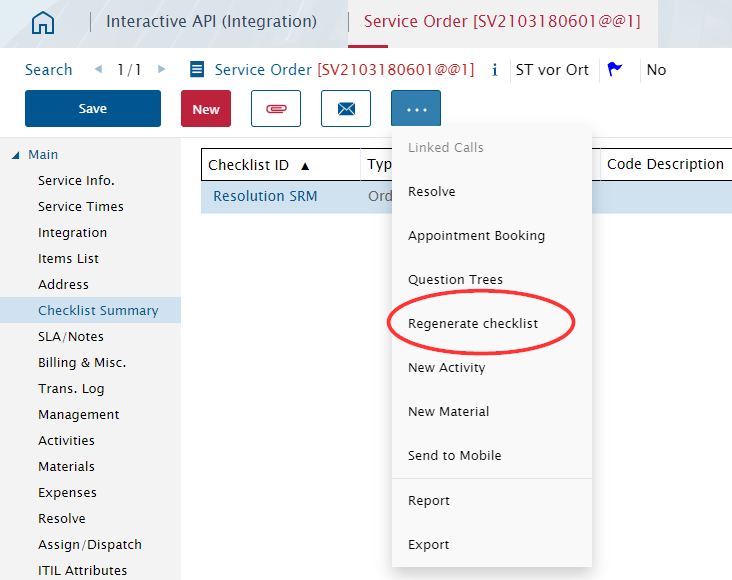
What I need is exactly this, what this button does:
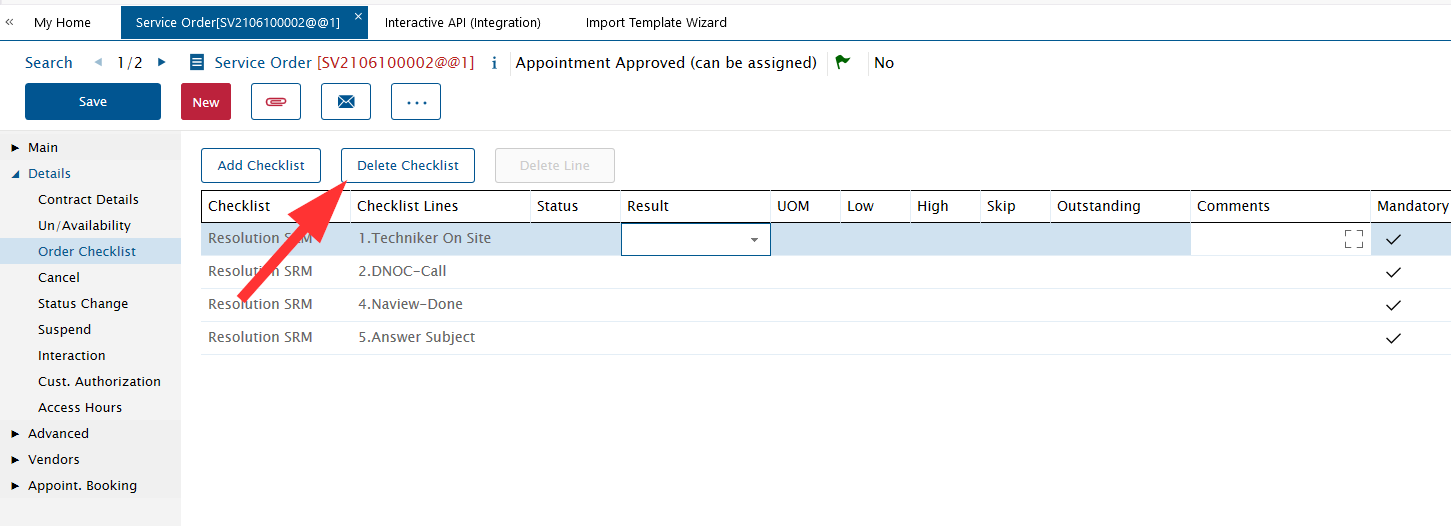
 

Thanks in advance!


Regards

Torsten

Best answer by Joshua Liem

Hi,

Below is an example to delete order checklist.

You must supply the correct value in order_id and seq_in_execution.

In sample below, seq = 1 will be deleted.


<root>
  <session alias="" email="">
    <state bc_name="Service_Order">
      <action name="data">
        <main>
          <row number="1">
            <order_id>SV2106100001@@1</order_id>
          </row>
        </main>
        <checklist_for_order_hdr>
          <row number="1" delete="true">
            <seq_in_execution>1</seq_in_execution>
            <bo_search_keys>
              <item>
                <name>seq_in_execution</name>
                <value>1</value>
              </item>
            </bo_search_keys>
          </row>
        </checklist_for_order_hdr>
      </action>
    </state>
  </session>
</root>

View original

8 replies

Forum|alt.badge.img+12
  • Superhero (Employee)
  • Answer
  • Jun 10, 2021 6:13 AM UTC

Hi,

Below is an example to delete order checklist.

You must supply the correct value in order_id and seq_in_execution.

In sample below, seq = 1 will be deleted.


<root>
  <session alias="" email="">
    <state bc_name="Service_Order">
      <action name="data">
        <main>
          <row number="1">
            <order_id>SV2106100001@@1</order_id>
          </row>
        </main>
        <checklist_for_order_hdr>
          <row number="1" delete="true">
            <seq_in_execution>1</seq_in_execution>
            <bo_search_keys>
              <item>
                <name>seq_in_execution</name>
                <value>1</value>
              </item>
            </bo_search_keys>
          </row>
        </checklist_for_order_hdr>
      </action>
    </state>
  </session>
</root>


Reid Gilbert
Superhero (Employee)
Forum|alt.badge.img+15
  • Superhero (Employee)
  • Jun 10, 2021 1:18 PM UTC

Hi Torsten,
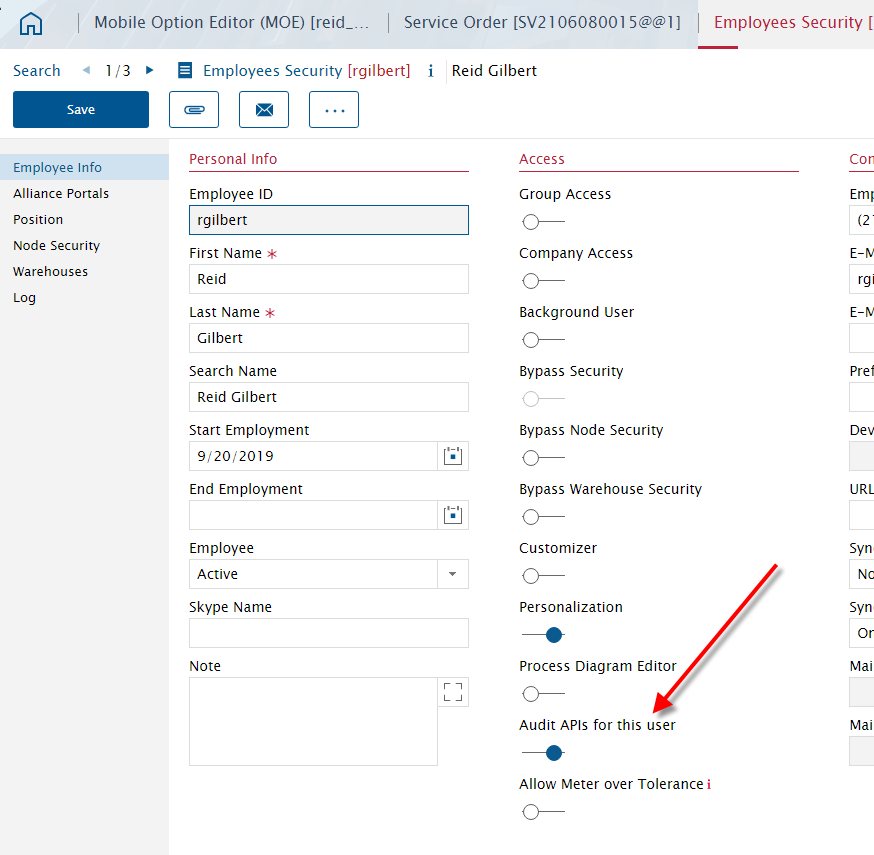
Another cool trick you can use when you want to grab a specific API is to turn on the Audit API’s for this User toggle in the Employees Security module (this will work for mobile users as well as users in the back-end Alliance application):
 

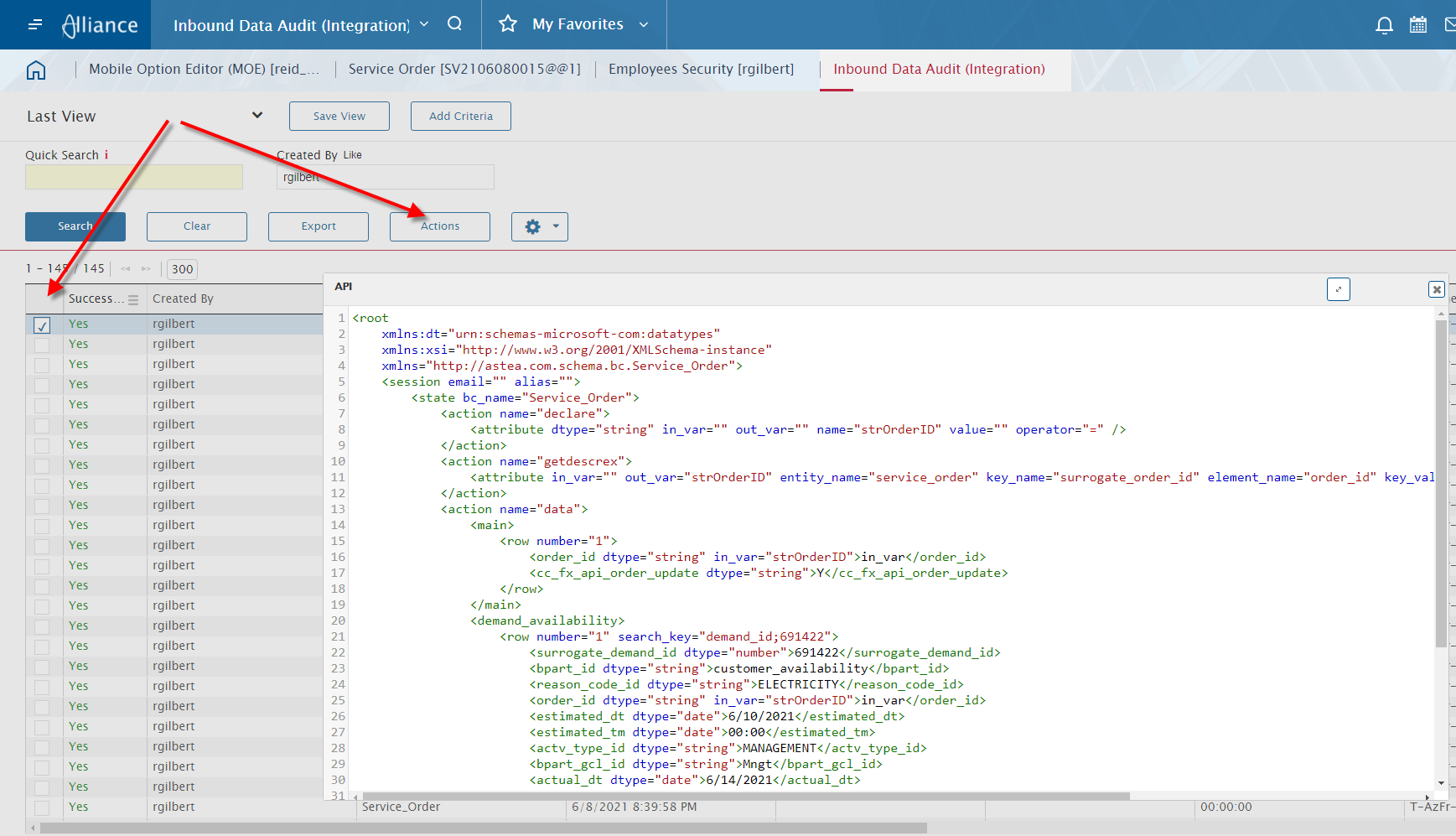
After you make this change for you user, log out of the application and then log back in and do your same steps (delete a checklist line, etc.)  Now go to the Inbound Data Audit (Integration) module and retrieve the records for your user id.  Sort them by date/time descending, select a row and click on Actions and View API.  This will pop up a window with the API for you (much easier than trying to pull API’s from Event Viewer log files or things of that nature since you can enable/disable this at an individual user level):


Forum|alt.badge.img+7
  • Author
  • Sidekick (Customer)
  • Jun 11, 2021 5:44 AM UTC

Hi,

Below is an example to delete order checklist.

You must supply the correct value in order_id and seq_in_execution.

In sample below, seq = 1 will be deleted.


Thanks a lot!!!! This is exactly what I need. 


Hi Torsten,
Another cool trick you can use when you want to grab a specific API is to turn on the Audit API’s for this User toggle in the Employees Security module (this will work for mobile users as well as users in the back-end Alliance application):
 

Damned, thats a great idea. Thanks a lot!!!


Thanks guys!


Forum|alt.badge.img+7
  • Author
  • Sidekick (Customer)
  • Sep 8, 2021 8:13 AM UTC

Hi guys,


does anyone know, how the API for “Regenerate checklist” exactly is? I tried with the hint from Reid with audit API by my own account. But this special action is not logged in audit api. 


Thanks in advance!

Regards

Torsten


Forum|alt.badge.img+12
  • Superhero (Employee)
  • Sep 14, 2021 12:28 AM UTC

Hi Torsten,


Try the below API


<root xmlns:dt="urn:schemas-microsoft-com:datatypes">
  <session email="" alias="">
    <state bc_name="service_order">
      <action name="data">
        <main>
          <row number="1">
            <order_id dtype="string">SVxxxxxxxxxx@@1</order_id>
          </row>
        </main>
      </action>
      <action name="execmacro">
        <attribute bo_name="main" macro_name="GENERATEALLCHECKLISTMACRO" />
      </action>
      <action name="execmacro">
        <attribute bo_name="main" macro_name="SAVE" />
      </action>
    </state>
  </session>
</root>


Rgds,

Joshua


Forum|alt.badge.img+7
  • Author
  • Sidekick (Customer)
  • Sep 14, 2021 4:49 AM UTC

Hi Joshua,


thank you a lot, this is working. Excactly, what I need. Thanks so much!!!!


Regards

Torsten


Forum|alt.badge.img+1

Hi Torsten,
Another cool trick you can use when you want to grab a specific API is to turn on the Audit API’s for this User toggle in the Employees Security module (this will work for mobile users as well as users in the back-end Alliance application):
 

After you make this change for you user, log out of the application and then log back in and do your same steps (delete a checklist line, etc.)  Now go to the Inbound Data Audit (Integration) module and retrieve the records for your user id.  Sort them by date/time descending, select a row and click on Actions and View API.  This will pop up a window with the API for you (much easier than trying to pull API’s from Event Viewer log files or things of that nature since you can enable/disable this at an individual user level):


You learn something new everyday. This is a great tip Reid; thanks for the info!


Forum|alt.badge.img+7
  • Author
  • Sidekick (Customer)
  • Nov 23, 2021 8:25 AM UTC

Hi,

Below is an example to delete order checklist.

You must supply the correct value in order_id and seq_in_execution.

In sample below, seq = 1 will be deleted.


<root>
  <session alias="" email="">
    <state bc_name="Service_Order">
      <action name="data">
        <main>
          <row number="1">
            <order_id>SV2106100001@@1</order_id>
          </row>
        </main>
        <checklist_for_order_hdr>
          <row number="1" delete="true">
            <seq_in_execution>1</seq_in_execution>
            <bo_search_keys>
              <item>
                <name>seq_in_execution</name>
                <value>1</value>
              </item>
            </bo_search_keys>
          </row>
        </checklist_for_order_hdr>
      </action>
    </state>
  </session>
</root>


Hi Joshua,

may I ask one more question related deletion of checklists?

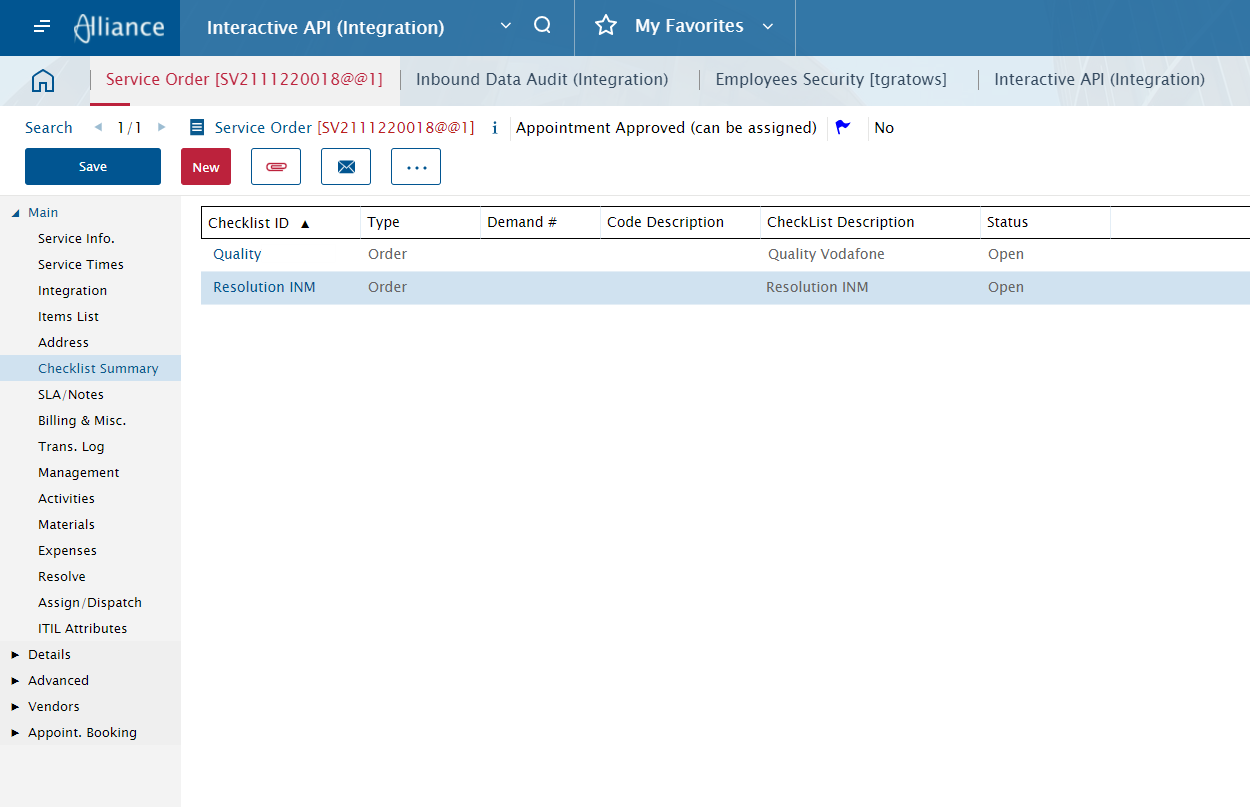
What would be the Api for delete a complete checklist, if more than one checklist are attached to one order? Example, i have an order with two checklists. One has cl_id = 9 and one has cl_id = 6 


Would it be possible, to delete one of them complete. (without doing for every line for this checklist?)


If this would not be possible, does anyone know, how add a checklist could be added by a process flow? Is there an api available? Unfortunalety this action is not logged in audit data.


Regards

Torsten