How do I prevent several activities from overlapping with each other in the time sheets module?

Solved
Activities Overlap Issue


 +7
+7Best answer by Pranavan Paranthaman
Hi Sachin,
You can control this in 2 ways in alliance v15
Option 1:
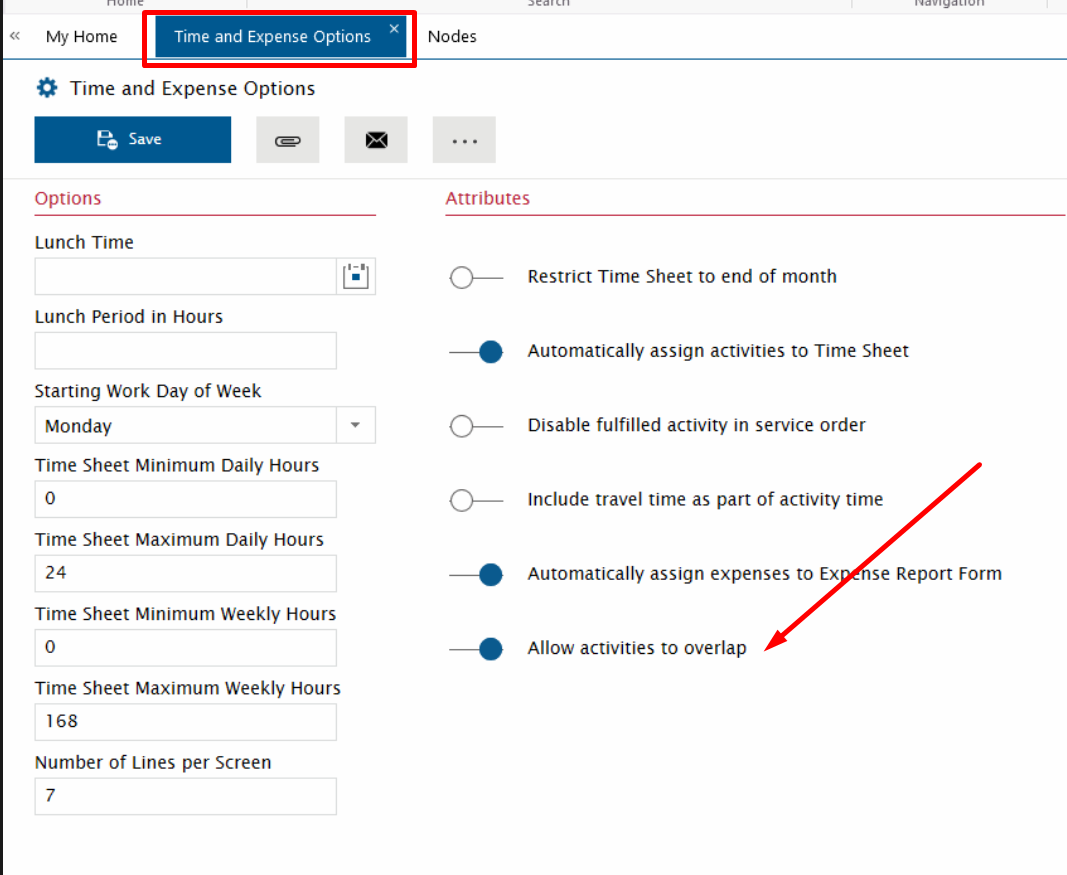
Navigate to Time and Expense Options module > Deselect “Allow activities to overlap” option.
Option 2:
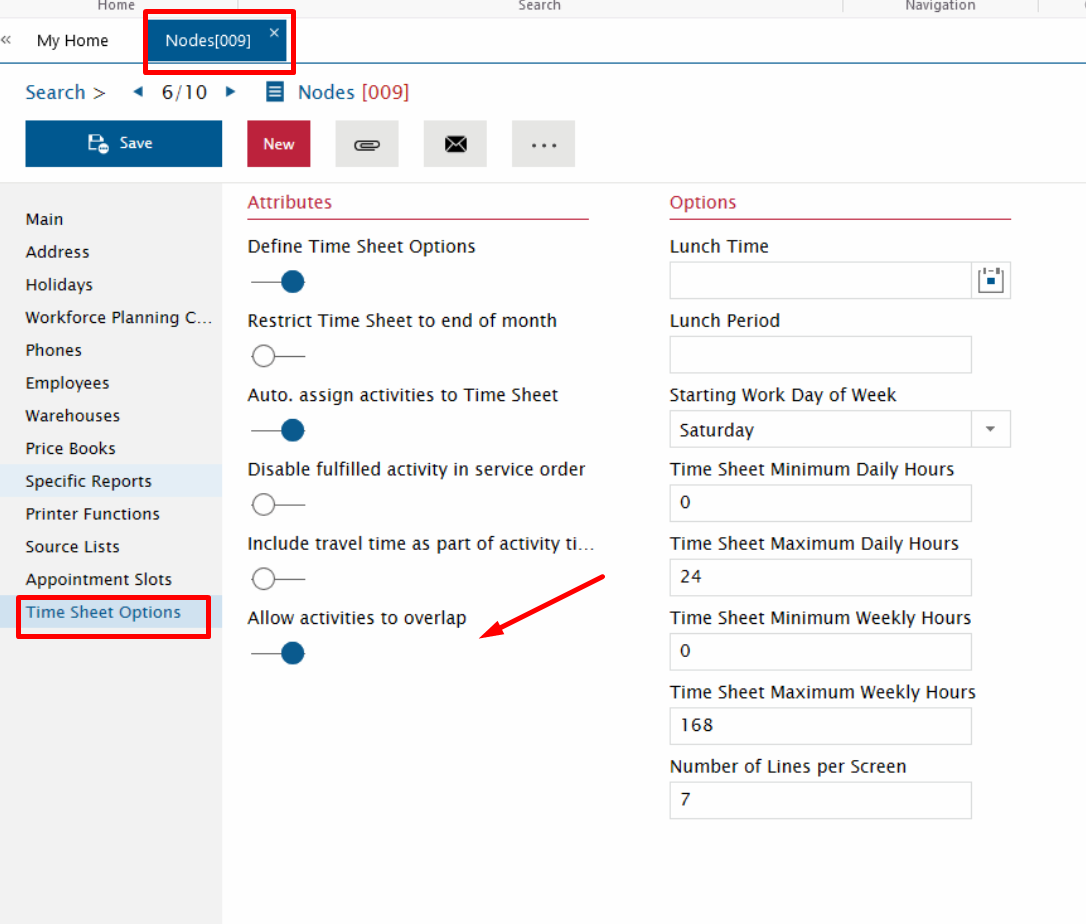
Navigate to Nodes module > Click on Time Sheet Options on the side navigation panel > Deselect "Allow activities to overlap" option.


Enter your E-mail address. We'll send you an e-mail with instructions to reset your password.