

Hello,
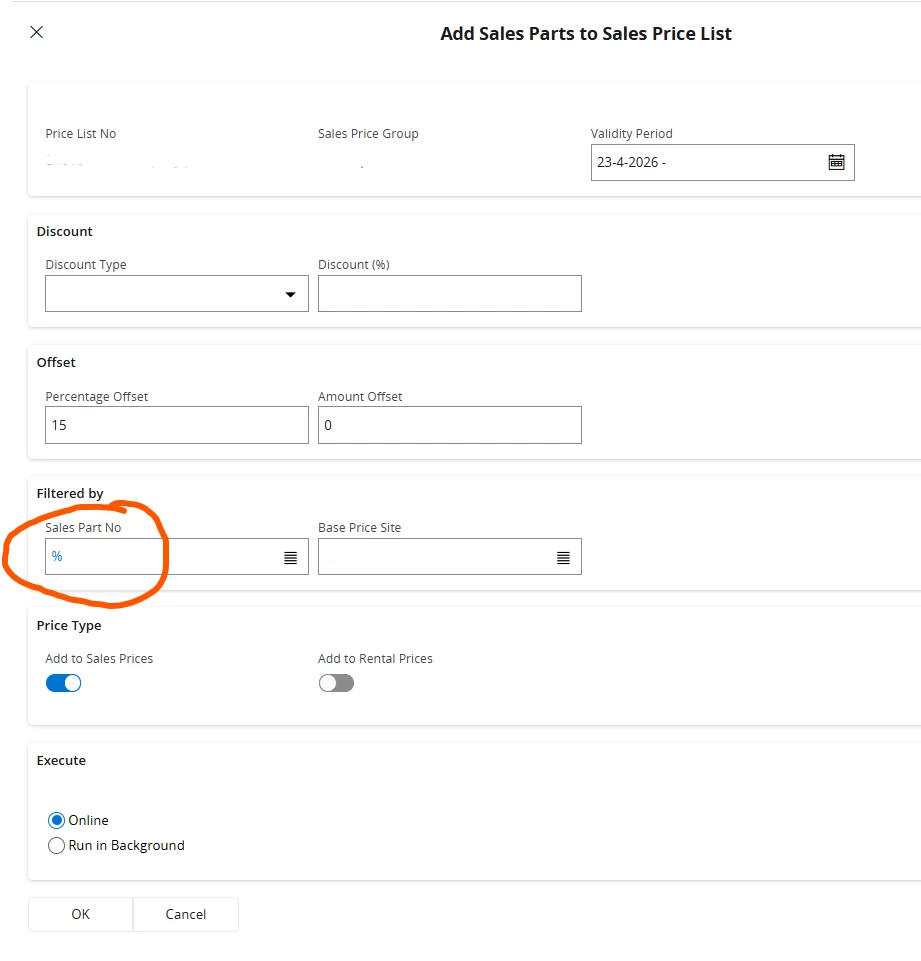
Is it possible to delete the filter in this dialog screen?

Hello,
Is it possible to delete the filter in this dialog screen?
Best answer by Nikila Dis
Hi
No you can’t because the “Sales Part No” filter (with %) is a standard element in the Add Sales Parts to Sales Price List dialog in IFS Cloud. The % symbol acts as a wildcard, meaning that all sales parts will be included when the process runs. For instance, in the “Add Sales Parts to Sales Price Lists” screen, if a specific value such as “1010” is initially set as the default for Price List No, selecting another value using the search option will not replace the initially populated “1010” price list ID. Similarly, if “%” is set as the default value, selecting an additional value will not replace the initially selected “%”.
Therefore, this is expected behavior: once “%” or a specific value is initially set in Price List No or Sales Part No, it will not be replaced by subsequently selected values. It seems it is built into the system logic to control how data is selected and processed within the dialog.
Also, I hope you have seen that this has been raised as an idea post as well.
If this resolves your question, please mark it as the best answer. So that it will be helpful for other peers.
Regards,
Nikila Dissanayake
Enter your E-mail address. We'll send you an e-mail with instructions to reset your password.


