Solved

Cloud - when will "search and replace" be possible i Cloud?

  • January 28, 2025
  • 4 replies
  • 438 views

Osthewha
Sidekick (Customer)
Forum|alt.badge.img+8

Hi, 

We miss the functionality for “search and replace” when updating data in the application.

We run IFS Cloud 23R2.6 today

Best answer by Mohamed Asjath

Hi ​@Osthewha,

I think this could help you.
 

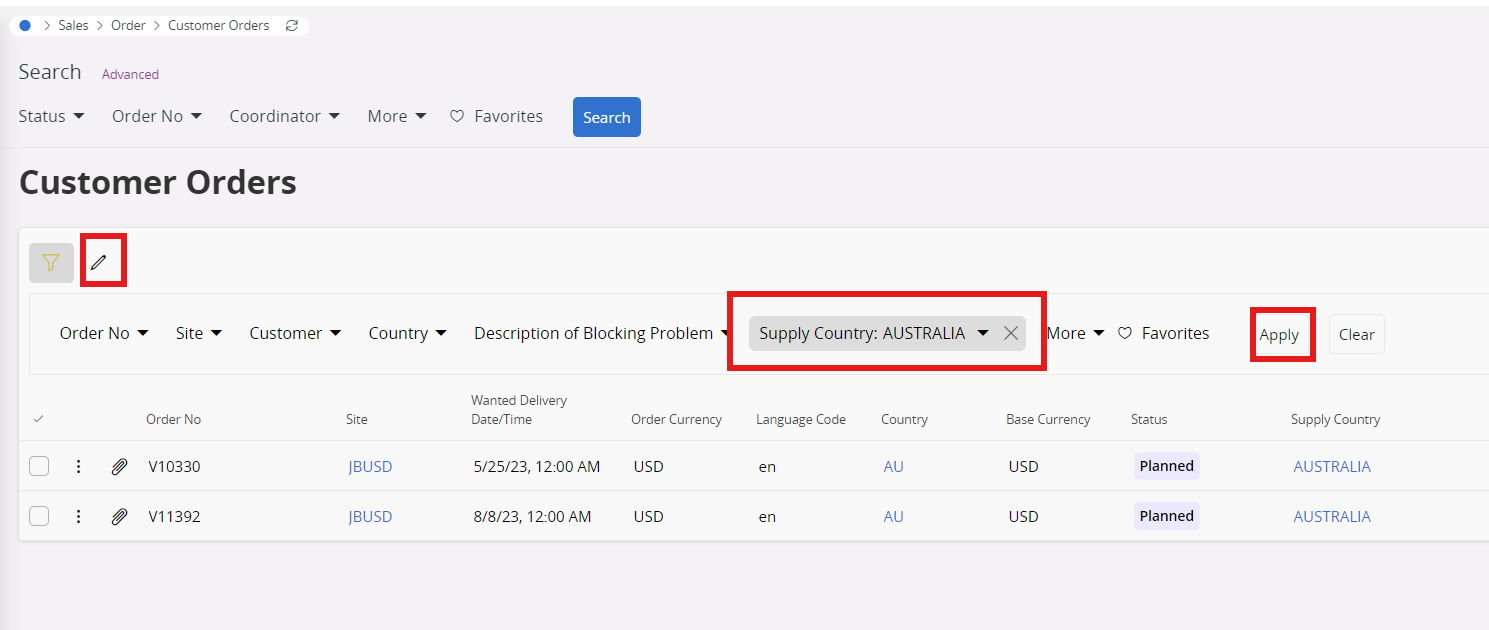
  • Navigate to the desired window and apply the necessary filters. Now click on Edit icon.


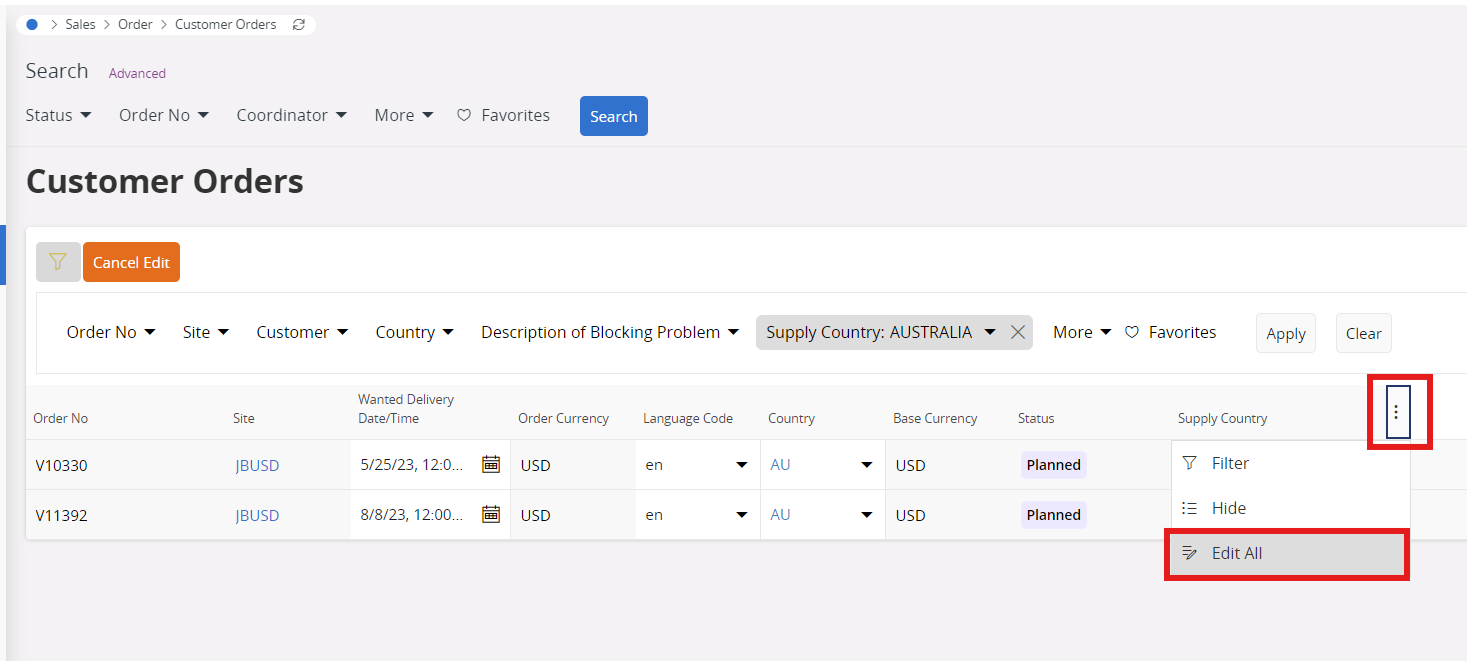
  • Locate the column header where changes are required, then click on the three dots (options menu). Now click on “Edit All”.
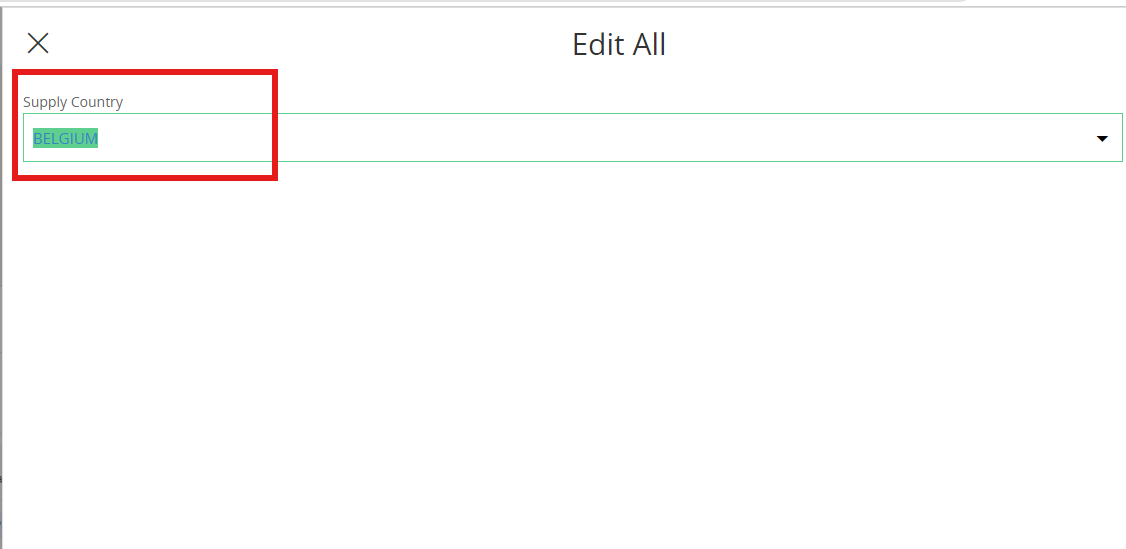
  • Now proceed to replace or update the data as needed. and click on update
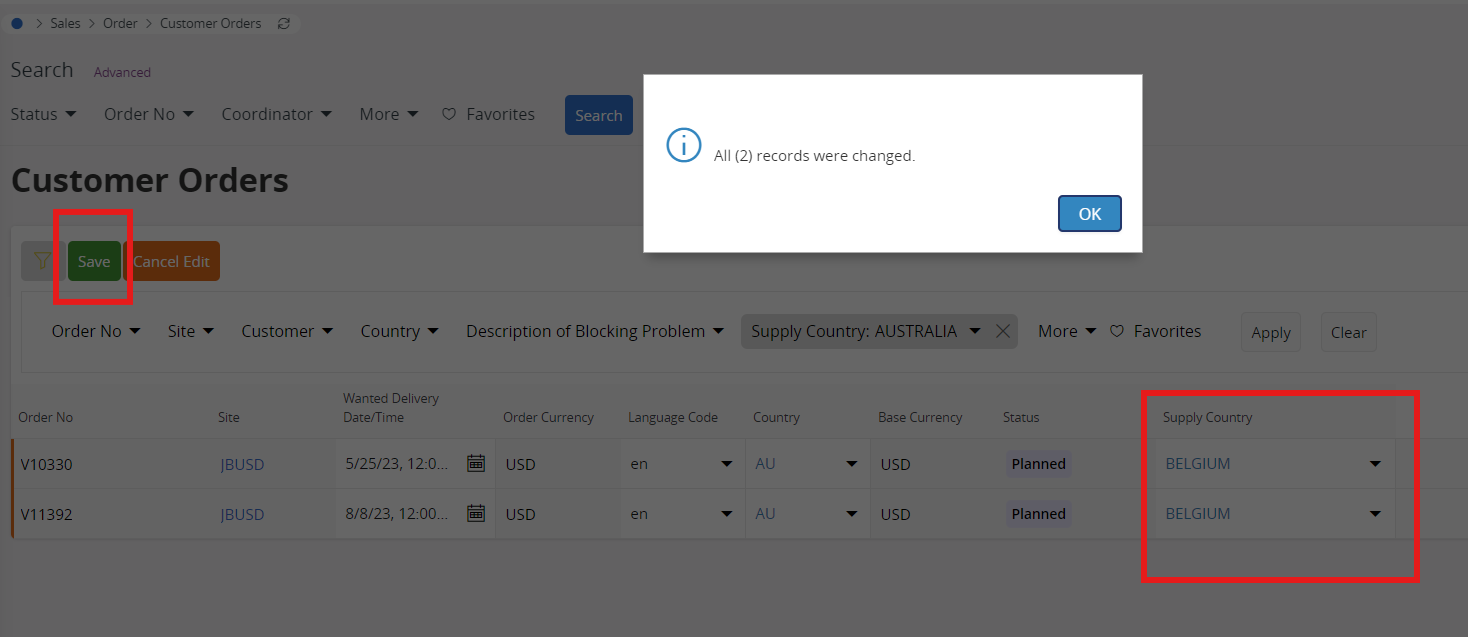
  • The values will now be updated with the newly entered data.


Thanks

Asjath

4 replies

PRODQ
Superhero (Customer)
Forum|alt.badge.img+18
  • Superhero (Customer)
  • January 28, 2025

There is the ‘Edit All’ function against some screens.  

I agree I miss it application-wide though!


LInda


Mohamed Asjath
Do Gooder (Employee)
Forum|alt.badge.img+5
  • Do Gooder (Employee)
  • Answer
  • January 28, 2025

Hi ​@Osthewha,

I think this could help you.
 

  • Navigate to the desired window and apply the necessary filters. Now click on Edit icon.


  • Locate the column header where changes are required, then click on the three dots (options menu). Now click on “Edit All”.
  • Now proceed to replace or update the data as needed. and click on update
  • The values will now be updated with the newly entered data.


Thanks

Asjath


Forum|alt.badge.img+8
  • Do Gooder (Customer)
  • September 28, 2026

Is this available on all search fields and if so - what is the permission required for this - I see this option on Customer Orders but not Purchase Orders


PRODQ
Superhero (Customer)
Forum|alt.badge.img+18
  • Superhero (Customer)
  • September 28, 2026

You can Edit All on some fields in POs (Co-ordinator - though not Buyer, Tax, Notes, Supplier O/No).  May also depend on the Status of the PO.


Linda