Solved

How to mandatory field in Material Requisition

  • September 8, 2021
  • 10 replies
  • 383 views

saiful
Sidekick
Forum|alt.badge.img+6


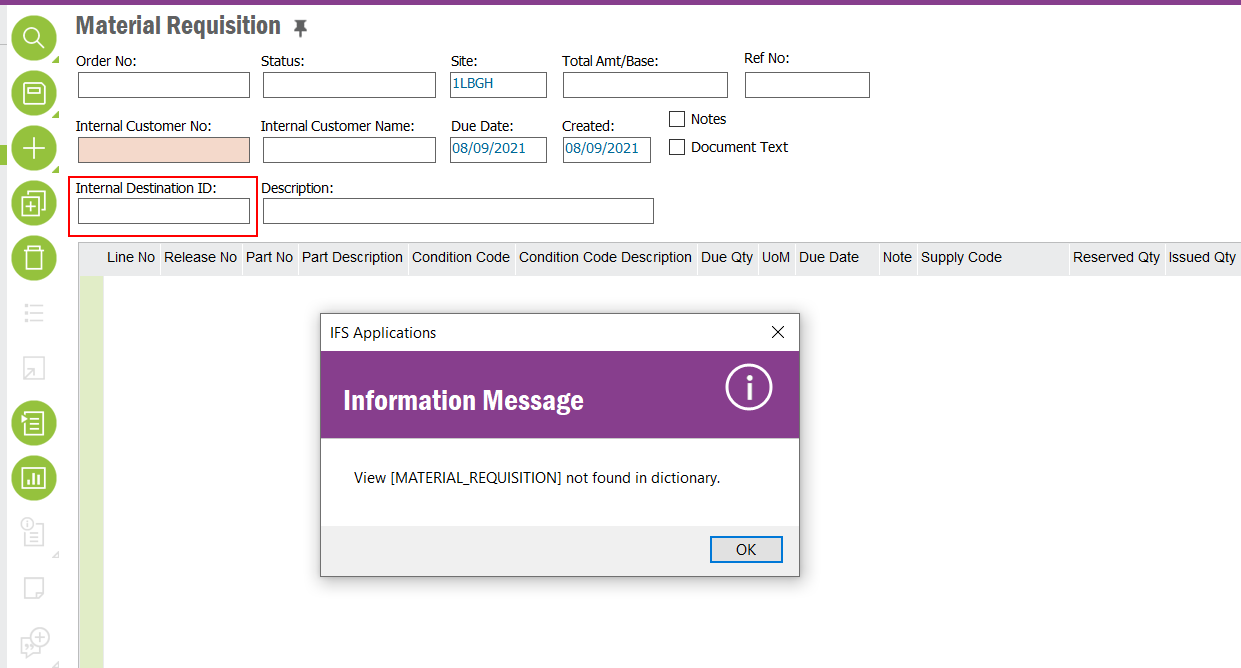
This alert is displayed when going to "Conditional Field" from the RMB option. I want to make "Internal Destination ID” to field mandatory.
Please suggest to me how to avoid this alert.


Thanks in Advance

Saiful

 

Best answer by Thom C


View [MATERIAL_REQUISITION] not found in dictionary

[Apps10] This alert is displayed when going to "Conditional Field" from the RMB option.


That looks like a bug to me; time for you to raise a case with IFS Support.
Maybe the IFS user does not have sufficient permission to the Presentation Object as I have not encountered a message like that previously.  That seems unlikely as you must have created Material Requisitions with that account. 


This topic has been closed for replies.

10 replies

AanHGTS
Hero (Partner)
Forum|alt.badge.img+12
  • Hero (Partner)
  • September 8, 2021

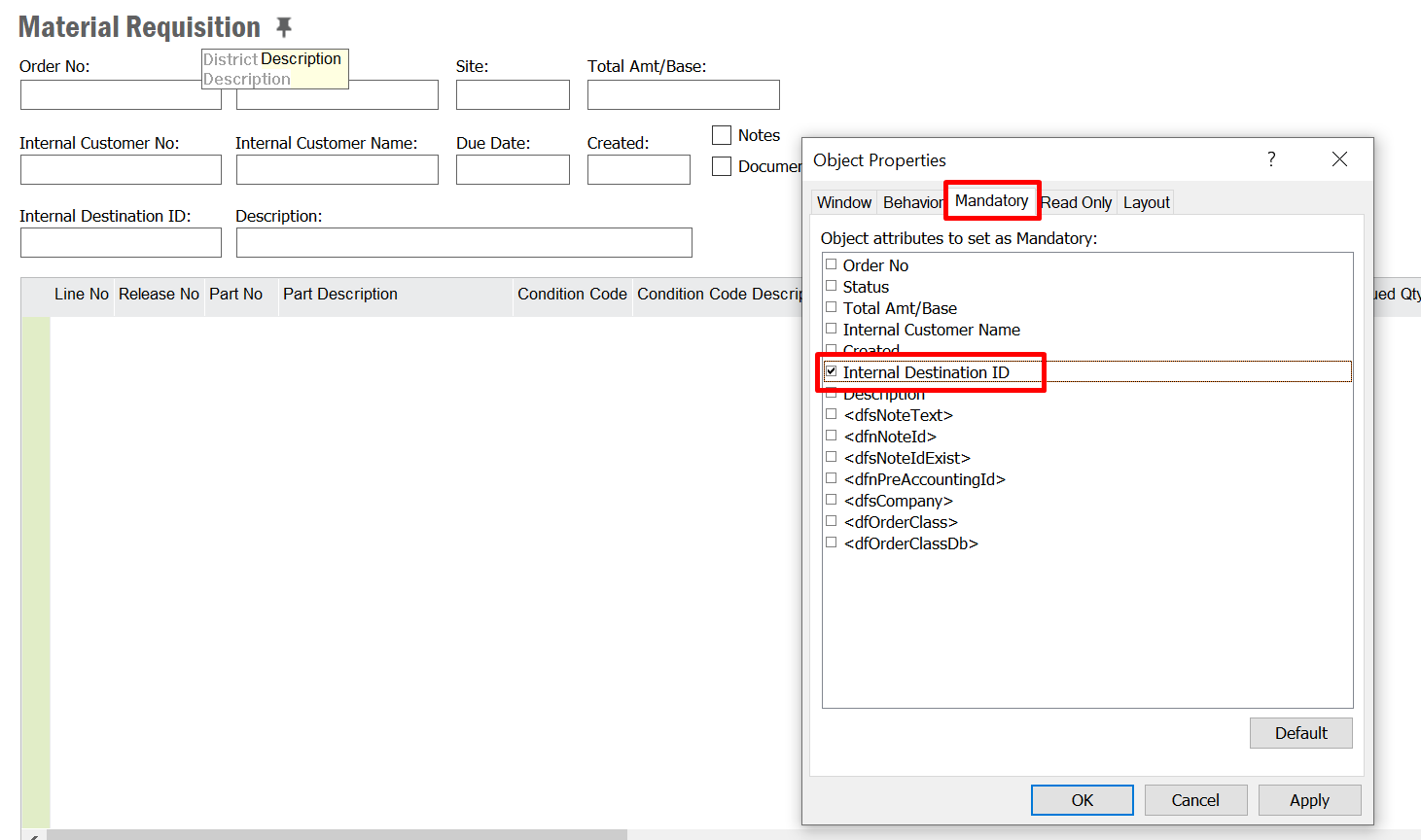
Try the window Properties and set the Field to mandatory.


saiful
Sidekick
Forum|alt.badge.img+6
  • Author
  • Sidekick
  • September 8, 2021

Thanks for reply.

But the problem is when created a mandatory field from "object property" it applied to me. I want to create for all users. :(


AanHGTS
Hero (Partner)
Forum|alt.badge.img+12
  • Hero (Partner)
  • September 8, 2021

I hope you can set it in the Base Profile so it will apply for all.


Forum|alt.badge.img+10

You can check below post, how to set this up using base profile.


saiful
Sidekick
Forum|alt.badge.img+6
  • Author
  • Sidekick
  • September 8, 2021

Thank you @Yasanthi Gunawardena and @AanHGTS 

Is this possible for this mandatory field to apply to one company only?

We create material requisitions for three companies. This policy is not for all.


Forum|alt.badge.img+10

@saiful You are setting the field mandatory for that particular window, Material Requisition. So I don’t think that it is possible to apply for a one particular company.  If you apply it for multiple users via base profile, you can restrict user access for other companies, as an alternative. 


Thushitha Chandrasiri
Superhero (Partner)
Forum|alt.badge.img+21

Hi @saiful ,

if it’s for a specific company, you can create a custom event with a suitable event action to generate an error message if the destination id is null and the company of the site of the material requisition is the company you need.


Thanks,


Thom C
Hero (Customer)
Forum|alt.badge.img+8
  • Hero (Customer)
  • September 8, 2021

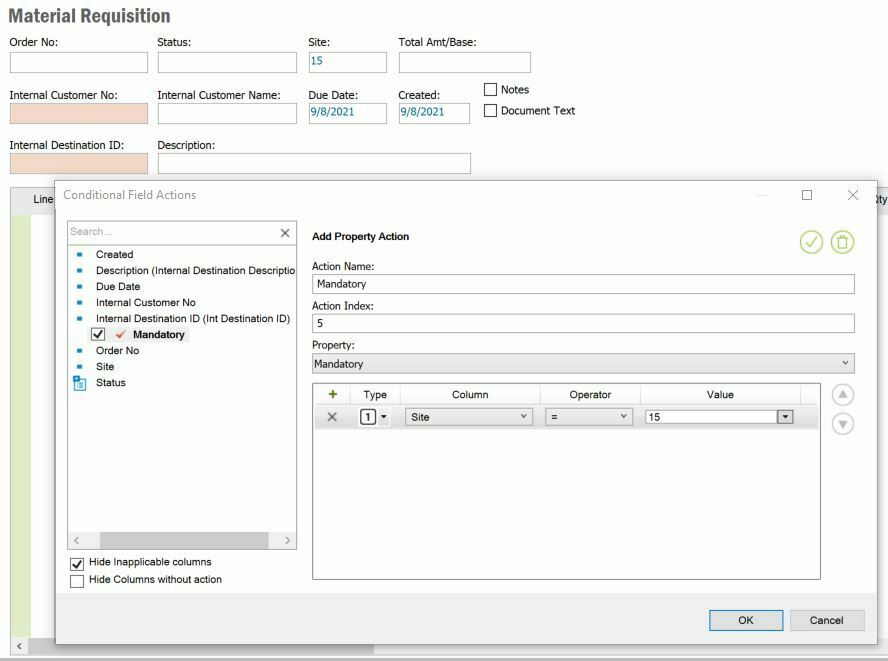
Is this possible for this mandatory field to apply to one company only?


[Apps9] Yes by Site, No for Company. 


You still need to make this Conditional configuration in a Base Profile … and have your IFS Users assigned that Base Profile. 

I was able to configure this in Apps9 and did not receive any error message. 


saiful
Sidekick
Forum|alt.badge.img+6
  • Author
  • Sidekick
  • September 9, 2021


Hi@Thom C 

[Apps10] This alert is displayed when going to "Conditional Field" from the RMB option.


Thom C
Hero (Customer)
Forum|alt.badge.img+8
  • Hero (Customer)
  • Answer
  • September 10, 2021


View [MATERIAL_REQUISITION] not found in dictionary

[Apps10] This alert is displayed when going to "Conditional Field" from the RMB option.


That looks like a bug to me; time for you to raise a case with IFS Support.
Maybe the IFS user does not have sufficient permission to the Presentation Object as I have not encountered a message like that previously.  That seems unlikely as you must have created Material Requisitions with that account.