Question

Page Designer IFS Cloud 24R2 - can you alter the date time format displayed

  • June 27, 2025
  • 3 replies
  • 280 views

Forum|alt.badge.img+11

Hi, Is it possible in the page designer to change the date and time format that is displayed? Certain users of the work tasks do not need a time element so wanted to just display the date. This isn’t impacting function just my desire to get things to look right for the user.

Thanks in advance for any advise, Sarah

3 replies

Forum|alt.badge.img+2
  • Do Gooder (Partner)
  • June 27, 2025

Hi,

You can change the date format displayed on all windows through the browser settings. For example, for chrome if you set the language to Canada first you will have dates YYYY-MM-DD. As for the time stamp you can make an additional field that will display only the date without the time.


Regards


Forum|alt.badge.img+12
  • Hero (Partner)
  • June 27, 2025

Hi ​@sholmes,

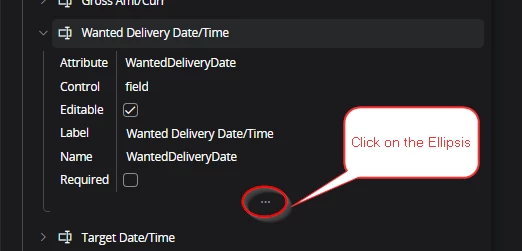
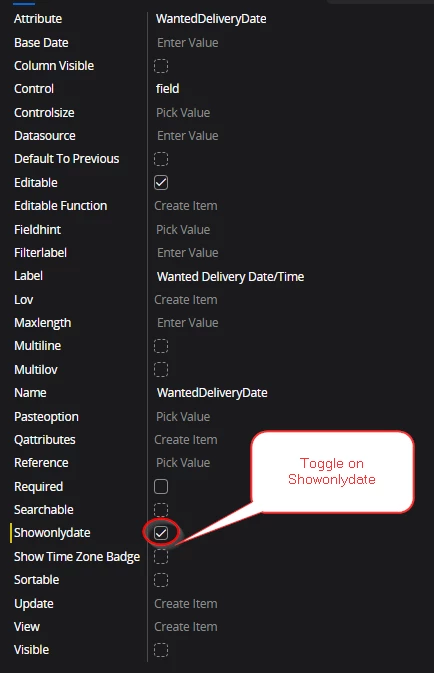
Yes, you should be able to do this in the Page Designer for the specific attribute. 

Below is an example from the Line tabs on the Customer Order Record:

Once you save and publish the change, you will see only the date for the selected context.  


AveTonitM
Hero (Partner)
Forum|alt.badge.img+10
  • Hero (Partner)
  • November 27, 2025

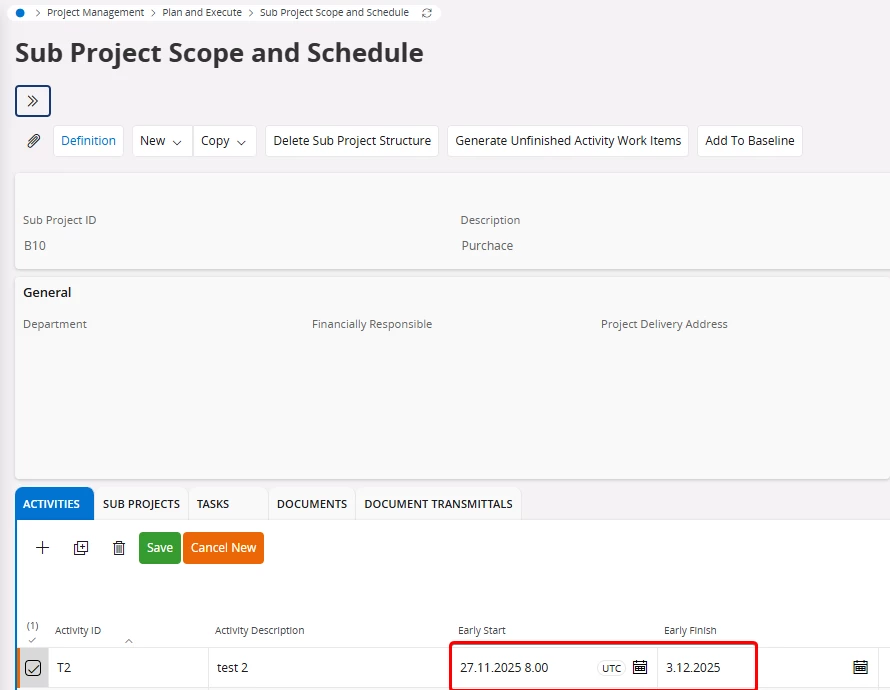
Project activities have early start and early finish dates. The standard format is DD.MM.YYY HH24:MI. Users do not schedule activities on hourly level so I removed the date by changing the “Showonlydate” definition with page designer. 

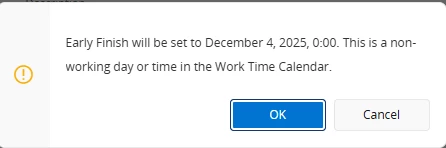
However when saving the record in Aurena the system will perform the validation on date time level and generate a warning message like this:

Is there a way to change the validation level from “date time” to “date” level?