Question

MobileCustomizer build 15.4 with 15.1 back office

  • November 26, 2021
  • 7 replies
  • 67 views

Forum|alt.badge.img+11

Hi

We encounter the following access issue to the mobilecustomizer on environments where in the config editor the allowcustomization is set to false with a 15.1 back office
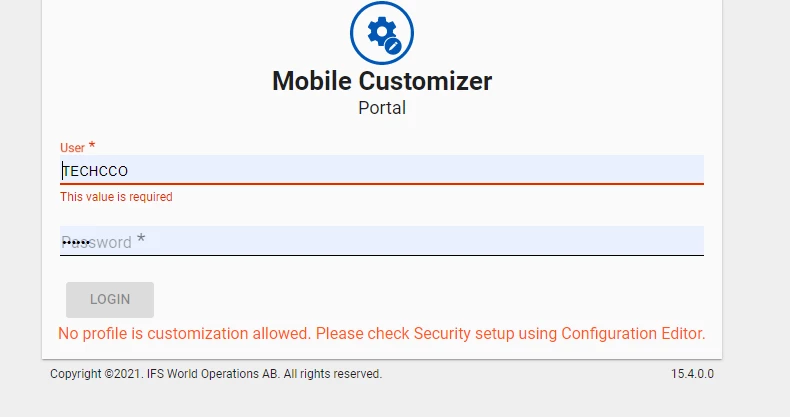
is there some other settings to look for ?

7 replies

Forum|alt.badge.img+6
  • Sidekick (Employee)
  • November 26, 2021

Hello,


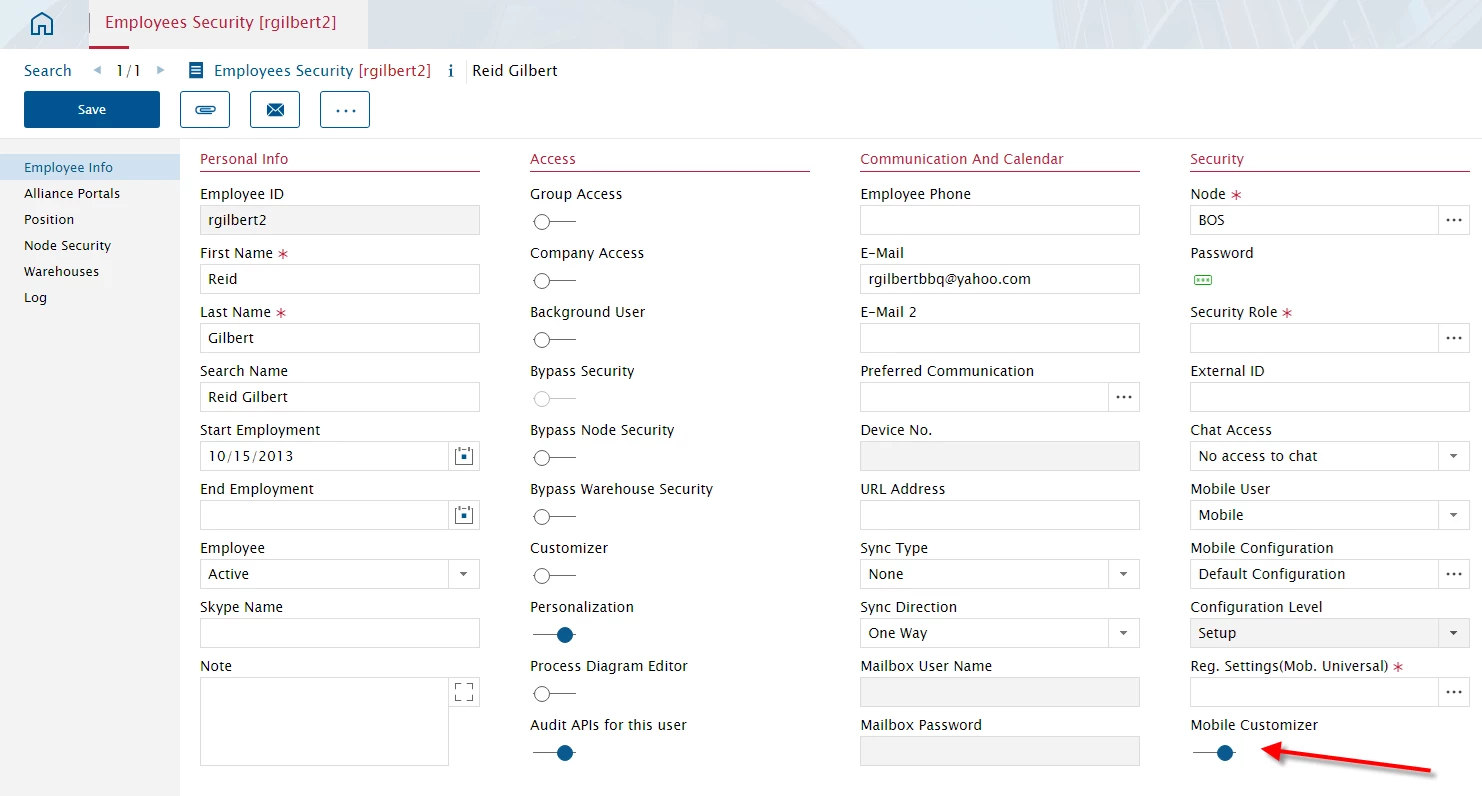
 Please ensure that the Mobile Customiser access is turned on for the respective user within the Employees Security module.


Forum|alt.badge.img+6
  • Sidekick (Employee)
  • November 26, 2021

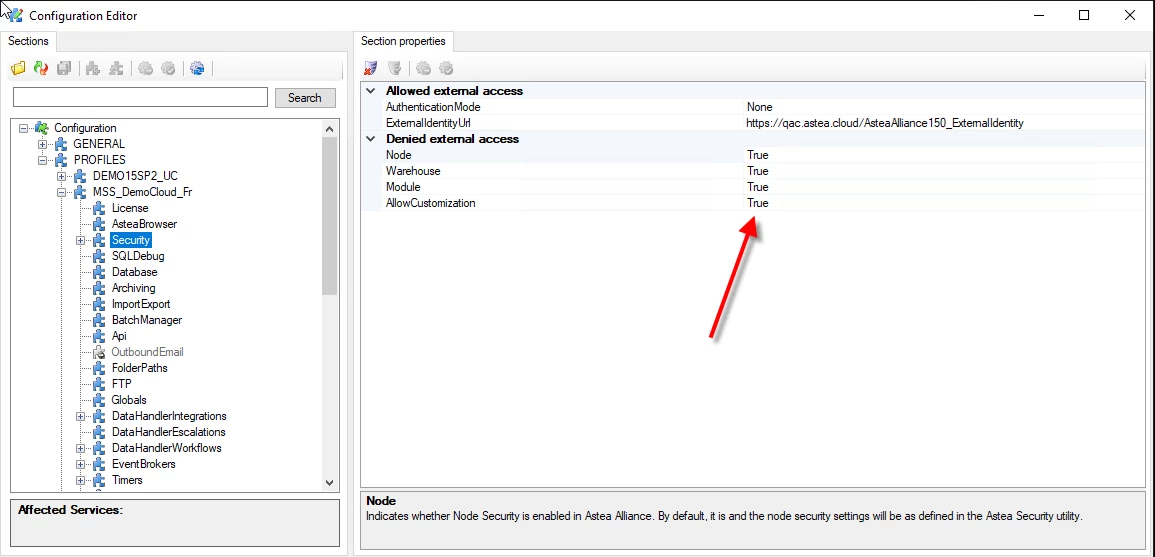
Also set the value to ‘True’ and try again.


Forum|alt.badge.img+11
  • Author
  • Sidekick (Partner)
  • November 26, 2021

Hi Ugo , if we do that this ok but that’s mean a user which is customizer in the back office can modify screens. We want for some environments like training/ production only import / export customization 


Forum|alt.badge.img+6
  • Sidekick (Employee)
  • November 26, 2021

Hi Chris,


 What exactly are you trying to achieve?

There is a Customiser role in both the Backend and Mobile. An user on the Backend with Mobile Customiser access , will also need to be defined as a mobile user. They will be able to modify screens, fields, etc, import/export customisations, etc, within the Mobile app. These  changes will only be effective on mobile once the mobile customisations are published.  The same applies for a Backend user with Customiser access. Or, are you trying to have Mobile Customiser access but allow only the option to use the Import/Export functionality and nothing else?


Forum|alt.badge.img+11
  • Author
  • Sidekick (Partner)
  • November 26, 2021

yes as the back office to be consistent


Reid Gilbert
Superhero (Employee)
Forum|alt.badge.img+15
  • Superhero (Employee)
  • November 29, 2021

This functionality was changed for V15.3 (we don’t have a way to give users the ability to import/export only...any user with access to the Mobile Customizer application will be able to import, export, change labels, views, etc.)  Here is the blurb from the documentation:

To customize the Alliance Mobile Edge application you must first log in to the Mobile Customizer application with a user that has access to this application.  In version 15.3 a new ‘Mobile Customizer’ setting has been added to the back-end Alliance application Employees Security module which you can configure to give individual users access to this application (these permissions are NOT related to the back-end Alliance customizer application access…that is controlled via the ‘Customizer’ setting on the same screen):

The Employees Security module above will allow you to grant/prohibit individual users from accessing the Mobile Customizer application, but what if you wanted to prohibit EVERYONE from using it completely without checking every record in the Employees Security module?  You can do that inside of the Configuration Editor…Click on PROFILES and then click on Security and you can adjust the setting on the AllowCustomization field on that screen.  NOTE: this setting will DISABLE the customizations on the back-end Alliance Application as well as DISABLE the Astea Mobile Customizer application (profiles that do now have customizer access defined will not appear on the login screen on the Mobile Customizer application).


Reid Gilbert
Superhero (Employee)
Forum|alt.badge.img+15
  • Superhero (Employee)
  • November 29, 2021